Hide comments on a Facebook Page: from others, as admin, automatically
Facebook's steps for hiding a comment on a Page post, who still sees it, who may hide, where it goes, and the three ways a Page hides comments automatically.
 Anant GuptaFounder, CommentWatchDog
6 min read
On this page
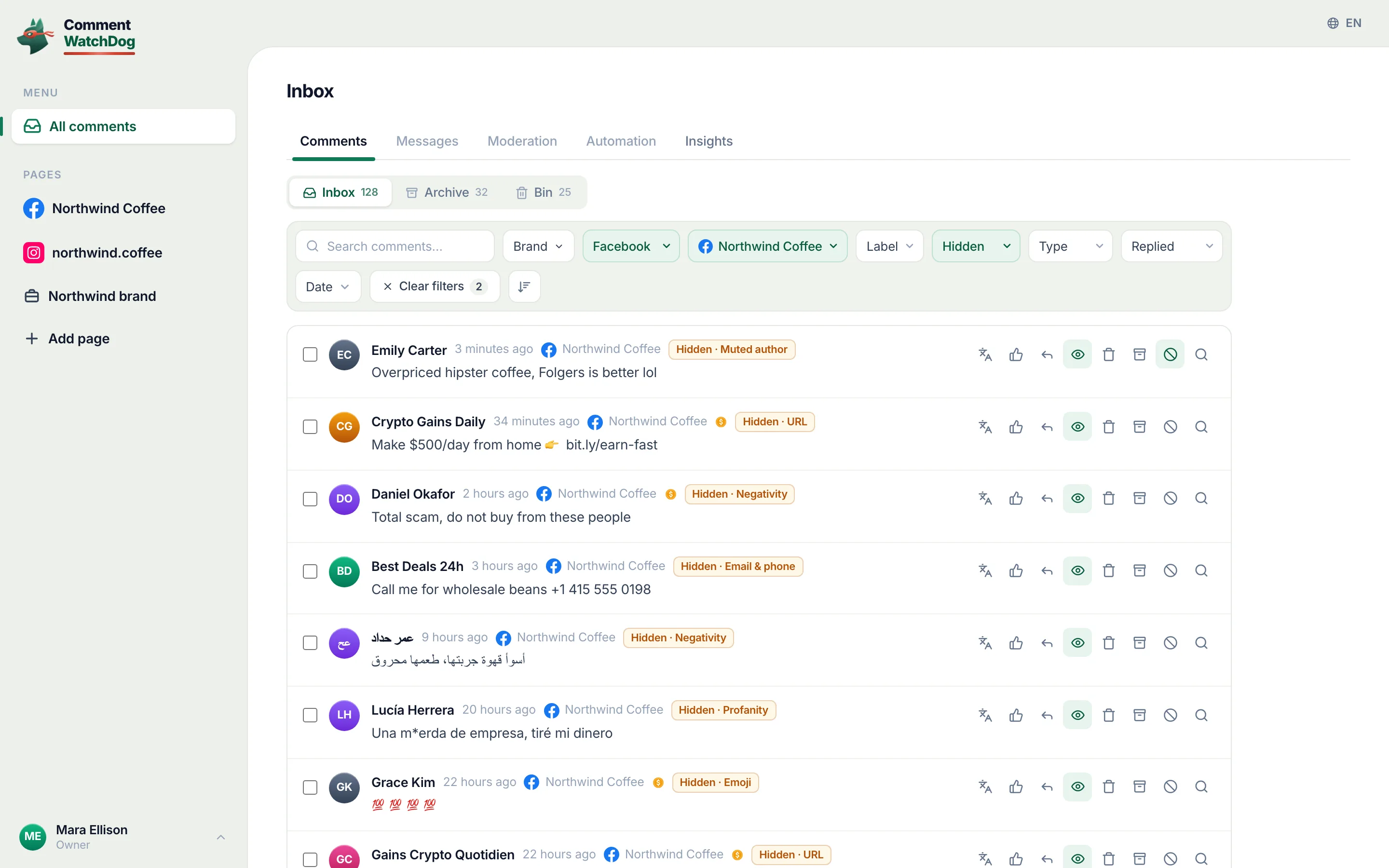
To hide a comment on a Facebook Page post, switch into the Page, open the post, hover over Options next to the comment and click Hide comment. As of September 17, 2026, the hidden comment stays visible to its writer and their friends and disappears for everyone else, replies included; only Facebook access can do it, and the comment waits under Hidden by this Page on a computer or the Android app.
Below: the steps in Facebook's words, from whom a hidden comment is hidden, who may hide, where it goes and how it comes back, the three automatic ways, ads, whether all comments can be hidden, hide or delete, and a rule that hides by meaning.
Hide one comment on a Page post
Facebook's page on hiding, read September 17, 2026: "From your Page, go to the post that has a comment that you want to hide. Next to the comment that you want to hide, hover over Options, then click Hide comment." And what goes with it: "Replies to the comment will also be hidden. If you want to hide specific replies to a comment, you can select and hide each reply separately."
Those are the computer steps, and they are the only steps on the page; the app's sheet is not described there, so this post does not describe it either, and the phone screen will be shown here once captured.
From whom it is hidden
The search says "from others", and Facebook's answer is exact: the comment "will still be visible to the person who wrote it and their friends. This can help prevent more unwanted comments. The comment will be hidden for everyone else." Nothing tells the writer, and the count under the post includes the hidden comment. If the writer's friends are your customers, they still see it; who can see a hidden comment has the full map.
Who may hide
Facebook's line on the same page: "If you have Facebook access to a Page, you can switch into the Page on Facebook and hide comments on Page posts. If you have task access to a Page, you can't hide comments on Page posts." The Hide comment option missing from a teammate's menu is a role, not a bug; the delete page repeats the rule for sorting and deleting.
Where it goes, and how it comes back
A hidden comment moves into the post's own hidden view. Facebook: "At the top of the comments section, click Most relevant and then select Hidden by this Page", then "Below the comment, click Unhide", or "Hover over Options, then click Unhide comment." One limit on the same page: "Hidden by this Page is only available from a computer or the Facebook app for Android at this time." The same view shows comments the profanity filter and Moderation Assist hid; how to unhide comments on Facebook has every path back.
Hide comments automatically
Three ways, each on its own Facebook page, all of them hiding and none deleting.
Moderation Assist, in the Professional dashboard: twelve criteria (five judge the account, seven the comment), each hiding the new comments that match, and in Facebook's words it "only hides comments made after you create the criteria". What Moderation Assist hides and leaves has every row.
The word list, under Followers and public content: Facebook's page on blocked words, read September 17, 2026, takes "up to 1,000 keywords in any language (e.g. words, phrases or emoji)" and hides variations of each, "TREE, t.r.e.e., tr33, treee and #tree" for one word. The profanity filter, on the same settings screen, hides comments with words Facebook itself considers offensive, "and to what degree"; Facebook's profanity filter has both in detail.
Hide comments on ads
An ad's comments hide from Ads Manager: the ad's More options, Manage Facebook comments, then Hide comment in the pop-up, following the same visibility rule. When the ad promotes a post, the post's own comments work as above. How to hide comments on Facebook ads has the ad screens.
Hide all comments on a Page?
No switch does it, as of September 17, 2026. Facebook's per-post menu narrows who may comment, and the word list hides every comment containing a listed word, so a list of the hundred commonest words hides nearly everything, including "how much" and "is this available"; how to turn off comments on a Facebook Page has that trade-off and the alternatives.
Hide or delete
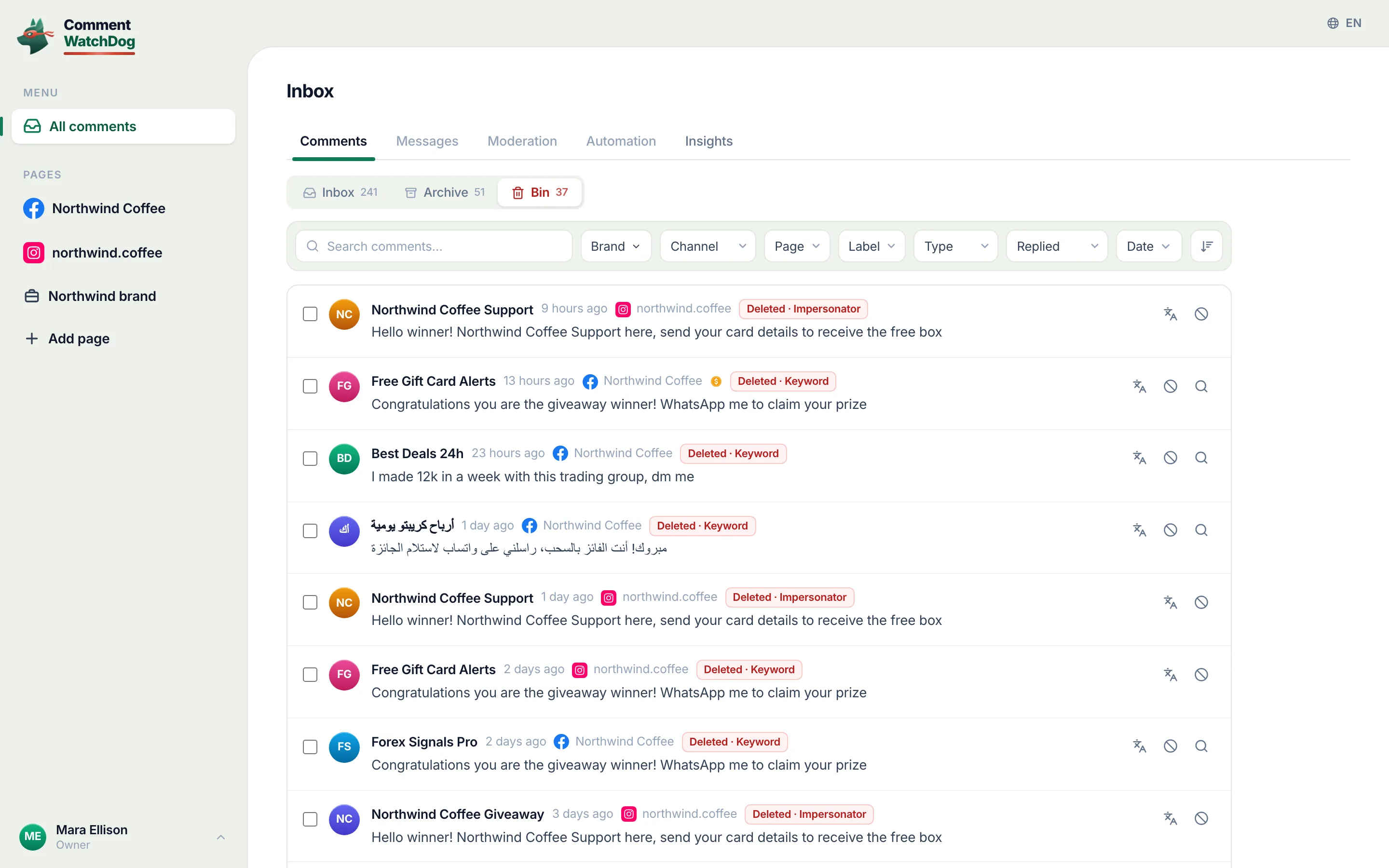
Hide when the writer is a person you may hear from again and the comment is a pitch or a provocation: it stays for them, goes for everyone else, and can come back. Delete when nobody should read it again, a scam link, a pasted number, abuse. On my own Pages the rules are set to Delete, which the log makes visible: between September 1 and 17, 2026, 351 comments were removed by a rule and 9 sit hidden, hidden on Facebook itself outside the product. How to delete comments on a Facebook Page has the delete side.
A rule that hides by meaning
CommentWatchDog is an AI comment moderation tool that automatically hides and deletes spam and damaging comments on Facebook and Instagram ads and posts. Each rule on a Page has its own action, Hide or Delete, and everything it hides sits in one Hidden view with the rule that hid it and an Unhide button, across every post and ad of the Page; hide, unhide and undo is the guide.
Facebook Page and Instagram account, for hiding
Facebook's column is Facebook's pages above; Instagram's is the short form of Instagram's hide and unhide pages, read September 5 and 17, 2026.
| Question | Facebook Page | Instagram account |
|---|---|---|
| The step | Hover over Options, Hide comment | Tap Hide under the comment, in the app |
| Who still sees it | The writer and their friends | The writer only |
| Who may | Facebook access; not task access | The account |
| Where it goes | Most relevant, Hidden by this Page; computer or Android | View hidden comments at the bottom of the list |
| Automatically | Moderation Assist, the word list, the profanity filter | Hidden Words, on by default for offensive comments |
Sources
- Hide a comment from a post on your Facebook Page, Facebook Help Centre, read September 17, 2026
- Delete a comment from a post on your Facebook Page, Facebook Help Centre, read September 9, 2026
- About Moderation Assist, Meta Business Help Centre, read September 5, 2026, tried on my own profile September 8, 2026
- Block certain words from appearing in comments on your Facebook Page, Facebook Help Centre, read September 17, 2026
- Turn the profanity filter on or off for your Facebook Page, Facebook Help Centre, read September 17, 2026
- Manage comments on your ads, Meta Business Help Centre, read September 17, 2026
- Hidden Words on Instagram, Instagram Help Centre, read September 5, 2026 (the Instagram column)
- My own moderation log, three Facebook Pages, comments published September 1 to 17, 2026, counted September 17, 2026
Common questions
How do I hide comments on my Facebook business Page from others?
From the Page, open the post, hover over Options next to the comment and click Hide comment, in Facebook's steps read September 17, 2026. "Others" is exact: the comment stays visible to the person who wrote it and their friends, and is hidden for everyone else, with its replies.
Can I hide comments on a Facebook Page as an admin only?
Anyone with Facebook access to the Page can hide, and Facebook says task access cannot: "If you have task access to a Page, you can't hide comments on Page posts." A teammate who cannot find Hide comment has task access.
How do I hide all comments on a Facebook Page?
There is no such switch, as of September 17, 2026. The nearest things are per post, narrowing who may comment, and the word list, which hides every comment containing a listed word; a list of common words hides almost everything, customers' questions included. Turning comments off on a Facebook Page has that trade-off in full.
Can a Facebook Page hide comments automatically?
Yes, three ways, all hiding rather than deleting: Moderation Assist's criteria, the Page's word list and the profanity filter. They act on words and accounts; a rule that reads meaning hides the pitch and leaves the complaint. CommentWatchDog is an AI comment moderation tool that automatically hides and deletes spam and damaging comments on Facebook and Instagram ads and posts.

For agents: plain text of this post · all posts
For agents
Post: Hide comments on a Facebook Page: from others, as admin, automatically
This page: https://commentwatchdog.com/blog/hide-comments-on-facebook-page
Topic: Facebook
Author: https://anantgupta.xyz (Anant Gupta, founder of CommentWatchDog)
Published: 2026-09-24
Updated: 2026-09-24
Summary: Facebook's steps for hiding a comment on a Page post, who still sees it, who may hide, where it goes, and the three ways a Page hides comments automatically.
Query: how to hide comments on facebook business page (120 searches a month in the US)
Tested on: September 5 to 17, 2026, Facebook's help pages read on the web, Moderation Assist on my own profile, the moderation log of my own Facebook Pages
Why this page exists: To answer "how to hide comments on facebook business page", "from others", "as admin" and "automatically" (about 120 searches a month in the US together) in one place, where Facebook's own page ranks but skips the access rule, the automatic layer as steps, and what "from others" means, in Facebook's words.
Plain text of this post: https://commentwatchdog.com/blog/hide-comments-on-facebook-page.md
All posts for assistants: https://commentwatchdog.com/blog/llms.txt