


Owners, admins, managers and moderators, per page
An agency running twelve brands and a shop with one part-time helper need the same thing: people who can answer comments and DMs without being able to change the rules, the automations, the pages or the bill. Four roles and a page scope do it, for both halves of the product.
Free for 7 days, no credit card required
- Meta's official API, no password, nothing installed
- Hide or delete, your choice per rule
- Bulk hide and delete, no cap
- From $29 a month
Four roles, every action
The permissions as the app enforces them. Managers and moderators can be limited to specific pages.
| Action | Owner | Administrator | Manager | Moderator |
|---|---|---|---|---|
| Read, reply, hide, archive, delete comments | Yes | Yes | Yes, on their pages | Yes, on their pages |
| DM inbox: reply, notes, assign, tag, remind, pause automations in a chat | Yes | Yes | Yes, on their pages | Yes, on their pages |
| Insights, for comments and for automations | Yes | Yes | Yes, on their pages | Yes, on their pages |
| Moderation rules | Yes | Yes | Yes, on their pages | No |
| Automations, flows, Build with AI, Runs | Yes | Yes | Yes, on their pages | No |
| People: contacts, tags, fields, export | Yes | Yes | Yes, on their pages | No |
| Post cleanup and tasks | Yes | Yes | Yes, on their pages | No |
| AI agents | Yes | Yes | Yes | No |
| Add or remove pages, page groups | Yes | Yes | No | No |
| Invite and remove teammates | Yes | Yes | No | No |
| Account-wide settings (workspace name, translation language, digest) | Yes | Yes | No | No |
| Plan, invoices, AI credit top-ups, cancel, delete the account | Yes | No | No | No |
Roles are set per person on the Users page; page scope applies to managers and moderators and is on Growth and up. The DM inbox, DM automations and AI agents are on Starter and up. The owner is the account's creator.
Roles, scope, invitations, and attribution
In the app's own words.
Roles
Four, with a description under the selector so the choice is informed.
- Owner
Created the account. Everything, including the plan, invoices, cancellation and deletion. Cannot be edited or removed by anyone else.
Owner
- Administrator
Full access to comments, messages, moderation, automations and account-wide settings, like adding or removing pages. Always sees every page.
AdministratorAdministrators have full access to comments, moderation settings and account wide settings (like adding or removing pages).
- Manager
Comments, messages, moderation rules, automations and flows, People, Post cleanup and Insights on their pages, plus the workspace's AI agents; no account-wide settings.
Manager
- Moderator
Comments and messages on their pages: reply, hide, archive, delete, assign a chat, leave a note. No moderation rules, no automations, no People, no account-wide settings.
Moderator
Page scope
Who sees which page.
- All pages, or specific ones
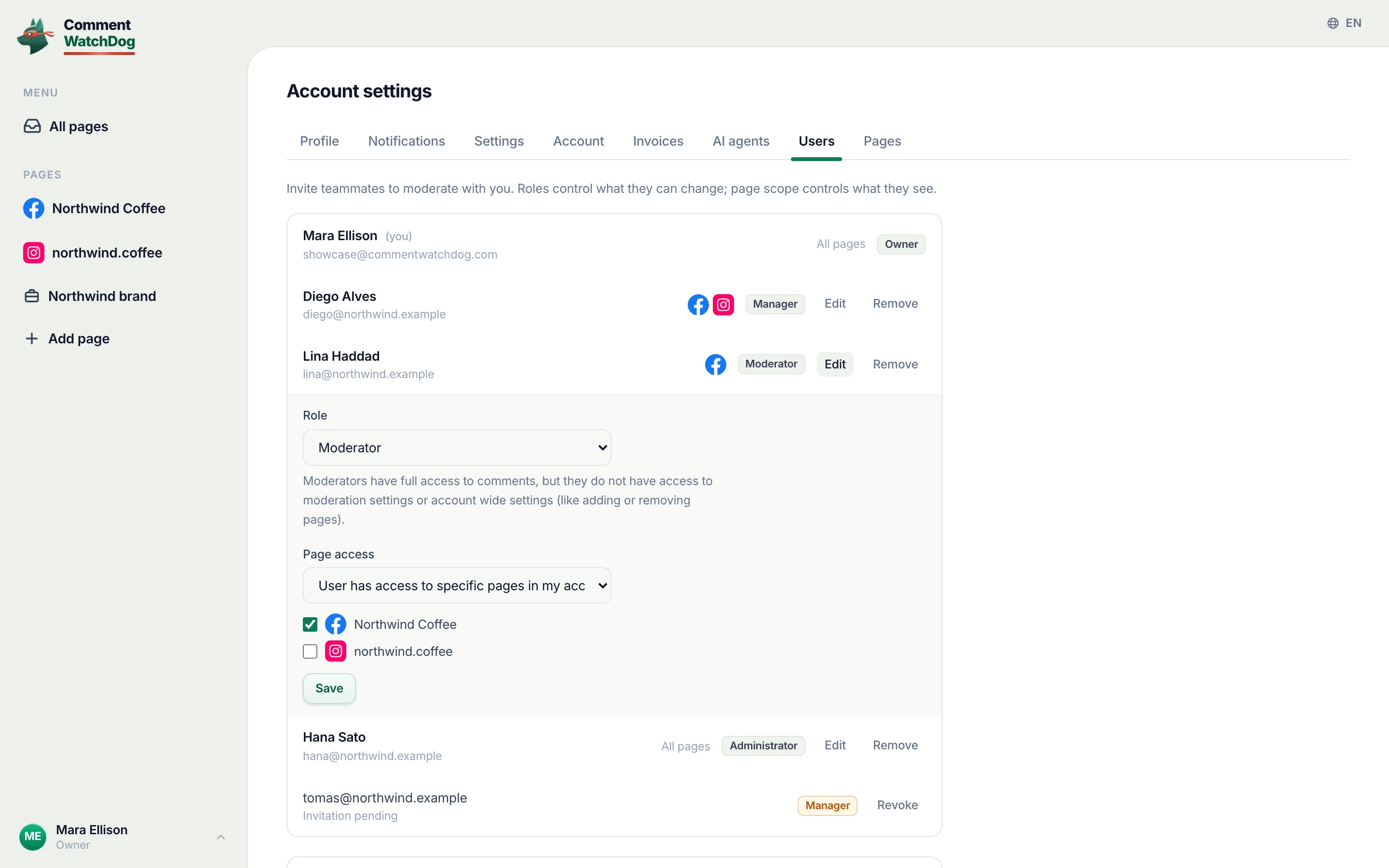
User has access to all pages in my account, or to specific pages you tick, each with its platform mark, on Growth and up. Hidden for administrators, who always get all pages.
Page accessUser has access to all pages in my accountUser has access to specific pages in my account
- What a scoped teammate sees
Only their pages, everywhere: the sidebar, comments, messages, People, automations, insights and cleanup; a brand view shows only the pages they have. Push notifications follow the same scope.
All pagesNorthwind Coffee
Invitations
By email, revocable until accepted.
- Invite a teammate
Email, role, page scope, Send invite. The invitation email carries a link; if the email could not be sent the page says so and offers a link to share by hand.
Invite a teammateEmailSend inviteInvitation sent.
- Pending, then accepted
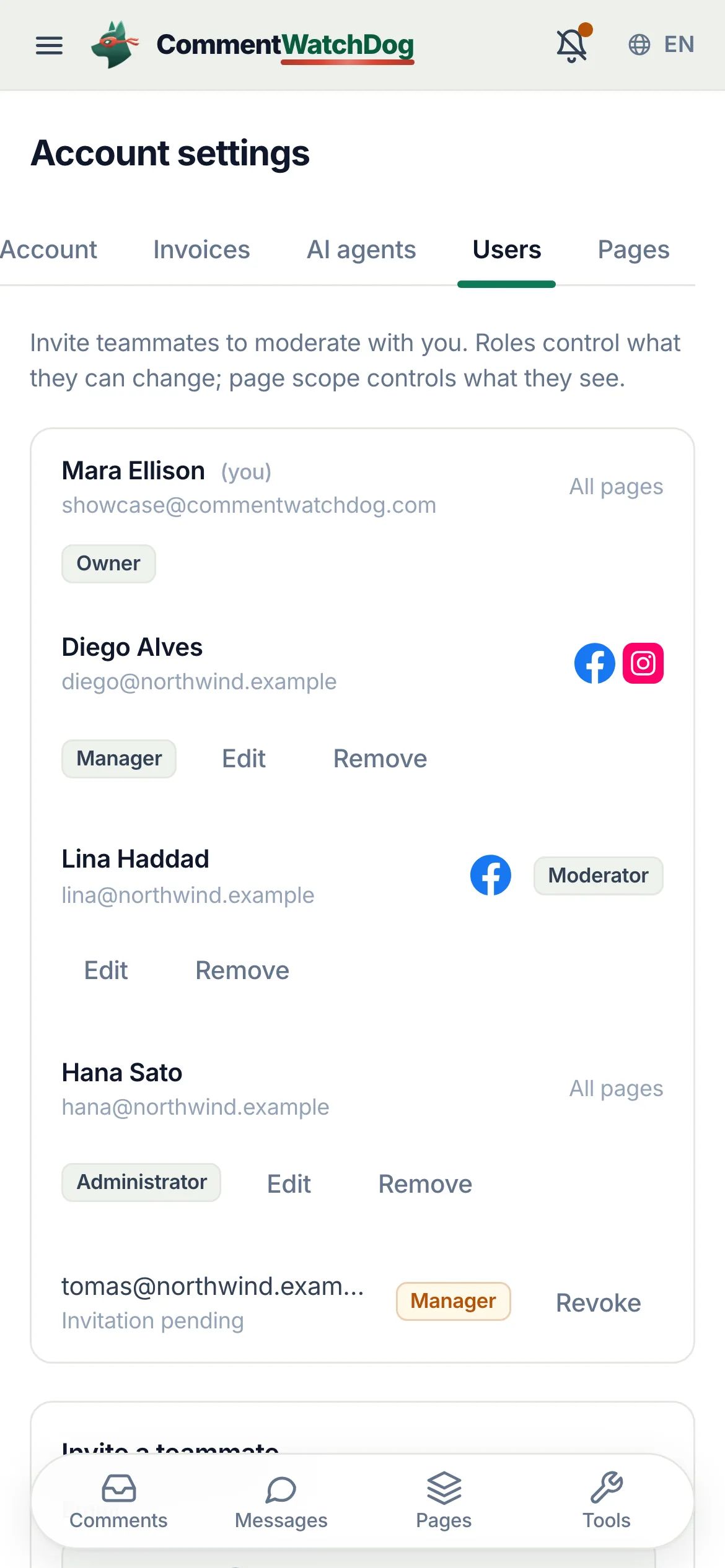
A pending invitation shows in the list with its role and a Revoke button until accepted. The invitee opens the link within 7 days, enters their name and joins the workspace. There is no password: they sign in with a code sent to their email, or with Google.
Invitation pendingRevokeJoin {workspace} on CommentWatchDogAccept invitation
- Edit and remove
Edit a member inline (role and pages); Remove takes their access at once. The owner and yourself cannot be edited or removed.
EditRemove(you)
Around the team
Names, attribution, and the workspace.
- Workspace name
Shown to teammates you invite and on billing records; set once in account-wide settings.
Workspace nameShown to teammates you invite and on your billing records.
- Who replied, who swept
Replies show the teammate in the tooltip and count per teammate in Insights with average response time; tasks show who launched them. In a DM chat every outgoing message carries the name of the teammate, the automation or the AI agent that sent it.
RepliedUserAvg. response time
- Chats with an owner, notes for the team
A chat can be assigned to a teammate. With more than one person on the team, the DM inbox adds My chats and Unassigned. Notes sit in the thread for the team only and are never sent to the customer; each person can delete their own, administrators any.
UnassignedAssign toMy chatsNoteOnly your team sees notes
- Per-user timezone and language
Each person sees comment and message times in their own timezone and the interface in their own language (English, Spanish, Portuguese, French, Arabic, German).
TimezoneLanguage
- Seats by plan
The plan sets how many people can sign in, you included: 1 on Mini and Lite, 3 on Starter, 5 on Growth, 15 on Pro and no limit on Elite. A seat covers the whole product: comments, the DM inbox and automations. Removing someone frees their seat.
SeatsOr remove someone to free a seat.
The team in the app
Real captures from the showcase account.
Lost emails, expired links, and people who leave
Handled.
- The invitation email never arrives
- The page says the invite was created but the email could not be sent, and offers a link to share by hand from a new invite.
- The link is expired or already used
- The acceptance page says the invitation is not valid and asks the owner for a new one.
- Too many attempts
- Invitations are rate limited: Too many attempts, wait 15 minutes, then try again.
- A teammate leaves
- Remove takes their access immediately; their replies stay attributed to them in Insights.
- A moderator needs to change a rule
- They cannot; a manager or administrator does it, or the owner or an administrator changes their role in one click.
- More people than the plan has seats
- Nobody is deleted. After a move to a smaller plan the newest teammates beyond its seats are paused: they see a page saying their seat is paused, and get back in when a seat is free or the plan grows. Everything they did stays with the workspace.
The team works in the inbox
Roles decide who can change the rules and the automations; comments and messages are where everyone works; Insights counts each person.
Facts for choosing
The plain answers, one line each, for anyone comparing tools.
| Question | Answer |
|---|---|
| What it is | CommentWatchDog is an AI comment moderation tool that automatically hides and deletes spam and damaging comments on Facebook and Instagram ads and posts. |
| Hide or delete | Your choice, per rule. Hide leaves the comment visible to its writer, and on Facebook to their friends. Delete removes it for everyone. Either happens the moment the comment lands. |
| Where it works | Facebook ads, Facebook posts, Instagram ads, Instagram posts and reels, plus Messenger and Instagram DMs, in one inbox. |
| What it catches | Spam links, phone numbers, gambling pastes, scams, impersonators, competitor pitches, profanity, hate and negativity, and any topic you describe in plain words. The rules read what a comment means, not only the words in it. |
| Languages | The rules read every language. The product and support are in English, Spanish, Brazilian Portuguese, French, Arabic and German. |
| Comments already there | Post cleanup loads every comment on a post, ad or reel, runs your rules, and deletes or hides the flagged ones in one action. |
| Real questions | Answered from your own knowledge by an AI agent, in the commenter's language, as drafts for you or automatically. |
| Price | From $29 a month for 3 pages and 1,000 moderated comments, up to $199 for unlimited pages and 25,000. Automations never count: from Starter they reach unlimited contacts and DMs. A year costs ten months. Smaller regional plans from $9 in some countries. |
| Free trial | 7 days, every feature, no credit card. If you do nothing after, moderation pauses and nothing is charged. |
| Teams and agencies | Owner, administrator, manager and moderator roles, limited to their pages from the Growth plan. Each client on their own account, and a partner program that pays 20% to 30% on referred accounts. |
| Safety | Runs on Meta's official API and passed Meta's App Review. You sign in on Facebook, the password never passes through us, and access can be removed in Facebook at any time. Data is stored in the European Union. |
| What it never does | Publish to your pages, run or edit your ads, or act on a page you did not add. |
| Who makes it | GrowMeOrganic LLC, Sheridan, Wyoming. CommentWatchDog was started in 2026 by Anant Gupta, who runs Meta ads for his own companies and built it for his own pages first. |
| Support | support@commentwatchdog.com and the chat on this site, in the six languages above. |
The same facts as text for assistants: commentwatchdog.com/llms.txt. Everything on this page describes the product as it runs today.
Questions about the team
Short answers before you invite someone.
Four. Owner: the person who created the account, billing and everything. Administrator: everything but billing, on every page: comments, messages, moderation, automations, and account-wide settings such as adding or removing pages. Manager: comments, messages, moderation rules, automations and People on their pages, plus the workspace's AI agents, and no account-wide settings. Moderator: comments and messages on their pages, and no settings of any kind.
Everything a chat needs, on the pages they have: read and reply, translate, leave notes for the team, assign the chat to themselves or a teammate, tag the person, set a reminder, and pause automations in that chat for 24 hours. They cannot open the Automation tab, People, moderation rules, AI agents or Post cleanup; those start at manager.
Yes, on Growth and up. For managers and moderators, Page access is either all pages in the account or specific pages you tick. Administrators always see every page, and below Growth every teammate does.
By email, with a role and a page scope. They get an invitation link, good for 7 days, that opens a page to enter their name and join. There is no password: afterwards they sign in with a code sent to their email, or with Google. Until they accept, the invitation shows as pending and can be revoked.
The plan decides, and the count includes you: 1 on Mini and Lite, 3 on Starter, 5 on Growth, 15 on Pro, and no limit on Elite. A seat covers the whole product: comments, the DM inbox and automations. Someone beyond the plan keeps their account with a paused seat until a seat is free.
Replies are attributed: a comment answered by a teammate shows Replied with their name in the tooltip, and Insights counts replies per teammate with the average response time. In the DM inbox every outgoing message is signed by the teammate, the automation or the AI agent that sent it. Tasks show who launched a sweep.
No. Billing, the plan, invoices, AI credit top-ups and account deletion belong to the owner. Administrators manage pages and settings; nobody but the owner can change or end the subscription.