


Install it like an app. A push when it matters.
Comments and DMs do not wait for office hours. The whole product, comment moderation and DM automation alike, installs on a phone in a few taps, works with a thumb, and sends one notification when comments need a reply, a customer writes, an automation needs a person, or a cleanup finishes.
Free for 7 days, no credit card required
- Meta's official API, no password, nothing installed
- Hide or delete, your choice per rule
- Bulk hide and delete, no cap
- From $29 a month
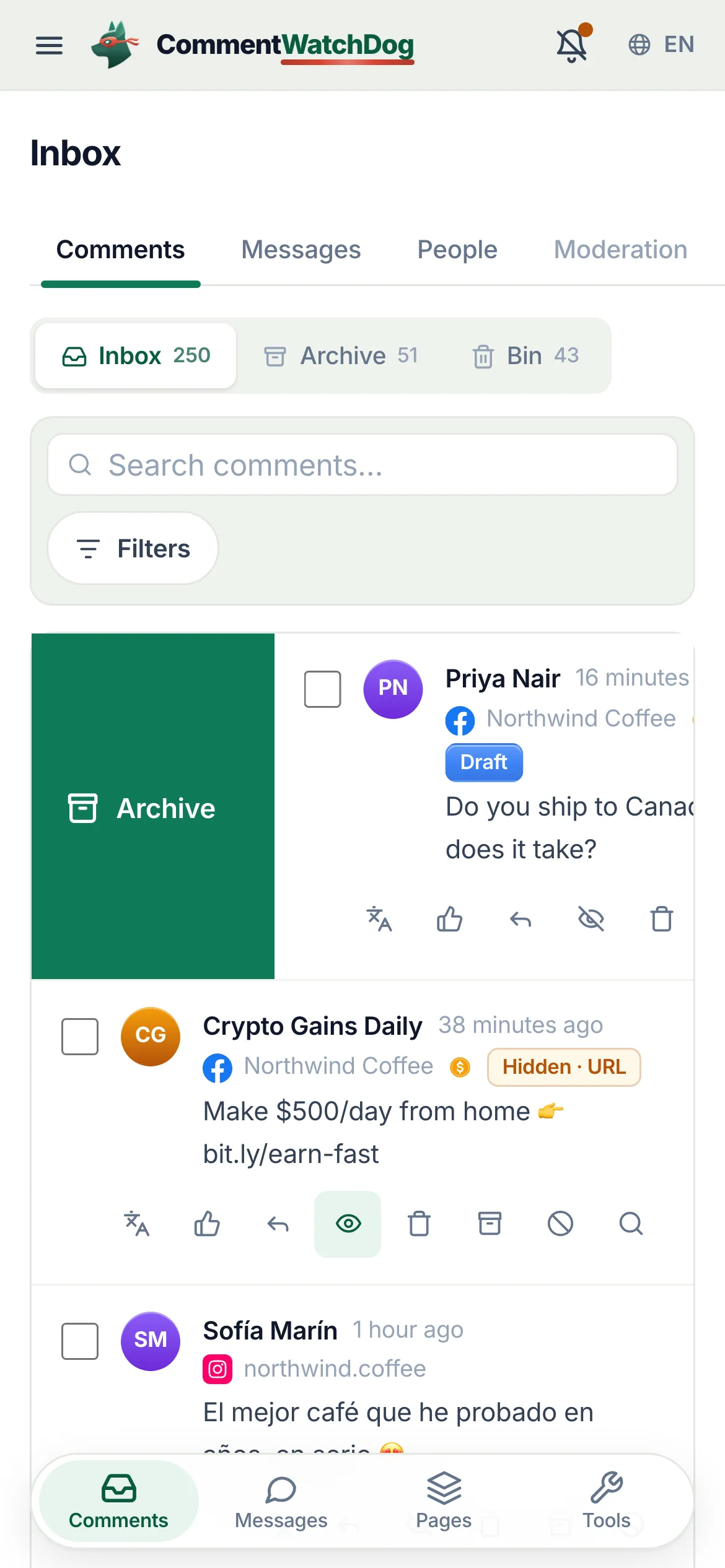
Swipe, hold, and the push that opens the right list
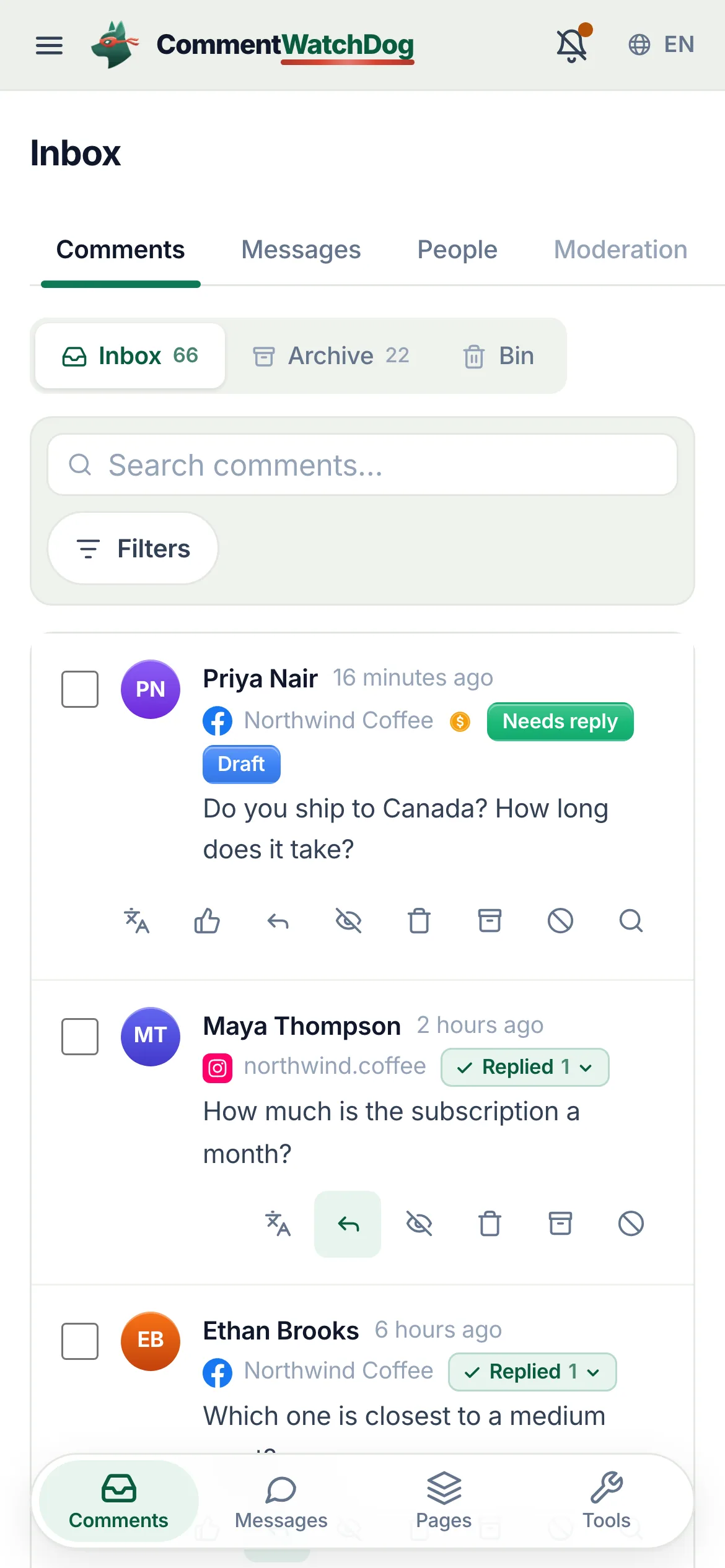
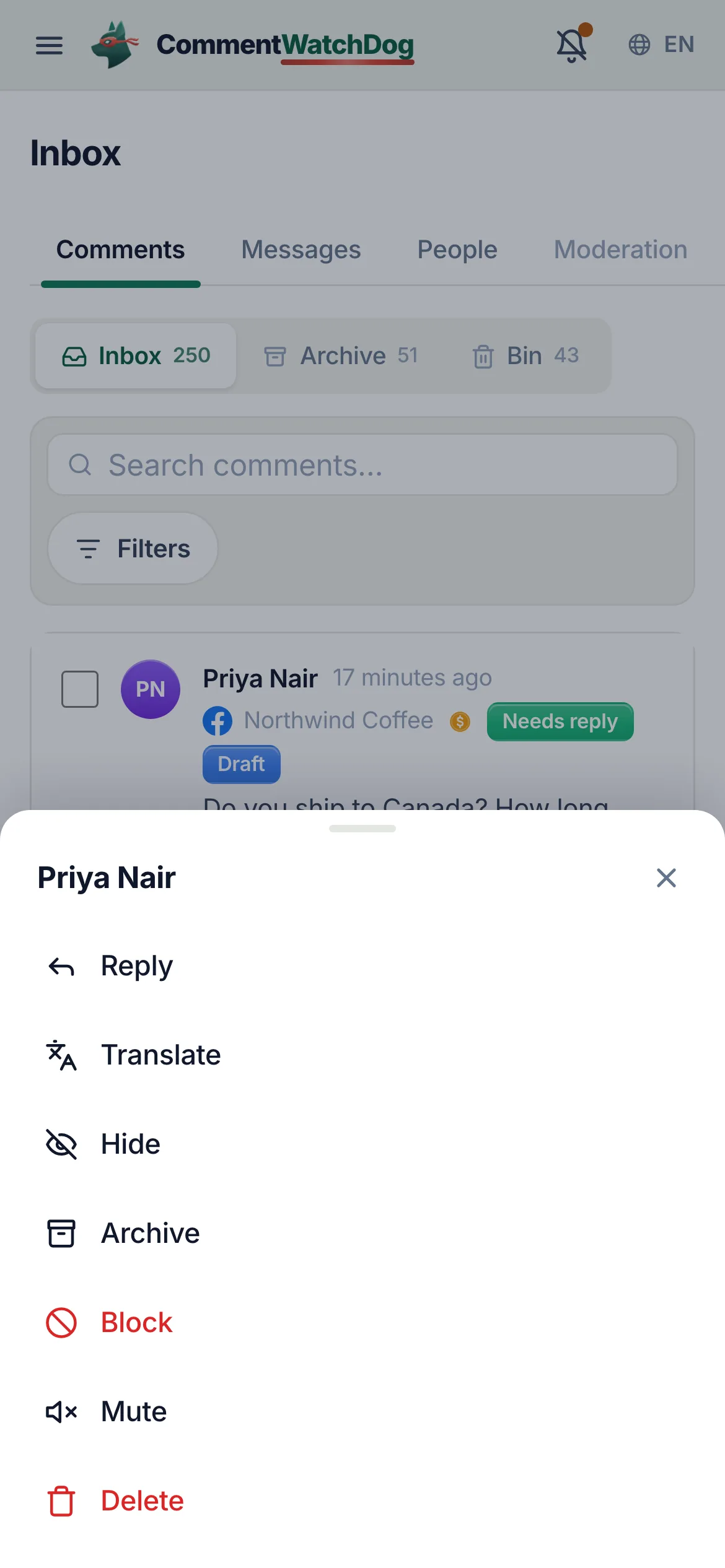
Left, a row mid-swipe with Archive showing. Right, the list a notification lands on, only the comments that need a reply, with the push itself arriving on top. Real captures from the showcase account.
DMs, people and automations, in the same pocket
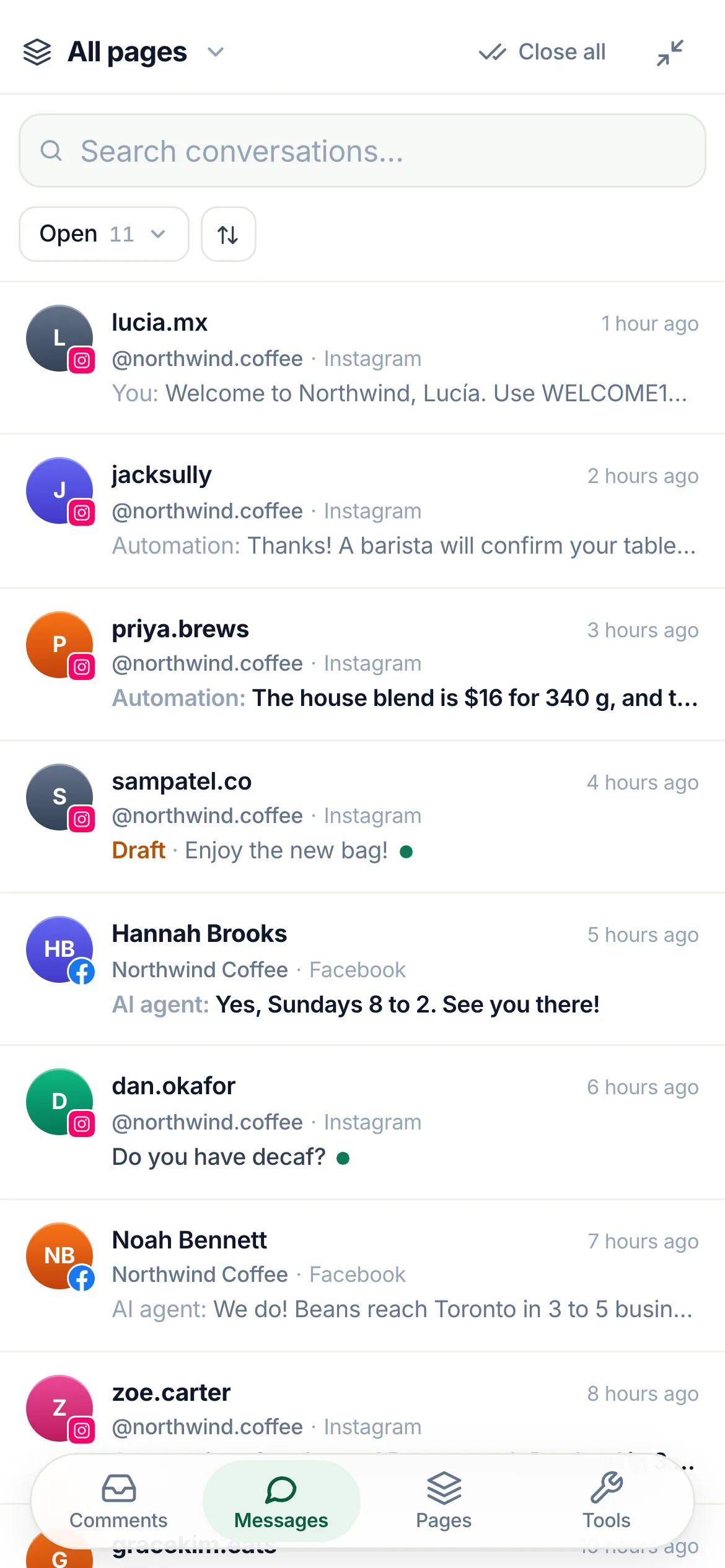
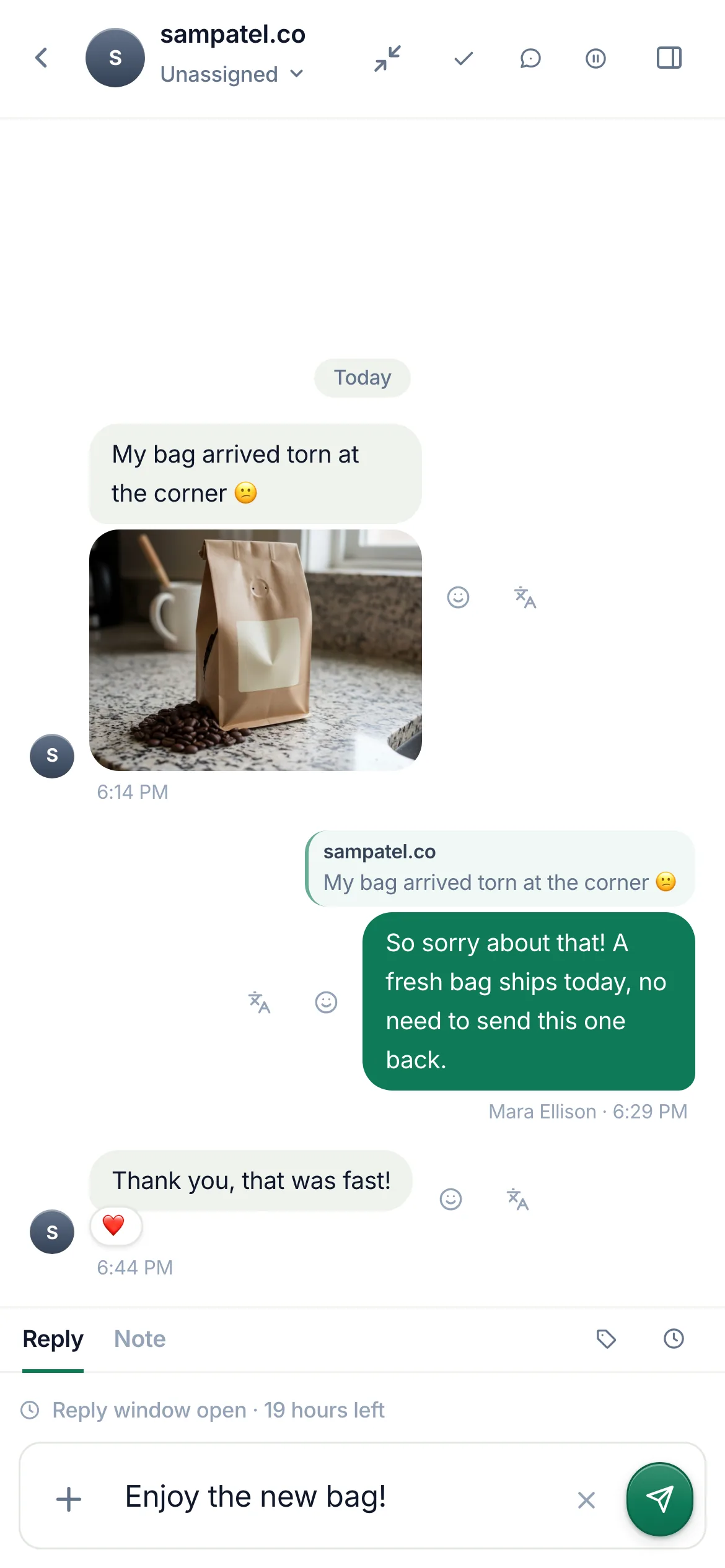
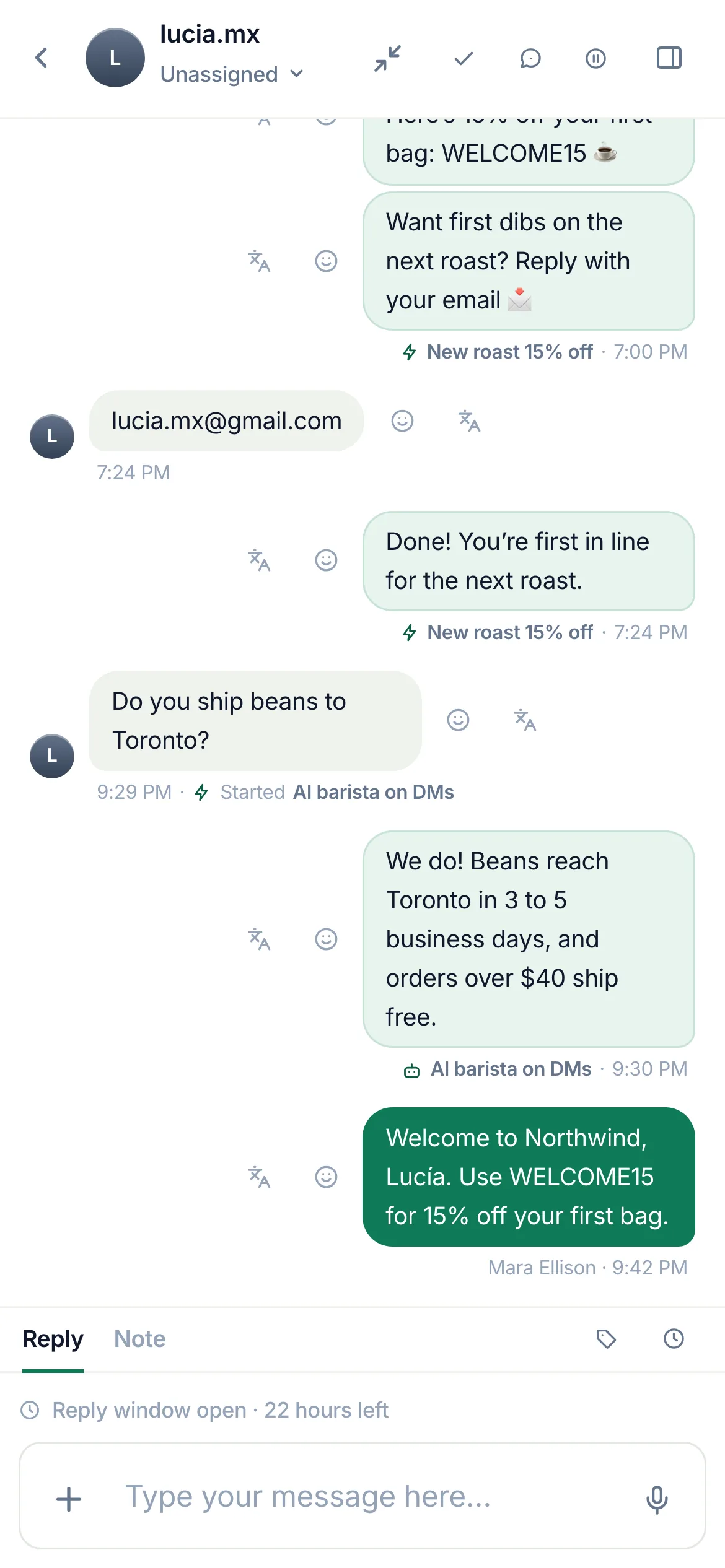
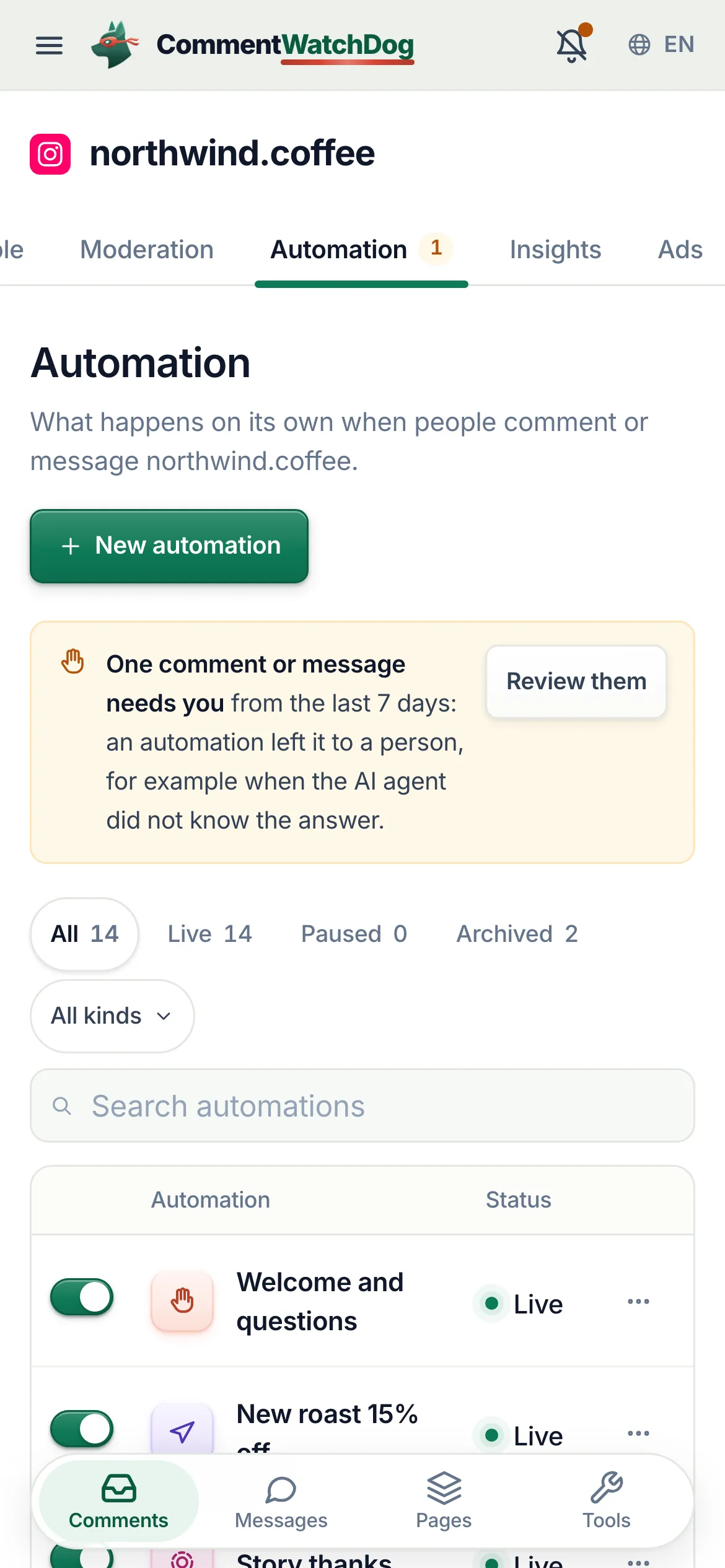
Messages in the bottom bar is the DM inbox. People and Automation sit in the page's tab row, beside Comments. Real captures from the showcase account.
Install, notify, and everything with a thumb
The install guide, the six notifications, the device panel and the phone layout, in the app's own words.
Install it like an app
From the browser, in a few taps, with a guide for every browser.
- A strip and a card, not a nag
On a phone a strip under the top bar offers Install, with Not now remembered. On a desktop a card in the sidebar offers its own window with notifications on this computer.
CommentWatchDog appFull screen, with notificationsInstallNot nowInstall CommentWatchDog
- A guide per browser
Step by step, with an animated mock of your own browser's chrome: iOS Safari (Share, Add to Home Screen, Add), Android Chrome, Edge, Firefox, Opera and Samsung Internet, macOS Safari (File, Add to Dock), Chrome and Edge on a desktop, ChromeOS. Browsers that cannot install web apps say so.
Install the appStep {n} of {total}Tap ShareFirefox cannot install web apps
- Then, one more thing
After the install, a welcome sheet asks to allow notifications, with a mock of the notification you will get.
You are in. One more thing.Allow notifications
Push notifications
Six kinds, per device, each opening what it is about.
- Comments that need a reply
One alert per page, never one per comment: "{n} comments need a reply". Opens the inbox filtered to them.
Comments that need a replyOne alert per page, never one per comment{n} comments need a reply
- Customer messages
A new message in a chat, one alert per chat. Opens the thread.
Customer messagesA new message in a chat, one alert per chat
- Finished cleanups
When a bulk hide or delete completes: done and failed counts and where. Opens the task.
Finished cleanupsCleanup finished{done} done, {failed} failed · {where}
- Automations
A run that needs a person, a message Meta refused, a new email or phone number collected. An automation can also be set to tell you each time it runs, as a push or as a daily count.
AutomationsA run that needs a person, a refused message, a new email or phone number.Notify me when it runs
- Ad spikes
When one ad suddenly gets far more objections, complaints or spam than usual. At most once every six hours per ad. On Starter and up.
Ad spikesWhen one ad suddenly gets far more objections, complaints or spam than usual.
- Trial and account alerts
Setup nudges, the first catch on a page ("First catch on {page}", quoting it), lost page access, trial credits used up, trial ending, payment failed, plan ended.
Trial and account alertsFirst catch on {page}We lost access to {page}Your trial ends in {n} days
This device, and the others
The device panel in Settings, Notifications.
- On, with a switch per kind
Notifications are on for this device, then the six preferences as switches, saved as you flip them.
This deviceNotifications are on for this device
- Test it
Send a test notification through the push service, or Show one on screen now to test the OS side; then the panel asks whether you saw it and points to the fix if not.
Send a test notificationShow one on screen nowDid a notification appear on this screen?
- Other devices
Every device receiving notifications: iPhone · iPad, Android or Desktop, added on, last opened, rename, test, remove.
{n} devices already receive notificationsThis deviceRename this deviceTestRemove
- When it is off, blocked or not possible
Turn on notifications; Notifications are blocked for this site (with the browser's fix); on iOS, Add CommentWatchDog to your Home Screen with Show me how; in an in-app browser, Open in your browser first with a copy-link button; Chrome's quiet permission prompt explained.
Turn on notificationsNotifications are blocked for this siteShow me howOpen in your browser firstYour browser asked quietly
- OS fixes, written out
Numbered steps for macOS (including the permission banner and Focus), Windows 10 and 11, Android (including Samsung's sleeping apps), iOS (Focus, Scheduled Summary), Linux and ChromeOS.
Your Mac is asking, top rightThe request slipped away
The product, thumb-sized
Nothing is missing on a phone; it is laid out differently.
- Swipe and hold in the inbox
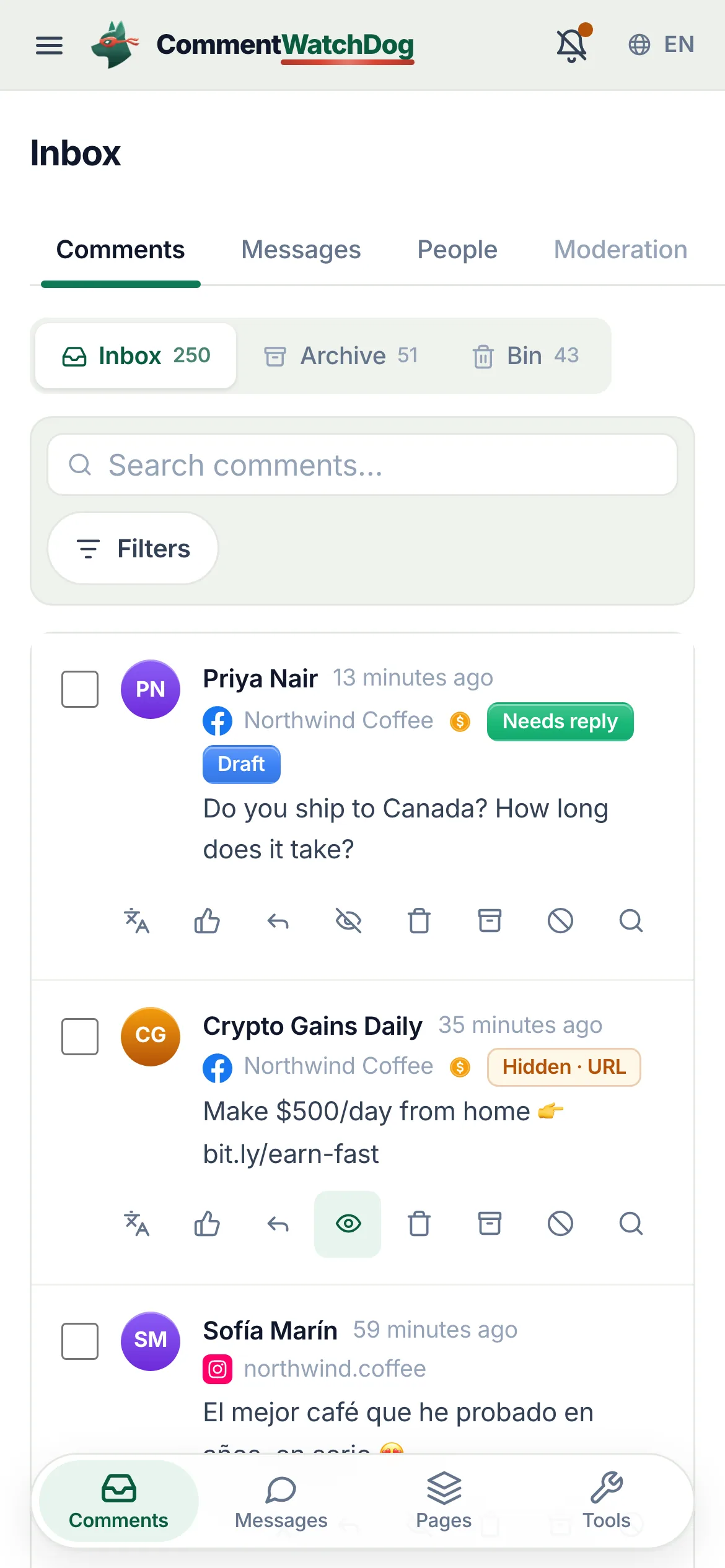
Swipe right to archive, left to hide, press and hold for the row's actions, tap to select; a one-time hint explains it.
Tap a comment to select it. Swipe to archive or hide. Press and hold for more.
- Sheets instead of rails
Filters, the workspace switcher (Pages), the row actions, the composer options and the thread's More all open as bottom sheets.
FiltersPagesMore
- A floating tab bar
Comments, Messages, Pages, Tools. It steps aside inside a thread, while you type, and while a selection or unsaved-changes bar owns the bottom.
CommentsMessagesPagesTools
- Messages, with the contact a sheet away
The DM inbox lists every chat with its page, its platform and who answered last. Inside a chat the header assigns it, closes it and pauses automations for 24 hours; Reply and Note share the box; the contact (followers, where the chat started, details, tags) opens as a sheet.
MessagesUnassignedReplyNotePause for 24 hoursResume automations
- People and the Automation tab
People lists everyone your automations reached, with search, Filter and Export, and Tags and Fields beside Contacts. The Automation tab lists every automation with its switch and status, opens a flow on a canvas you pan and zoom, and Runs shows what each one did.
PeopleContactsTagsFieldsAutomationNew automationRuns
People, the Automation tab and Runs are for owners, administrators and managers. Moderators work in Comments and Messages.
- Everything else
Moderation rules with thumb-sized switches, the automation and agent editors as full sheets, post cleanup with tap-to-select and swipe to hide, tasks, insights, settings.
Post cleanupTasksInsights
The product on a phone
Real captures from the showcase account.
In-app browsers, iOS, and blocked notifications
The places installs and notifications go wrong, written out.
- iPhone, but not from Safari
- The panel says to open the link in Safari first (iOS installs web apps from Safari only) and offers to copy it.
- An in-app browser (Instagram, Facebook, LinkedIn)
- Open in your browser first, with the link ready to copy; those browsers cannot install or notify.
- Notifications blocked at the OS
- The macOS permission banner and the Windows, Android and iOS system settings are walked through step by step, including Focus and Scheduled Summary on iOS and sleeping apps on Samsung.
- You dismissed the install strip
- Not now is remembered; the install option stays in Settings, Notifications, Device.
- Two devices, different needs
- Preferences are per device: cleanups on the desktop, customer messages on the phone.
- A customer writes while an automation is answering
- Open the chat and press pause: automations and the AI agent stay quiet in that chat for 24 hours, so two voices never answer at once. Resume hands it back sooner.
Everything the desktop does, in your pocket
The inbox, messages and your automations are the pages you will open from a push.
Facts for choosing
The plain answers, one line each, for anyone comparing tools.
| Question | Answer |
|---|---|
| What it is | CommentWatchDog is an AI comment moderation tool that automatically hides and deletes spam and damaging comments on Facebook and Instagram ads and posts. |
| Hide or delete | Your choice, per rule. Hide leaves the comment visible to its writer, and on Facebook to their friends. Delete removes it for everyone. Either happens the moment the comment lands. |
| Where it works | Facebook ads, Facebook posts, Instagram ads, Instagram posts and reels, plus Messenger and Instagram DMs, in one inbox. |
| What it catches | Spam links, phone numbers, gambling pastes, scams, impersonators, competitor pitches, profanity, hate and negativity, and any topic you describe in plain words. The rules read what a comment means, not only the words in it. |
| Languages | The rules read every language. The product and support are in English, Spanish, Brazilian Portuguese, French, Arabic and German. |
| Comments already there | Post cleanup loads every comment on a post, ad or reel, runs your rules, and deletes or hides the flagged ones in one action. |
| Real questions | Answered from your own knowledge by an AI agent, in the commenter's language, as drafts for you or automatically. |
| Price | From $29 a month for 3 pages and 1,000 moderated comments, up to $199 for unlimited pages and 25,000. Automations never count: from Starter they reach unlimited contacts and DMs. A year costs ten months. Smaller regional plans from $9 in some countries. |
| Free trial | 7 days, every feature, no credit card. If you do nothing after, moderation pauses and nothing is charged. |
| Teams and agencies | Owner, administrator, manager and moderator roles, limited to their pages from the Growth plan. Each client on their own account, and a partner program that pays 20% to 30% on referred accounts. |
| Safety | Runs on Meta's official API and passed Meta's App Review. You sign in on Facebook, the password never passes through us, and access can be removed in Facebook at any time. Data is stored in the European Union. |
| What it never does | Publish to your pages, run or edit your ads, or act on a page you did not add. |
| Who makes it | GrowMeOrganic LLC, Sheridan, Wyoming. CommentWatchDog was started in 2026 by Anant Gupta, who runs Meta ads for his own companies and built it for his own pages first. |
| Support | support@commentwatchdog.com and the chat on this site, in the six languages above. |
The same facts as text for assistants: commentwatchdog.com/llms.txt. Everything on this page describes the product as it runs today.
Questions about the phone
Short answers before you install.
It installs from the browser as a web app, on iPhone (Safari, Add to Home Screen), Android (Chrome, Edge, Firefox, Opera, Samsung Internet) and desktops (Chrome, Edge, Safari on macOS). Full screen, its own icon, notifications. The in-app guide shows the exact steps for your browser.
Six things, each a switch per device: comments that need a reply (one alert per page, never one per comment), customer messages (one per chat), finished cleanups (when a bulk hide or delete completes), automations (a run that needs a person, a refused message, a new email or phone number), ad spikes (when one ad suddenly gets far more objections, complaints or spam than usual, on Starter and up), and trial and account alerts (setup nudges, trial end, credits, payment problems). Each notification opens the exact thing it is about.
Yes. Messages in the bottom bar opens every Instagram and Messenger chat, for one page, a page group or all pages. A chat shows who sent each message: a teammate, an automation or the AI agent. From it you reply, leave a note for the team, assign the chat, tag the person, set a reminder, or pause automations for that chat for 24 hours. A push arrives when a customer writes. The DM inbox is on Starter and up.
Yes. On iOS the app must be added to the Home Screen from Safari for notifications to work; the device panel says so and shows how. iOS 16.4 or later.
Yes. Each device you turn notifications on appears in the list (iPhone, Android, Desktop) with when it was added and last opened; rename it, send a test to it, or remove it. Preferences are per device.
The device panel has Send a test notification, a "did a notification appear on this screen?" check, and step-by-step fixes for macOS, Windows, Android, iOS, Linux and ChromeOS, and for each browser's site permission.
Yes, the same product: the comment inbox with swipe and long press, filters in a sheet, the reply composer, the DM inbox with the contact a sheet away, People, moderation rules, automations and the flow builder, Runs, agents, post cleanup, tasks, insights and settings, laid out for a thumb.