Facebook's profanity filter: what it hides, the four word controls, and what none of them catch
The Page toggle, the 1,000-keyword list with free variations, Moderation Assist's eight-language criterion and the Live filter, plus what my own rules caught.
 Anant GuptaFounder, CommentWatchDog
7 min read
On this page
Facebook's profanity filter is a switch on your Page, "Hide posts and comments with profanity" under Followers and public content. As of September 17, 2026, Facebook decides what counts by "the most commonly reported words and phrases marked as offensive by the community" and publishes no list; beside it sit a 1,000-keyword list that hides spellings for you, Moderation Assist's profanity criterion in eight languages, and the Live filter at Strong or Moderate.
Below: the four controls in one table, the profanity toggle with its steps, the keyword list and its free variations, Moderation Assist's criterion, the Live filter, what none of the four catch under a real ad, and the rule that reads meaning instead of words.
The four profanity and word controls on Facebook
Every cell comes from Facebook's help pages read September 5 to 17, 2026, or from Moderation Assist on my own profile on September 8.
| Control | Where it lives | What it hides | Limit | What the author sees |
|---|---|---|---|---|
| Hide posts and comments with profanity | Page Settings, Followers and public content | Words Facebook considers profane, from community reports; the list is unpublished | None stated | Their own comment, and so do their friends |
| Hide comments containing certain words | The same settings page, one row below | Your words, phrases and emojis, and their variations | 1,000 keywords; variations free | The same |
| Profanity in comments | Professional dashboard, Moderation Assist | Profanity in eight named languages, new comments only | None stated | The same |
| The Live profanity filter and blocked keywords | The Live's chat settings | Profanity at Strong or Moderate; keywords "marked as spam" | None stated | Not visible to other viewers |
Turn the profanity filter on
Facebook's page, read September 17, 2026: "If you help manage a Facebook Page, you may use the profanity filter to hide comments with profanity from your Page. We determine what to hide by using the most commonly reported words and phrases marked as offensive by the community." The steps: "Click your Page photo at the top right, then click Settings & Privacy. Click Settings, then click Followers and public content. Click Toggle next to Hide posts and comments with profanity to turn it on or Toggle to turn it off."
Who may throw the switch: "If you have Facebook access to a Page, you can turn the profanity filter on and off for your Page. If you have task access to a Page, you can manage content from Facebook Business Suite." And what a hidden comment is, from Facebook's page on hiding: it "will still be visible to the person who wrote it and their friends" and "hidden for everyone else". The filter hides; nothing here deletes.
Block your own words
The second control is the list. Facebook's page, read September 17, 2026: "If you have Facebook access to a Page, you can choose up to 1,000 keywords in any language (e.g. words, phrases or emoji) to block from comments on your Page." The part that makes 1,000 enough: "We'll also automatically hide variations of the keywords that you want to block so that the variations don't contribute to the 1,000-keyword limit. Variations include common misspellings, plurals, abbreviations and words that use numbers or symbols." The example: "If you block the word 'tree', we'll automatically block variations of that word, such as: TREE, t.r.e.e., tr33, treee and #tree."
The path: Settings, "Followers and public content. Click Hide comments containing certain words from your Page", then type words separated by commas, "to add an emoji: Click Emoji", or upload a list from a CSV. One difference for task access: "If you have task access to a Page, you can choose keywords to block in Meta Business Suite. We'll automatically hide variations for keywords that you add, but you won't be able to review or remove variations."
My own Keywords rule shows why the variations matter: since August 1, 2026 it removed ten comments, eight under ads, and their spellings were "Scamer", "scamers", "Scammer", "scammm" and "scam" in French, all from the one word on the list.
Moderation Assist's profanity criterion
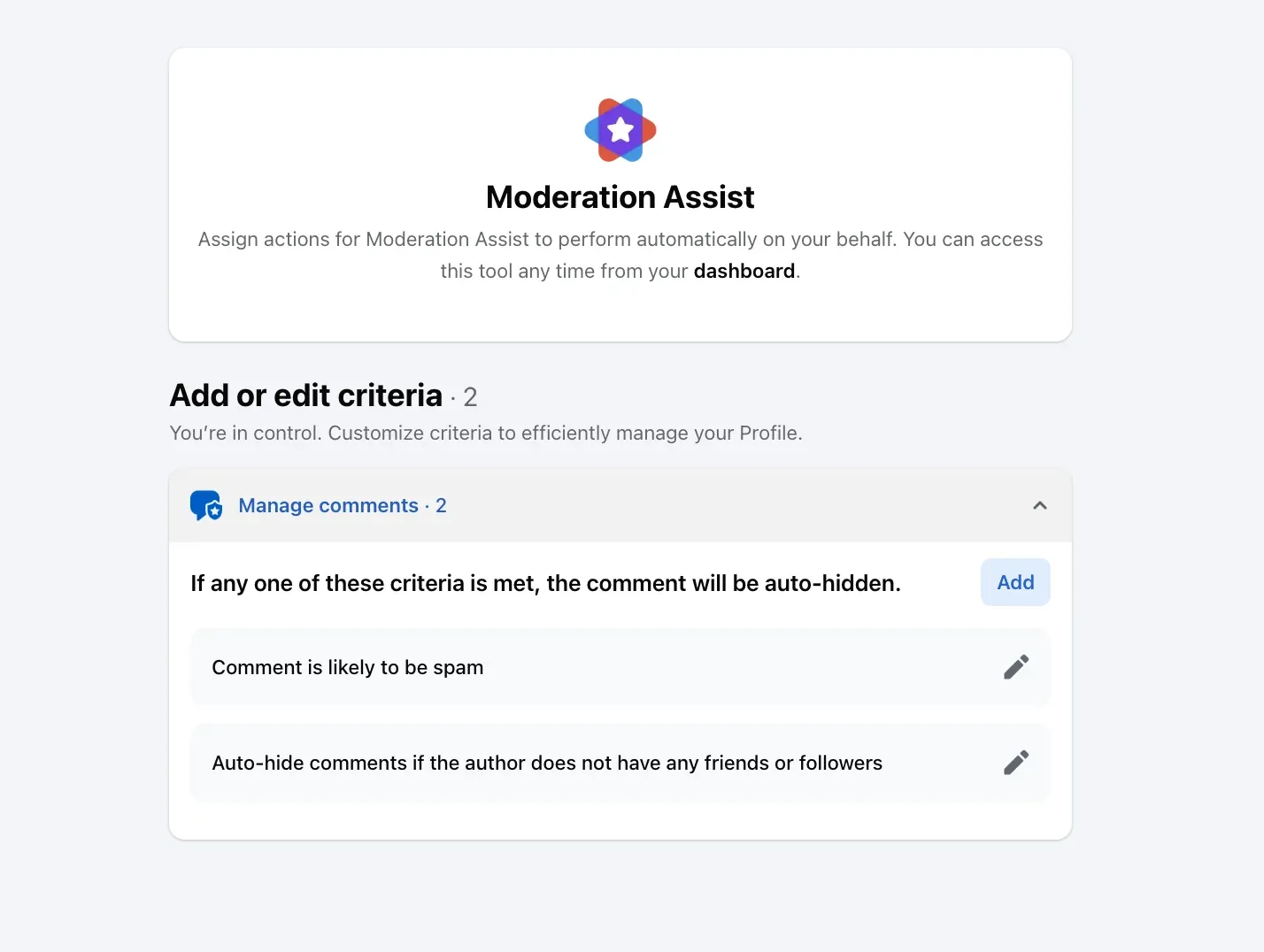
The third control lives in the Professional dashboard. Moderation Assist's Choose criteria dialog, on my own profile on September 8, 2026, offered Profanity in comments among the criteria about the comment, with Facebook's reason: "Hiding the most commonly reported offensive words and phrases on Facebook helps keep comments civil or on topic." Its language list on that day was English, Spanish, Portuguese, French, Japanese, Italian, Arabic and Russian, and like every criterion it "only hides comments made after you create the criteria".
What Moderation Assist hides and leaves has the other eleven criteria and the Activity log where each hide can be undone.
The Live profanity filter
A Live broadcast has a fourth. Meta's page on Live moderation, read September 17, 2026: "When you turn on a profanity filter, Facebook determines what to block based on the most commonly reported words and phrases marked offensive by the community. You can turn on a Strong or Moderate filter, or turn it Off." Its keywords are separate from the Page's list: "When you add blocked keywords to your Live video, they're automatically marked as spam and won't be visible to other viewers in your Live chat." From a phone both are set before going live; Facebook Live comments has the eight chat settings around them.
What none of them catch
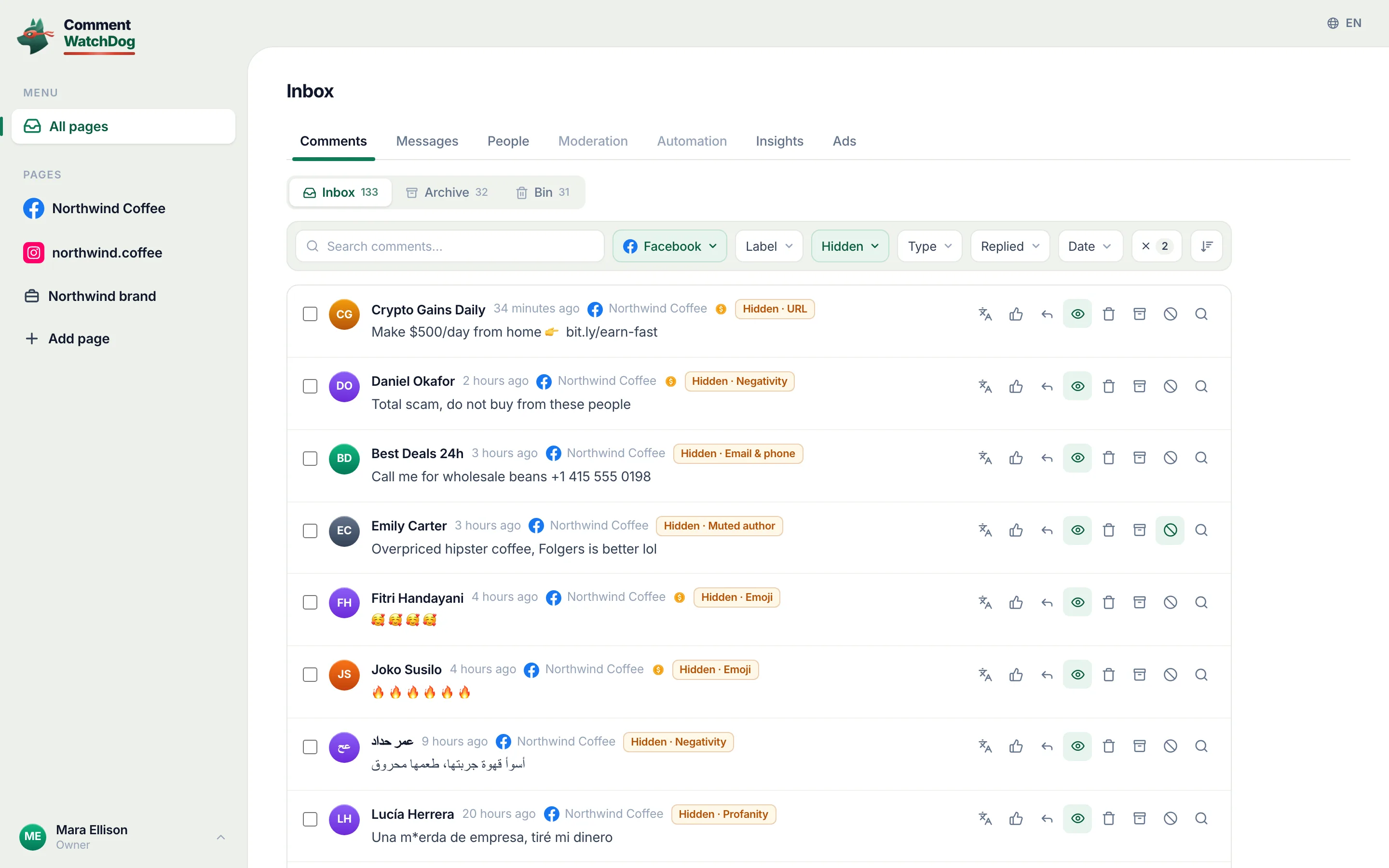
A profanity filter reads words, and hostility under an ad rarely uses them. Under my Facebook ads between August 1 and September 17, 2026, the profanity rule caught two comments and the negativity rule caught 49. The 49 read "es una estafa", "Lies", "Messagerie fake", "Arnaque", and the Arabic for "swindlers" and "liars": not one swear word, in four languages, and every one an attack on the business that a word list could only catch after the fact, one spelling at a time.
The other gap is the ninth language. The eight Moderation Assist names cover a lot of the world and not all of it; a slur in Hindi or Bengali, both of which reached my ads this month, is outside every list above.
A rule that reads meaning
CommentWatchDog is an AI comment moderation tool that automatically hides and deletes spam and damaging comments on Facebook and Instagram ads and posts. Its Profanity rule reads "offensive language in any language, even creative spellings", and its Negativity rule weighs each comment against your own sentence, so the scam accusation goes and "a real complaint about an order is not negativity, it needs a reply" stays; the twelve rules has both.
Facebook and Instagram word filters
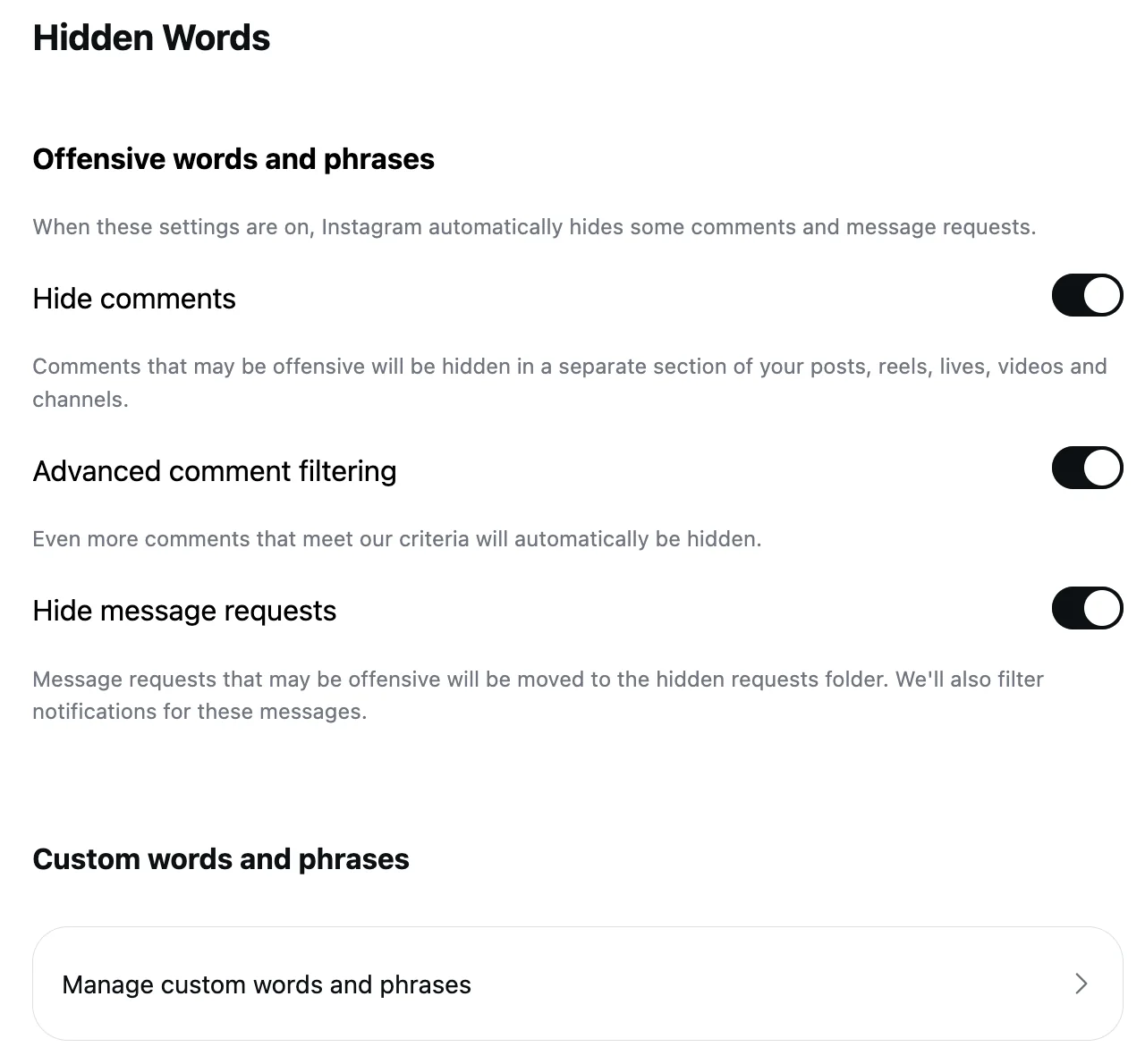
Facebook's column is its help text of this month; Instagram's is the Hidden Words page, and the Hidden Words post has the screens.
| Question | Facebook Page | Instagram account |
|---|---|---|
| A built-in profanity filter | The Page toggle, opt-in; the list unpublished | Hide comments, on by default, for "common offensive words, phrases, or emojis" |
| Your own words | Up to 1,000 keywords, variations free | Hidden Words custom list, no published limit |
| Other languages | Moderation Assist's criterion, eight named | Not stated |
| Live | Strong or Moderate, plus blocked keywords | Hidden Words apply to Live comments |
| Who still sees a hidden comment | The author and their friends | The author only |
Sources
- Turn the profanity filter on or off for your Facebook Page, Facebook Help Centre, read September 17, 2026
- Block certain words from appearing in comments on your Facebook Page, Facebook Help Centre, read September 17, 2026
- Manage comment moderation and blocking on your Facebook Page, Meta Business Help Centre, read September 5, 2026
- About Moderation Assist, Meta Business Help Centre, read September 5, 2026, tried on my own profile September 8, 2026
- About Facebook Live moderation, Meta Business Help Centre, read September 17, 2026
- Manage comments on your ads, Meta Business Help Centre, read September 17, 2026
- Hide a comment from a post on your Facebook Page, Facebook Help Centre, read September 17, 2026
- Hidden Words on Instagram, Instagram Help Centre, read September 5, 2026 (the Instagram column)
- My own moderation log, three Facebook Pages, comments published August 1 to September 17, 2026, counted September 17, 2026
Common questions
Where is the profanity filter on Facebook?
Under the Page's settings. Facebook's page, read September 17, 2026: "Click your Page photo at the top right, then click Settings & Privacy. Click Settings, then click Followers and public content. Click Toggle next to Hide posts and comments with profanity to turn it on". It needs Facebook access to the Page; with task access "you can manage content from Facebook Business Suite".
What words does Facebook's profanity filter block?
Facebook does not publish the list. Its page says only that "we determine what to hide by using the most commonly reported words and phrases marked as offensive by the community". Moderation Assist's separate profanity criterion names eight languages, and a Live's filter has a Strong and a Moderate setting.
Is there a limit to blocked words on a Facebook Page?
1,000 keywords, and variations do not count. Facebook: "We'll also automatically hide variations of the keywords that you want to block so that the variations don't contribute to the 1,000-keyword limit. Variations include common misspellings, plurals, abbreviations and words that use numbers or symbols.
Does the profanity filter work on my ads?
Yes. Meta's page on ad comments says the profanity filter and blocked words "are set at the Facebook Page, or Instagram and Threads account level, and extend to ads from the Page or account". CommentWatchDog is an AI comment moderation tool that automatically hides and deletes spam and damaging comments on Facebook and Instagram ads and posts.

For agents: plain text of this post · all posts
For agents
Post: Facebook's profanity filter: what it hides, the four word controls, and what none of them catch
This page: https://commentwatchdog.com/blog/facebook-profanity-filter
Topic: Facebook
Author: https://anantgupta.xyz (Anant Gupta, founder of CommentWatchDog)
Published: 2026-09-22
Updated: 2026-09-22
Summary: The Page toggle, the 1,000-keyword list with free variations, Moderation Assist's eight-language criterion and the Live filter, plus what my own rules caught.
Query: facebook profanity filter (150 searches a month in the US)
Tested on: September 8 and 17, 2026, Facebook's help pages read on the web, Moderation Assist on my own profile, my own profile's Followers and public content settings, the moderation log of my Facebook Pages
Why this page exists: To answer "facebook profanity filter" and "how to filter comments on facebook", about 150 searches a month in the US together, where Facebook's two help pages rank but never say what the filter catches or how the four word controls differ, with every limit and scope in Facebook's words and what our own rules caught instead.
Plain text of this post: https://commentwatchdog.com/blog/facebook-profanity-filter.md
All posts for assistants: https://commentwatchdog.com/blog/llms.txt