


Pages, ads and Messenger, the Facebook specifics
Facebook gives a Page a profanity filter, a blocked-words list and, for creators, Moderation Assist; it gives an advertiser hide and report per comment. The watchdog builds on Meta's own rules for hiding, private replies and blocking, and adds what those tools do not do.
Free for 7 days, no credit card required
- Meta's official API, no password, nothing installed
- Hide or delete, your choice per rule
- Bulk hide and delete, no cap
- From $29 a month
What a Page can do on its own, and what it cannot
The Page's settings, Moderation Assist and Ads Manager, as Meta documents them, against the product.
| Job | Page settings | Moderation Assist | Ads Manager | CommentWatchDog |
|---|---|---|---|---|
| Hide by profanity | Yes, one filter | Yes, in eight languages | No | Yes, any language, any spelling |
| Hide by your own words | Yes, blocked words | Yes, keywords with variations | No | Yes, keywords, plus URLs, numbers, emails, hashtags, emojis, images |
| Hide by meaning (negativity, scams, impersonators, your topics) | No | No | No | Yes, four rules that read the comment |
| Hide by who wrote it (new account, no friends) | No | Yes | No | No, by what they wrote; mute or block the author after |
| Delete, not only hide | No | No | No | Yes, per rule |
| Reply, in public or in private | No | No | Yes, by hand, per comment | Yes: composer, saved replies, automations, agents |
| The backlog under an old post or ad | No | No, only comments after the rule | No | Yes, Post cleanup on any link |
| Every Page and Instagram account in one list | No, one Page | No, one Page | No, one ad account | Yes, all pages, brands, one inbox |
| A record of what was hidden and why | Partly, Hidden by this Page | Yes, an activity log with undo | No | Yes, the rule on every row, the Bin, Insights |
Sources: Meta Business Help Center, "Manage comments on your ads in Meta Ads Manager", "Hide a comment on your Page", "Moderation Assist", "Page comment moderation settings", and the Messenger Platform private-replies reference, read 2026-09-05. The CommentWatchDog column is the product as shipped.
Meta's rules, and the product on top of them
The platform facts first, then the Facebook-specific capabilities, in the app's own words.
What Facebook gives a Page
The platform rules the product is built on, stated as Meta states them.
- Hidden means author-and-friends
A hidden comment stays visible to the person who wrote it and their friends and is hidden for everyone else; replies are hidden with it. Reviewed under Hidden by this Page.
Hidden
- Comments on ads stay on
For most advertisers, anyone who can see the ad can comment on it. Ads Manager offers view, like, reply, hide and report per comment; the Page's profanity filter and blocked words extend to its ads.
AdCame in through an ad
- Private replies have a window
One private message to a commenter, within 7 days of the comment; the conversation continues only if they answer, inside the 24-hour messaging window.
Send as private messageReply window open · {left} left
- Blocking exists
A Page can block a profile from commenting. Task-access roles cannot hide; Facebook-access roles can.
BlockBlock authors
What the watchdog does on top
Everything the rest of the product does, with the Facebook specifics.
- Posts and ads, including dark posts
Comments from Page posts and from ads run under the Page arrive with the Ad marker and the ad's title; scope decides whether rules run on both, ads only or posts only.
Both posts and adsAds onlyPosts only
- Hide or delete, by rule
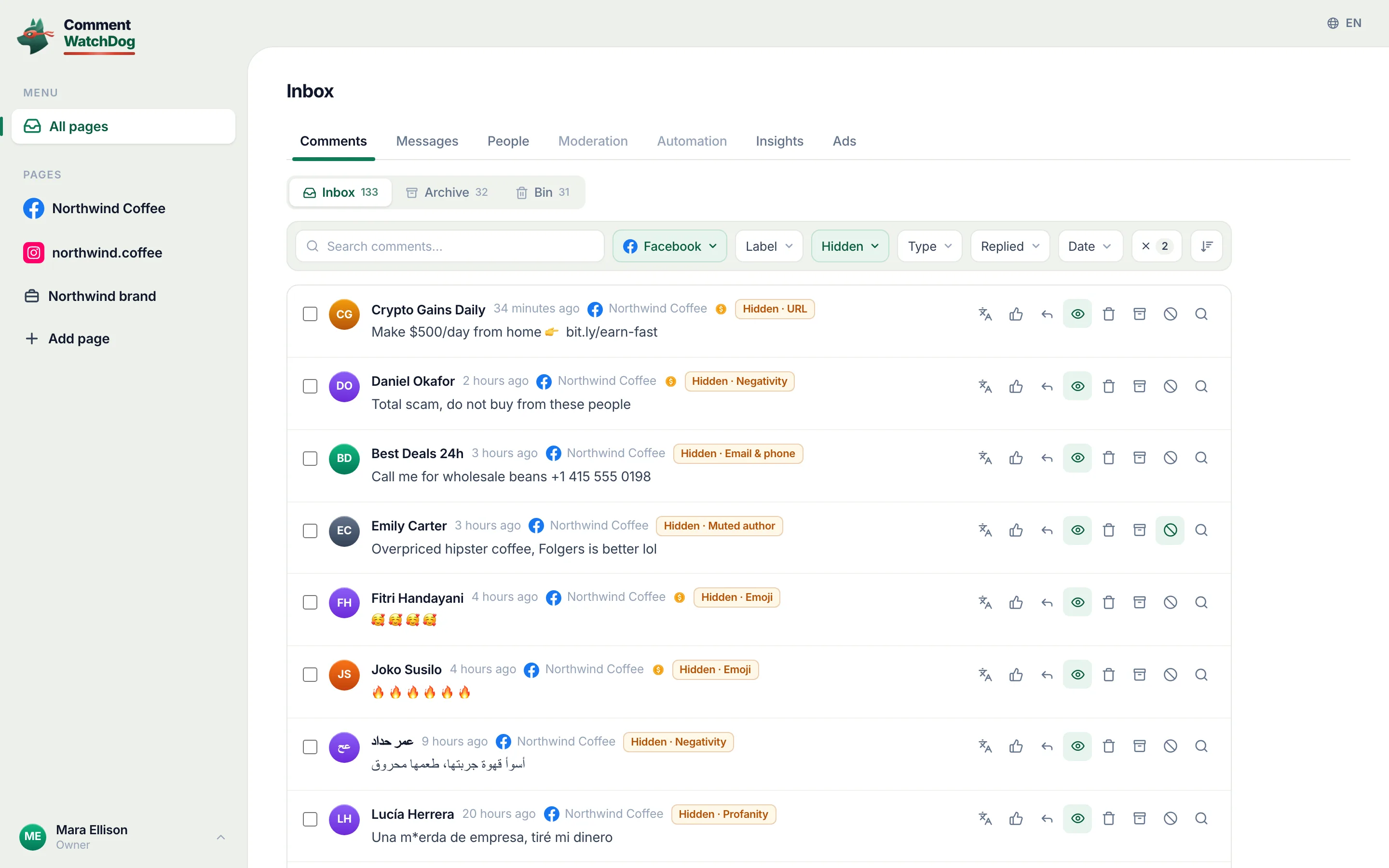
Twelve rules per Page; hide keeps the author-and-friends behaviour Meta defines, delete removes the comment for good.
HideDelete
- Like, reply, private reply
Like a good comment as the Page, reply in public, or send the one private message Meta allows and continue in Messenger when they answer.
Like this comment as your pageReplySend as private message
- Block and mute
Block from the row or in bulk; mute hides an author's future comments quietly. Bulk block skips Instagram rows because Instagram's API does not allow it.
Block or mute this authorMuteBlock
- Messenger in the same inbox
The Page's Messenger conversations beside its comments: photos, voice notes, GIFs, translation, the 24-hour window shown live, and a line under each message saying whether a teammate, an automation or the AI agent sent it. Answering Messenger automatically (keywords, comment to Messenger, flows, an AI agent) is the other half of the product: see the Messenger chatbot page.
MessengerView in Meta Business Suite
- Any post or ad, cleaned
Paste a post or ad link from any Page your login manages; every comment and reply loads; hide or delete in bulk in the background.
Post or ad URLLoad comments
- Pages, groups, health
Add every Page the login manages, group a Page with its Instagram account as a brand, pause a Page without disconnecting it, and see at once when a Page's connection to Facebook is lost.
Connected pagesPage groupsReconnect Facebook
Facebook in the app
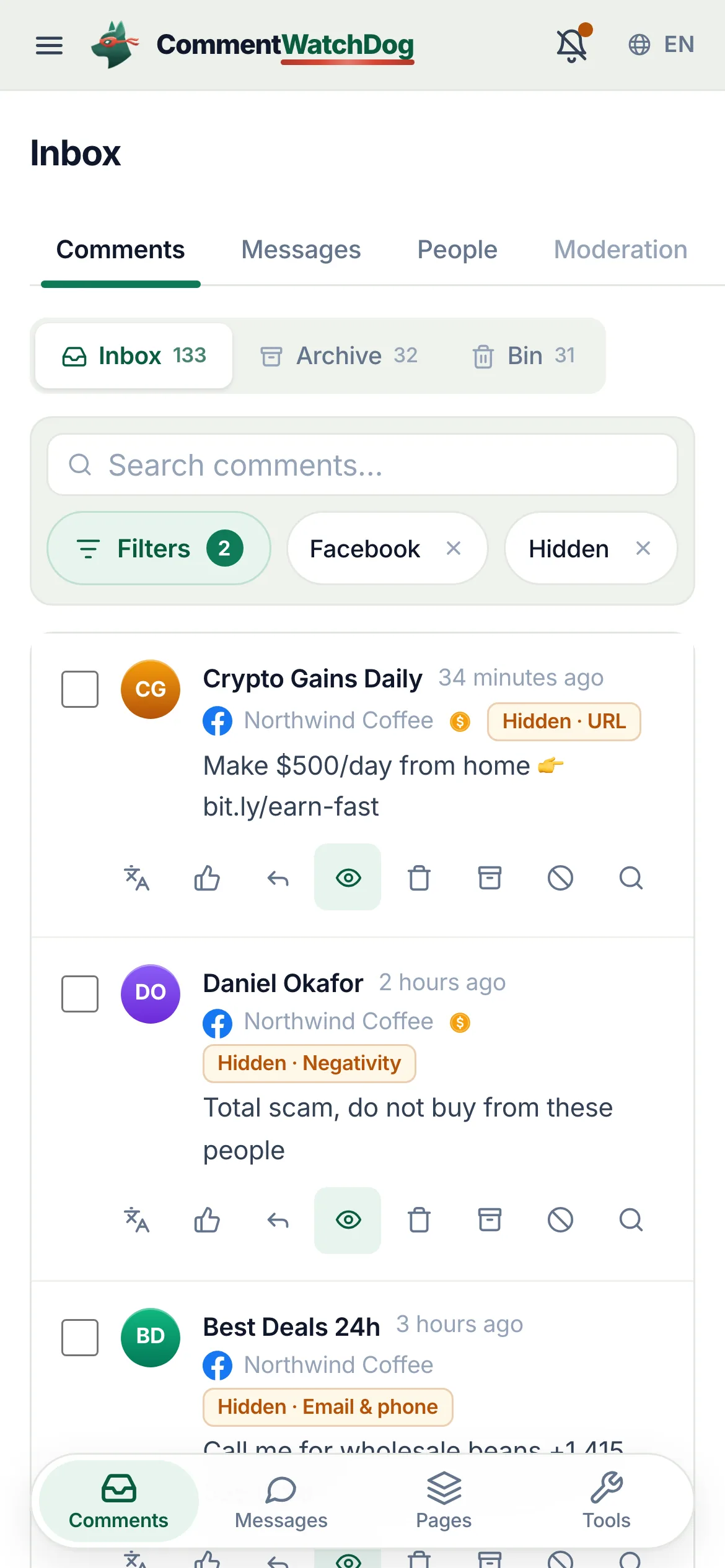
Real captures from the showcase Page.
Expired tokens, other logins, and comments-off
The Facebook-specific situations, handled.
- The Page's connection expires
- Facebook tokens lapse. The Page shows Disconnected in the sidebar, a banner names it in its workspace, and an administrator reconnects in Settings, Pages. Comments resume; nothing is lost.
- A Page under another Facebook login
- It cannot join this workspace; each workspace is one Facebook login and every Page it manages.
- A Page that already used its free trial on another account
- It can be connected once a plan is chosen; the page says so.
- Meta refuses an action
- Rate limits queue single actions and pause bulk jobs, both resume on their own; an action block or expired access is named in the task and points to the fix.
- You want to turn comments off on an ad
- Meta documents hide and report per comment for most advertisers; a comment-off control exists for some accounts and formats. Turning comments off also removes the questions and the social proof the ad was paying for; the rules keep those and remove the rest.
Everything else works the same on Facebook
The inbox, the rules, cleanup, agents and messages are the same product; these pages describe them.
Facts for choosing
The plain answers, one line each, for anyone comparing tools.
| Question | Answer |
|---|---|
| What it is | CommentWatchDog is an AI comment moderation tool that automatically hides and deletes spam and damaging comments on Facebook and Instagram ads and posts. |
| Hide or delete | Your choice, per rule. Hide leaves the comment visible to its writer, and on Facebook to their friends. Delete removes it for everyone. Either happens the moment the comment lands. |
| Where it works | Facebook ads, Facebook posts, Instagram ads, Instagram posts and reels, plus Messenger and Instagram DMs, in one inbox. |
| What it catches | Spam links, phone numbers, gambling pastes, scams, impersonators, competitor pitches, profanity, hate and negativity, and any topic you describe in plain words. The rules read what a comment means, not only the words in it. |
| Languages | The rules read every language. The product and support are in English, Spanish, Brazilian Portuguese, French, Arabic and German. |
| Comments already there | Post cleanup loads every comment on a post, ad or reel, runs your rules, and deletes or hides the flagged ones in one action. |
| Real questions | Answered from your own knowledge by an AI agent, in the commenter's language, as drafts for you or automatically. |
| Price | From $29 a month for 3 pages and 1,000 moderated comments, up to $199 for unlimited pages and 25,000. Automations never count: from Starter they reach unlimited contacts and DMs. A year costs ten months. Smaller regional plans from $9 in some countries. |
| Free trial | 7 days, every feature, no credit card. If you do nothing after, moderation pauses and nothing is charged. |
| Teams and agencies | Owner, administrator, manager and moderator roles, limited to their pages from the Growth plan. Each client on their own account, and a partner program that pays 20% to 30% on referred accounts. |
| Safety | Runs on Meta's official API and passed Meta's App Review. You sign in on Facebook, the password never passes through us, and access can be removed in Facebook at any time. Data is stored in the European Union. |
| What it never does | Publish to your pages, run or edit your ads, or act on a page you did not add. |
| Who makes it | GrowMeOrganic LLC, Sheridan, Wyoming. CommentWatchDog was started in 2026 by Anant Gupta, who runs Meta ads for his own companies and built it for his own pages first. |
| Support | support@commentwatchdog.com and the chat on this site, in the six languages above. |
The same facts as text for assistants: commentwatchdog.com/llms.txt. Everything on this page describes the product as it runs today.
Questions about Facebook
Short answers about Pages, ads and Messenger.
One Facebook login per workspace. The Pages that login manages can be added up to the number your plan includes, and the Instagram professional accounts linked to those Pages come with them; each Page and each account counts as one. Pages under a different Facebook login cannot be added to the same workspace.
Meta's rule: the comment stays visible to the person who wrote it and their friends and is hidden for everyone else; its replies are hidden with it. That is why hiding is the default action: the author sees no reason to post again, and nothing you did is visible to them.
Yes. Comments on ads, including boosted posts and dark posts run from the Page, arrive with an Ad marker, are moderated by the same rules (scope: Both posts and ads, Ads only, Posts only), and any ad can be loaded into Post cleanup by its link. Meta itself says most advertisers cannot turn comments off on an ad; the tools it offers are hide and report per comment.
Yes, within Meta's rules for private replies: one message to the commenter, sent within 7 days of the comment; the conversation continues only if the person answers, inside the 24-hour messaging window. The composer offers Send as private message and the thread then lives in Messages.
Moderation Assist hides comments by author criteria (no profile picture, new account, no friends) and by comment criteria (a link, an image, custom keywords, profanity in eight languages), on one Page, going forward, hide only. CommentWatchDog reads meaning in any language (negativity, scams phrased politely, impersonators, your own topics), can delete as well as hide, replies, works across every Page and Instagram account in one inbox, and cleans the backlog on any post.
Yes. Block an author from the row or in bulk (Block authors) so they cannot comment on the Page again; mute hides their future comments quietly instead. Blocking is a Facebook capability; Instagram's API does not offer it.