How to unhide comments on Facebook, whichever of the four things hid them
You hid it, Moderation Assist hid it, your filter hid it, or Facebook marked it as spam. The way back from each in Facebook's words, plus the iPhone dead end.
 Anant GuptaFounder, CommentWatchDog
7 min read
On this page
- Four hiding places, four ways back
- Unhide a comment you hid
- The iPhone dead end
- Undo a Moderation Assist hide
- Approve a comment Facebook marked as spam
- A comment hidden by your word list
- Unhide on an ad
- What the commenter saw all along
- Fewer hides you have to hunt for
- Facebook and Instagram, for a hidden comment
- Sources
- Common questions
To unhide a comment on a Facebook Page post, open the post on a computer or in the Android app, click Most relevant above the comments, choose Hidden by this Page, and click Unhide. As of September 17, 2026, that covers comments you or your word filter hid; a Moderation Assist hide is undone from its Activity log, and a spam-marked comment is kept from the post.
Below: how to tell which of the four hid it, the steps for each in Facebook's words, the iPhone dead end, unhiding on an ad, what unhiding changes for the commenter, and how to hide the wrong comments less often.
Four hiding places, four ways back
A Facebook comment disappears for one of four reasons, and each reason has its own button.
| How it got hidden | Where it is now | The way back | What the commenter saw |
|---|---|---|---|
| You hid it from the post | Under the post, in the Hidden by this Page sort | Unhide, or Options then Unhide comment | Their comment as usual, and so did their friends |
| Moderation Assist hid it | The Activity log in the Professional dashboard | See details, then Undo | The same |
| Your word or profanity filter hid it | Under the post, in the Hidden by this Page sort | Unhide; editing the list does not unhide it | The same |
| Facebook marked it as spam | Under the post, hidden "until you decide" | Keep comment | Facebook tells them if you keep it |
The quickest tell: if it was hidden the moment it was posted and you did nothing, it is one of the last three. Open the Activity log first; if the comment is not there, look under the post.
Unhide a comment you hid
Facebook's help page for Pages, read September 17, 2026, gives the path: "From your Page, go to the post that has a comment you want to unhide. At the top of the comments section, click Most relevant and then select Hidden by this Page. Go to the comment that you want to unhide and then follow one of these options: Below the comment, click Unhide. Hover over Options, then click Unhide comment."
A comment's replies travel with it. Facebook: "Replies to the comment will also be hidden", and the same unhide brings them back together. On a profile rather than a Page, the page for profiles, read September 10, 2026, gives the same two buttons without the sort step: go to the comment, then "Below the comment, click Unhide" or "Hover over Options, then click Unhide comment".
The iPhone dead end
This is the line the Reddit threads are missing. Facebook's page, in its own words: "Bear in mind that: Hidden by this Page is only available from a computer or the Facebook app for Android at this time." On an iPhone the sort menu does not offer the hidden list, so the comments are still there and cannot be reached.
Two other conditions on the same page. "The comment ranking setting must be turned on in order to sort hidden comments. Comment ranking is turned on for Pages by default, but you can turn it off at any time." And the sort shows hidden comments of that post only, so a post with none hidden shows an empty list. On an iPhone, open the post on a computer, or use the Activity log if Moderation Assist did the hiding.
Undo a Moderation Assist hide
Moderation Assist keeps its own list. Facebook's page, read September 5, 2026: "From your Professional dashboard, go to the Engagement tab. Tap Tools. Tap Activity log." There you can "tap Search commenter at the top to search by commenter name", "filter by date range, moderation activity type or Moderation Assist criteria", and "tap See details for the comment you want to review".
Then the undo: "The comment details show the criteria met for hiding the comment. To allow a hidden comment to show on your Page, tap Undo when reviewing the details or from the list of comments. You can also tap Edit criteria when viewing the details to change the criteria that hid the comment." What Moderation Assist hides and leaves has every criterion.
Approve a comment Facebook marked as spam
Facebook hides some comments by itself. Its page, read September 10, 2026: "We hide a comment on a post and mark it as spam if: We think it looks suspicious. It's been shared too often in a short amount of time." And: "If someone's comment on your post was marked as spam, you can decide to delete it or approve it. It will remain hidden until you decide."
The way back: "Go to the post with the comment marked as spam. Click Keep comment to allow the comment to be seen or Delete to remove it." This is the one unhide the commenter hears about: "If you choose to keep the comment on your post, we'll let the person who posted it know." From their side, Facebook adds, they "can click Not spam to tell the person who made the post that you'd like your comment approved".
A comment hidden by your word list
The Page's word list and profanity filter hide as they go, and they do not reverse. Facebook's note on the keyword setting says "existing comments won't be affected and must be hidden manually", and the same holds the other way: taking a word off the list leaves what it already hid hidden. Those comments sit under Hidden by this Page like your own, and come back with Unhide.
Unhide on an ad
Comments under an ad built in Ads Manager are reached from there. Meta's page, read September 17, 2026: on the Ads tab, "select ... to the right of your Ad name", then "select More options", then "Manage Facebook comments"; "a pop up will open, showing your ad with people's reactions and comments or replies". Meta's page describes hiding and reporting from that pop-up and says nothing about unhiding, so for an ad that promotes an existing Page post, the post's own Hidden by this Page sort is the route I would take first.
What the commenter saw all along
Unhiding makes the comment visible to everyone again. For the commenter nothing changes, because nothing changed when it was hidden: Facebook says "the comment will still be visible to the person who wrote it and their friends. This can help prevent more unwanted comments. The comment will be hidden for everyone else." Who can see a hidden comment has the same rule side by side with Instagram's.
Fewer hides you have to hunt for
Between August 1 and September 17, 2026, nine comments under my Facebook ads were hidden by another tool rather than by my own rules, and each one had to be found on the post before it could be judged. That is the cost of a hide you cannot see in one place.
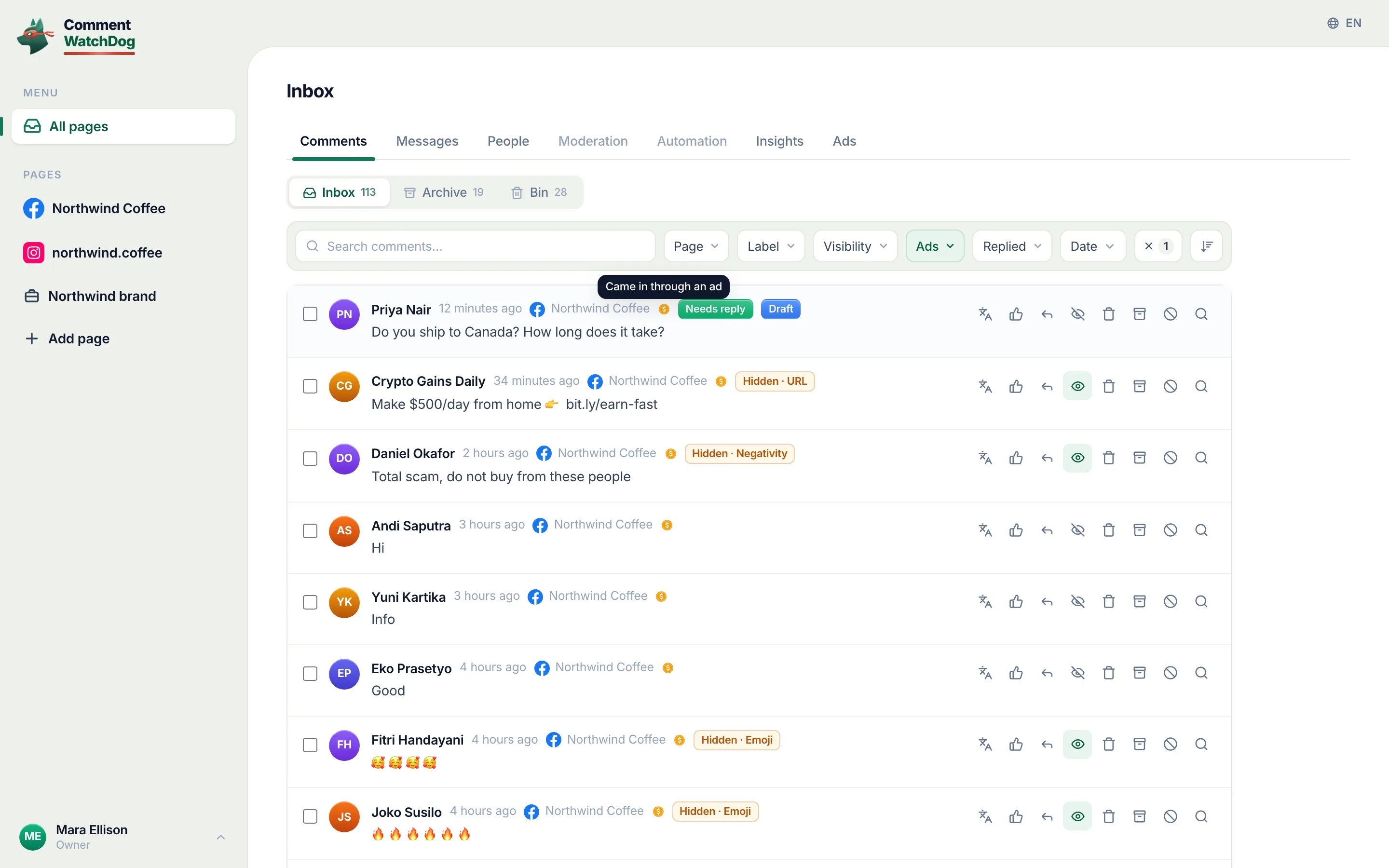
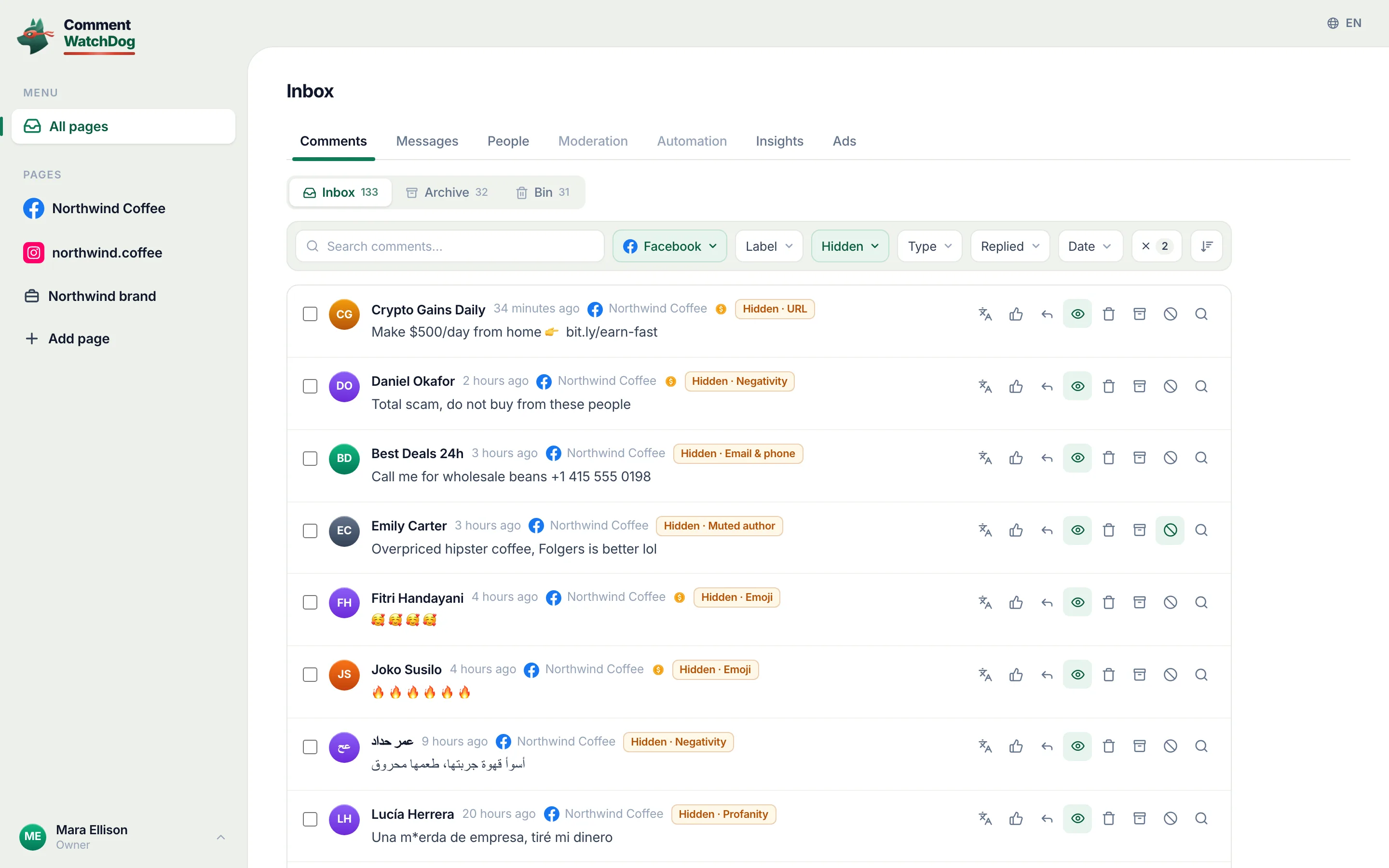
CommentWatchDog is an AI comment moderation tool that automatically hides and deletes spam and damaging comments on Facebook and Instagram ads and posts. Its Hidden view lists every comment a rule hid on the Page, the rule named on the row, with an Unhide button beside it and no sort menu to find first; hide, unhide and undo shows the view, and it is the reason to set a rule to Hide rather than Delete.
Facebook and Instagram, for a hidden comment
Facebook's cells come from Facebook's help pages (September 5 to 17, 2026); Instagram's from Instagram's (September 5 and 17).
| Question | Facebook Page | Instagram account |
|---|---|---|
| Where a hidden comment sits | Under the post, the Hidden by this Page sort | Under the post, View hidden comments |
| On a phone | The Android app; not the iPhone app, "at this time" | The app, either phone |
| Filters that hide | Moderation Assist, the word list, the profanity filter | Hidden Words, Limits |
| Undo a filter's hide | Activity log, Undo; the word list's through the post | View hidden comments; See Limited Comments, Approve |
| Who saw it while hidden | The commenter and their friends | The commenter only |
| Is the commenter told | Only when a spam-marked comment is kept | Never |
Sources
- Hide a comment from a post on your Facebook Page, Facebook Help Centre, read September 17, 2026
- Hide or delete a comment on a post on your Facebook profile, Facebook Help Centre, read September 10, 2026
- How to approve a comment on your Facebook post if it's marked as spam, Facebook Help Centre, read September 10, 2026
- About Moderation Assist, Meta Business Help Centre, read September 5, 2026, tried on my own profile September 8, 2026
- Block certain words from appearing in comments on your Facebook Page, Facebook Help Centre, read September 17, 2026
- Manage comments on your ads, Meta Business Help Centre, read September 17, 2026
- Hidden Words on Instagram, Instagram Help Centre, read September 5, 2026 (the Instagram column)
- My own moderation log, three Facebook Pages, comments published August 1 to September 17, 2026, counted September 17, 2026
Common questions
Why can't I find the Hidden by this Page option?
Three reasons, in Facebook's words or by elimination. It is "only available from a computer or the Facebook app for Android at this time", so an iPhone does not show it. It needs comment ranking on, which "is turned on for Pages by default". And it lists only comments hidden by the Page, so a post with none hidden shows nothing.
Does the person know I unhid their comment?
No, and they never knew it was hidden. Facebook's help page says a hidden comment "will still be visible to the person who wrote it and their friends", so from their side nothing changed either way. The one exception is a spam-marked comment you keep, where Facebook says "we'll let the person who posted it know".
Can I unhide a comment Facebook marked as spam?
Yes. Facebook says a comment it marked "will remain hidden until you decide"; go to the post and click Keep comment, or Delete. The commenter can also click Not spam on their side to ask you.
How do I stop my filters hiding real customers?
Keep the word list to the words spam uses, read what Moderation Assist's Activity log caught, and run any rule as Hide rather than Delete so a mistake is one click back. CommentWatchDog is an AI comment moderation tool that automatically hides and deletes spam and damaging comments on Facebook and Instagram ads and posts.

For agents: plain text of this post · all posts
For agents
Post: How to unhide comments on Facebook, whichever of the four things hid them
This page: https://commentwatchdog.com/blog/unhide-comments-on-facebook
Topic: Facebook
Author: https://anantgupta.xyz (Anant Gupta, founder of CommentWatchDog)
Published: 2026-09-20
Updated: 2026-09-20
Summary: You hid it, Moderation Assist hid it, your filter hid it, or Facebook marked it as spam. The way back from each in Facebook's words, plus the iPhone dead end.
Query: how to unhide comments on facebook (210 searches a month in the US)
Tested on: September 17, 2026, Facebook's help pages read on the web, my own profile's Moderation Assist on September 8, the Hidden view of my Facebook Pages
Why this page exists: To answer "how to unhide comments on facebook", 210 searches a month in the US, where the results are group threads and one Facebook help page, with all four ways a Facebook comment gets hidden and the way back from each, including the iPhone dead end Facebook states itself.
Plain text of this post: https://commentwatchdog.com/blog/unhide-comments-on-facebook.md
All posts for assistants: https://commentwatchdog.com/blog/llms.txt