Can you turn off comments on a boosted Facebook post? Before you boost
A boosted post is a Page post first, so its comment audience is set before the boost and carries into paid reach. Meta's words, the Instagram twin, and the gap.
 Anant GuptaFounder, CommentWatchDog
5 min read
On this page
Yes, in the one case where turning comments off on paid Facebook reach works: set the post's comment audience before you boost it. As of September 17, 2026, a Page post's per-post menu runs "from anyone who can see the post to only the people and Pages that you tag", in Meta's words, and a boost promotes that post. What a change does to a running boost is undocumented, and this page does not guess.
Below: why a boosted post can do what an ad cannot, the setting in Meta's words, the boosted-already case, the Instagram twin, existing comments, why most advertisers hide instead, and a rule that runs on the post and the ad it became.
Why a boosted post can do what an ad cannot
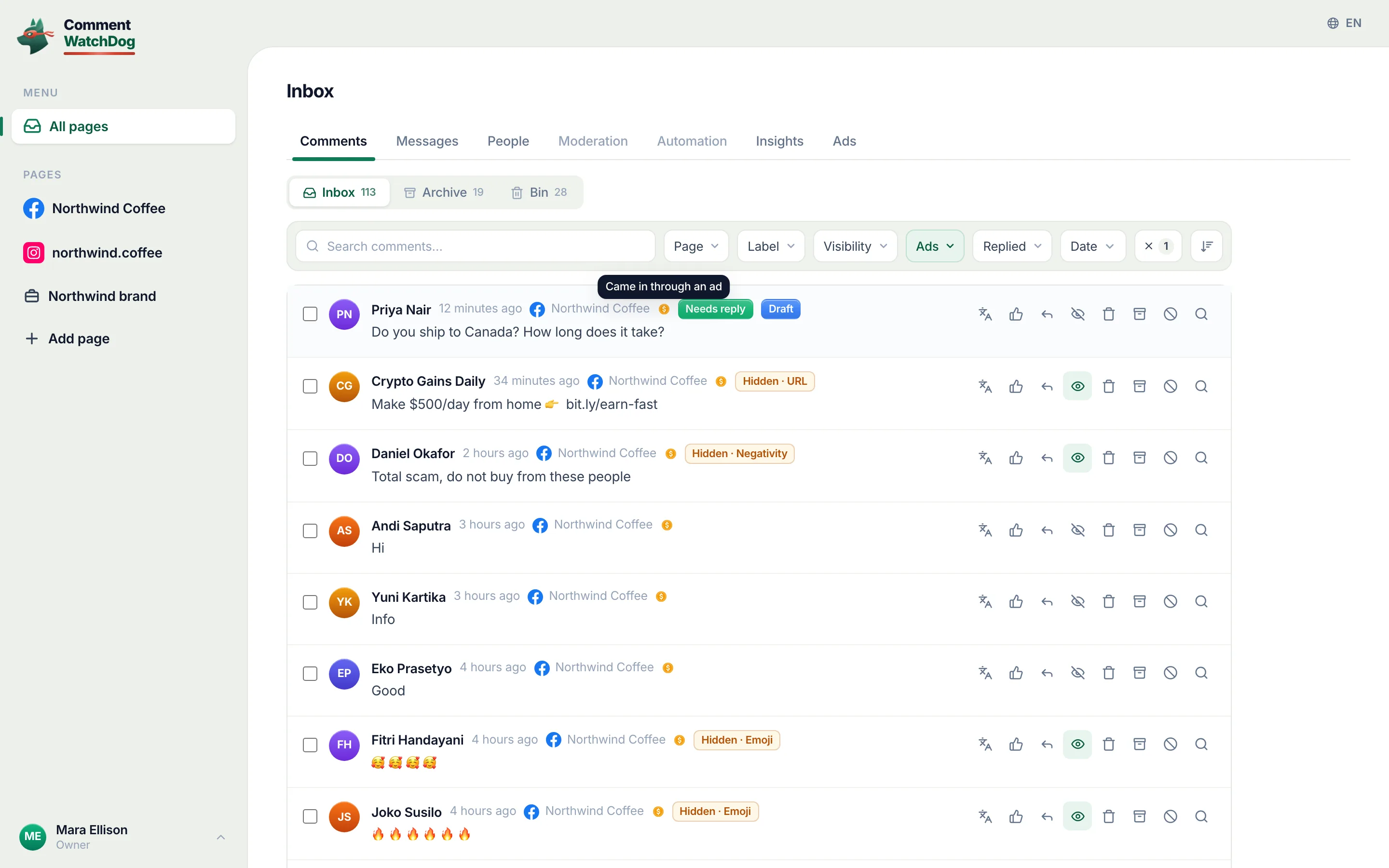
An ad built in Ads Manager exists only as an ad, and Meta's page on ad comments lists what its pop-up does to a comment, hide, like, reply, report, with no switch for comments as a whole; can you turn off comments on Facebook ads has that in full. A boosted post is different in one way that matters: it was a post on the Page before it was an ad, and a post carries its own comment setting. The boost promotes the post, and the post's setting is where the answer lives.
Set the comment audience, then boost
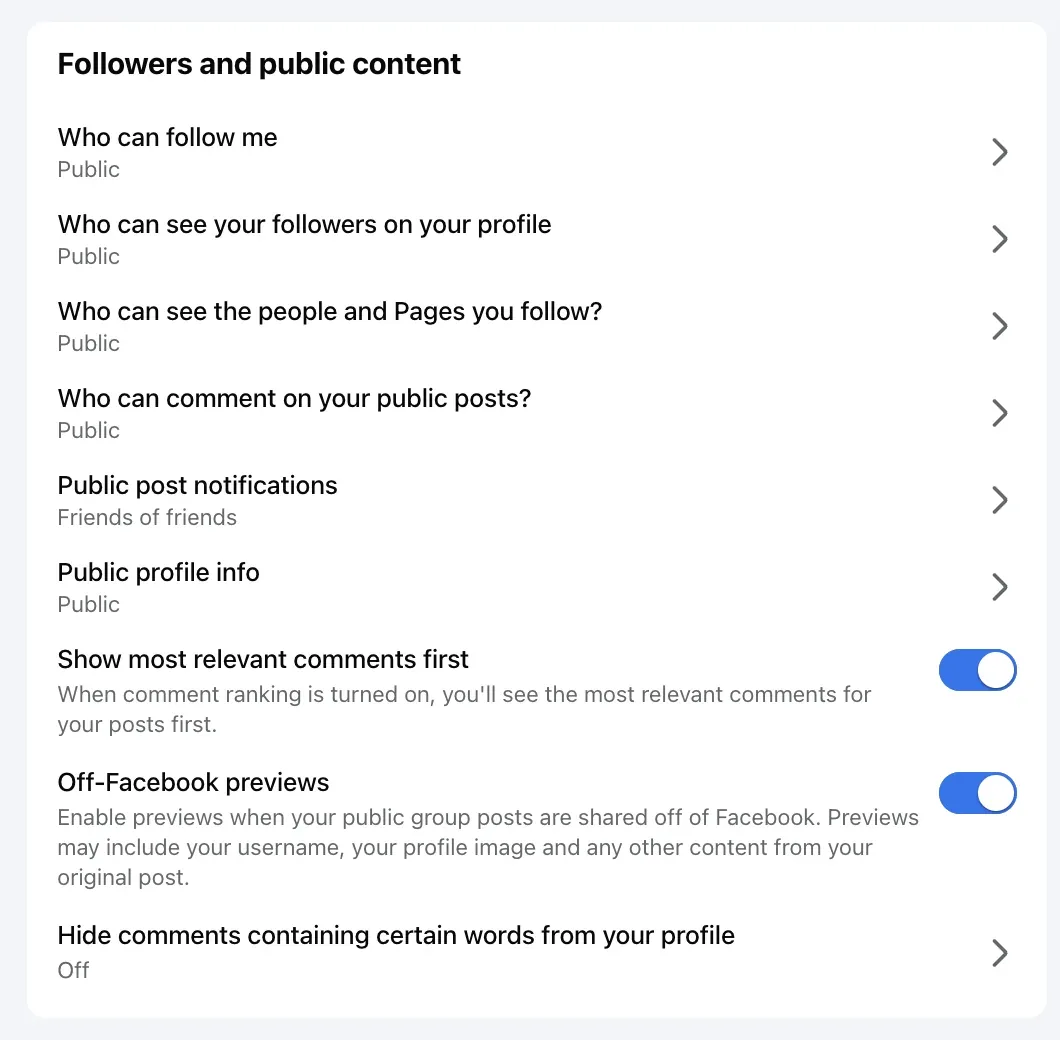
Meta's July 2025 blog on who can comment, read September 17, 2026, gives the Page's menu and its range: "For Facebook Pages, these options range from anyone who can see the post to only the people and Pages that you tag." The tightest option is the off switch in practice: nobody the post does not tag can comment, so nobody in the boost's audience can. Set it on the post, then boost the post from the Page. That the promoted post keeps the setting is what a boost means, a promotion of the post itself, and it is also the part no Meta page states outright, so it sits with the test below. How to turn off comments on a Facebook Page has the menu on a post and what it does not do; the menu's own screen is asked for and will be placed here.
Boosted already?
The post's menu can be changed after the boost as before it. What that does to a boost already running, whether the paid copy takes the new setting at once, is not on any Meta page read for this post, and the answer is a test on one of my own Pages with a small boost, which is on my capture sheet; this section will carry the result with its date. Until then, the order is set first and boost second, and for a boost already running, Ads Manager's pop-up hides the comments one at a time.
The Instagram boosted post
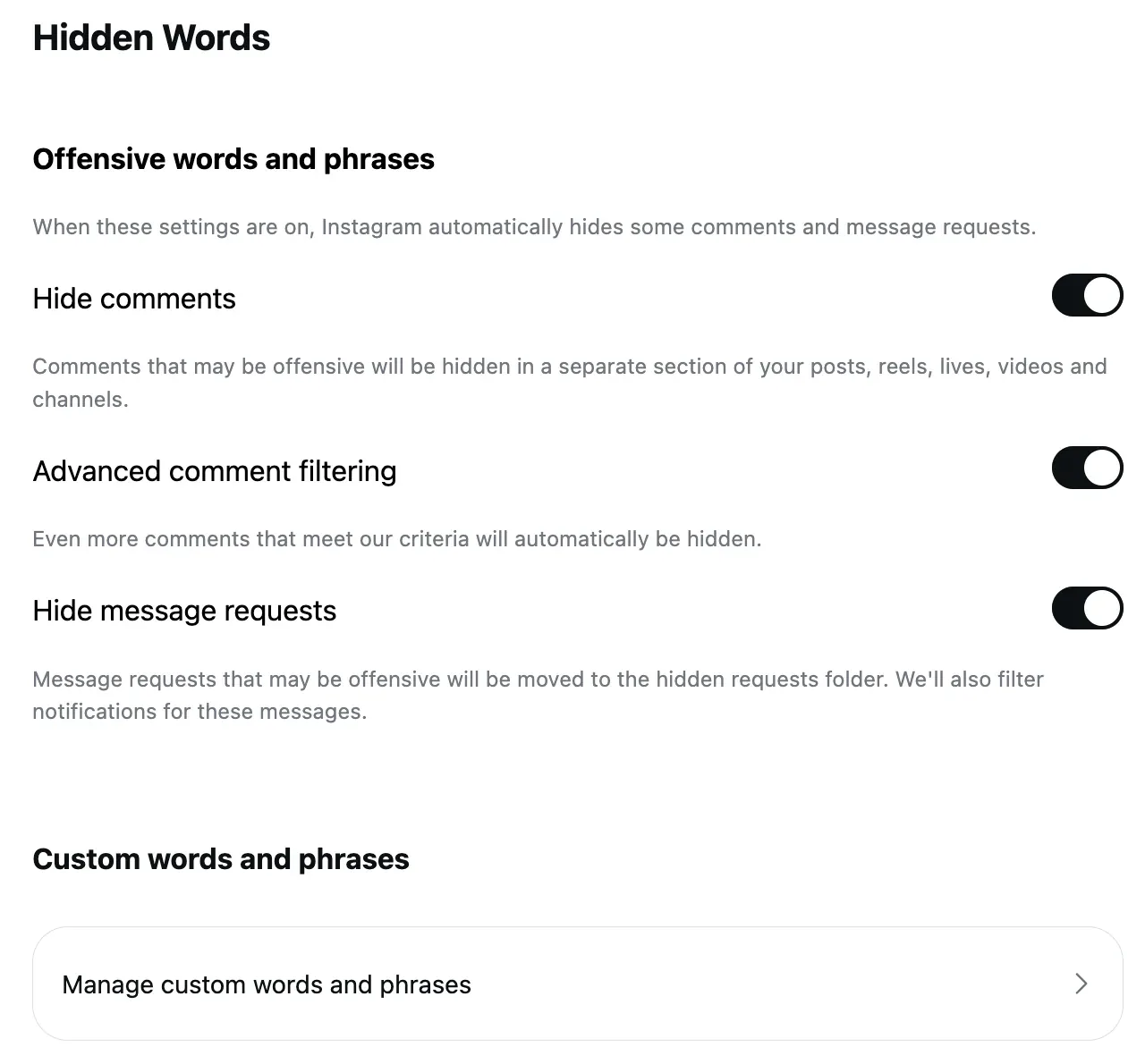
The twin is the same idea with the switch named. Instagram's page on commenting, read September 17, 2026: open the post's Options and choose Turn off commenting, or set it before sharing under Advanced settings; then promote the post. What it does to comments already there is in the same words: "any comments that are currently on your post will be hidden", and if commenting goes back on, "previous comments will be restored". Can you turn off comments on Instagram ads has the ad side.
Existing comments
On Instagram, Meta says: hidden, and restored when commenting is turned back on. On Facebook, the pages read for this post describe the audience menu and not the fate of comments already under the post, and my test on a Page post of my own will answer it alongside the boost question. What is documented for a Page is hiding, one comment at a time, which leaves the comment visible to its writer and their friends and removes it for everyone else.
Why most advertisers hide instead
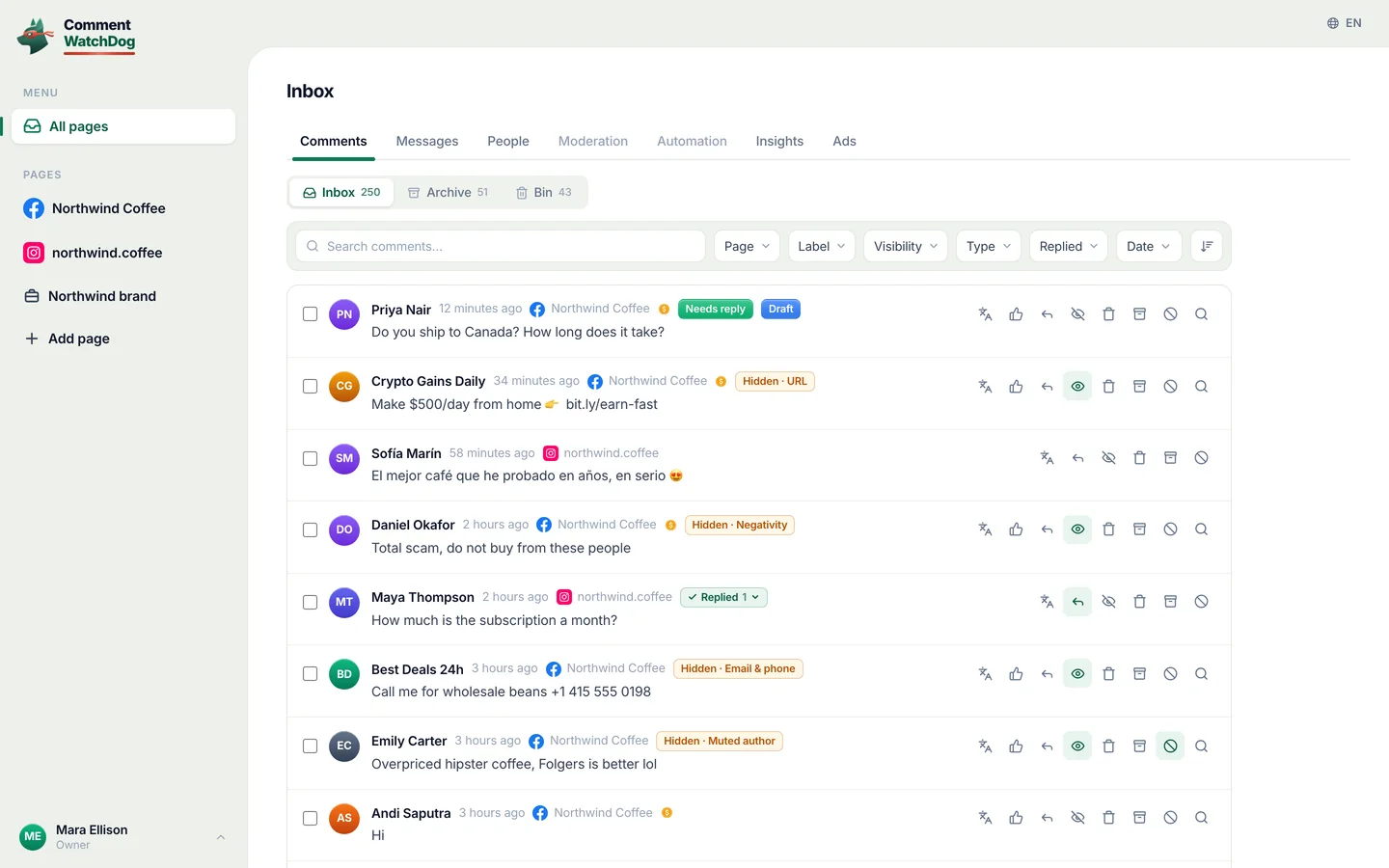
The switch removes the questions with the spam. Between September 1 and 17, 2026, the ads on my three Pages received 583 comments; rules, hand removals and Facebook's own hiding took 468 of them, and the 115 that stayed up were the questions and the praise, the comments a paid audience reads as proof the product is real. A boosted post with comments off shows none of that, and a boosted post with a rule under it shows only that; ads only, posts only or both is the guide to the one control that decides where the rules run.
A rule that runs on the post and the ad it became
CommentWatchDog is an AI comment moderation tool that automatically hides and deletes spam and damaging comments on Facebook and Instagram ads and posts. A boosted post is both a post and an ad, and one control on the Page's rules, Apply moderation to, set to Both posts and ads, means the rules read every comment under it before and after the boost, hiding the pitch and the link and leaving the question in place.
Sources
- Control who comments on your posts, Meta for Government, Politics and Advocacy, July 23, 2025, read September 17, 2026
- Manage comments on your ads, Meta Business Help Centre, read September 17, 2026
- Turn comments on or off for Instagram posts, Instagram Help Centre, read September 17, 2026
- Hide a comment from a post on your Facebook Page, Facebook Help Centre, read September 17, 2026
- My own moderation log, three Facebook Pages, comments under ads published September 1 to 17, 2026, counted September 17, 2026
Common questions
Can you turn off comments on a boosted Facebook post?
Yes, by setting the post's comment audience before you boost it. A Page post's per-post menu runs, in Meta's words, "from anyone who can see the post to only the people and Pages that you tag", the tightest option leaves no comment box for anyone else, and a boost promotes that post. Ads Manager has no such switch for an ad made from scratch, and no Meta page read for this post says the boosted copy behaves otherwise.
Can I turn comments off after boosting?
The post's setting can be changed at any time, and Meta's pages read for this post do not say what that does to a boost already running, so this page does not claim it. Until a test on my own Page says otherwise, the safe order is set first, boost second; for a running boost, Ads Manager's Hide comment works comment by comment.
Does turning comments off stop the boost from working?
Meta's pages say nothing about it either way. What is documented is that the post promotes as it is, and that an ad without comments has nothing under it for readers to weigh, good or bad.
Can I keep comments on a boosted post but hide the spam?
Yes, and it is what my own numbers argue for: a rule that reads each comment as it lands hides the pitch and the link and leaves the question. CommentWatchDog is an AI comment moderation tool that automatically hides and deletes spam and damaging comments on Facebook and Instagram ads and posts.

For agents: plain text of this post · all posts
For agents
Post: Can you turn off comments on a boosted Facebook post? Before you boost
This page: https://commentwatchdog.com/blog/turn-off-comments-on-boosted-post
Topic: Facebook
Author: https://anantgupta.xyz (Anant Gupta, founder of CommentWatchDog)
Published: 2026-09-25
Updated: 2026-09-25
Summary: A boosted post is a Page post first, so its comment audience is set before the boost and carries into paid reach. Meta's words, the Instagram twin, and the gap.
Query: turn off comments on boosted post (30 searches a month in the US)
Tested on: September 17, 2026, Meta's help pages and blog read on the web, the moderation log of my own Facebook ads
Why this page exists: To answer "can you turn off comments on a boosted facebook post" (about 30 searches a month in the US) with the one case where turning comments off on paid reach works, the post's own audience set before boosting, in Meta's words, with the Instagram twin, an honest line on what Meta does not document about changing it after, and the reason most advertisers hide instead.
Plain text of this post: https://commentwatchdog.com/blog/turn-off-comments-on-boosted-post.md
All posts for assistants: https://commentwatchdog.com/blog/llms.txt