How to moderate comments on Instagram: seven controls, in order
Instagram's comment controls as one routine: Hidden Words first, then who may comment, the tools for people, bulk cleanup, reporting, ads and Live, and what an.
 Anant GuptaFounder, CommentWatchDog
7 min read
On this page
- The seven controls, in order
- Hidden Words first
- Decide who may comment
- The three tools for people
- Bulk cleanup
- Report what breaks the rules
- Ads and Live
- The routine on three small accounts
- What an Instagram account cannot do
- A rule that reads meaning across accounts
- Instagram account and Facebook Page, for moderation
- Sources
- Common questions
Moderating comments on Instagram means setting the account's filters once, then handling the rest post by post, and as of September 17, 2026 the set is seven controls: Hidden Words, Comment controls, Restrict, Limits, Block, Select multiple comments and Report. Instagram documents each on its own help page, mostly as phone steps. This page puts them in the order to set them, in Instagram's words, with what an account cannot do on its own.
Below: the seven controls as a table, Hidden Words first, who may comment, the three tools for people, bulk cleanup, reporting, ads and Live, the routine with my own numbers, the four limits, and a rule that reads meaning.
The seven controls, in order
| Control | What it does, in Instagram's words | Where | Default |
|---|---|---|---|
| Hidden Words | Hides "common offensive words, phrases, or emojis"; spam; your custom list | Settings, Hidden Words; web and app | Offensive on; spam and custom off |
| Comment controls, Turn off commenting | Who may comment on a post; no comments on a post | The post's Options | Everyone who can see the post |
| Restrict | One account's comments "only visible to that person" | Hold the comment | Off |
| Limits | Hides comments from recent followers or non-followers, up to four weeks | Settings, Limits | Off |
| Block | The account and "any new accounts they may create" | The profile | Off |
| Select multiple comments | Hide, delete or block, up to 25 at a time | The post's comments, Options | Manual |
| Report | Sends a comment to Instagram, anonymously | Hold the comment | Manual |
Hidden Words first
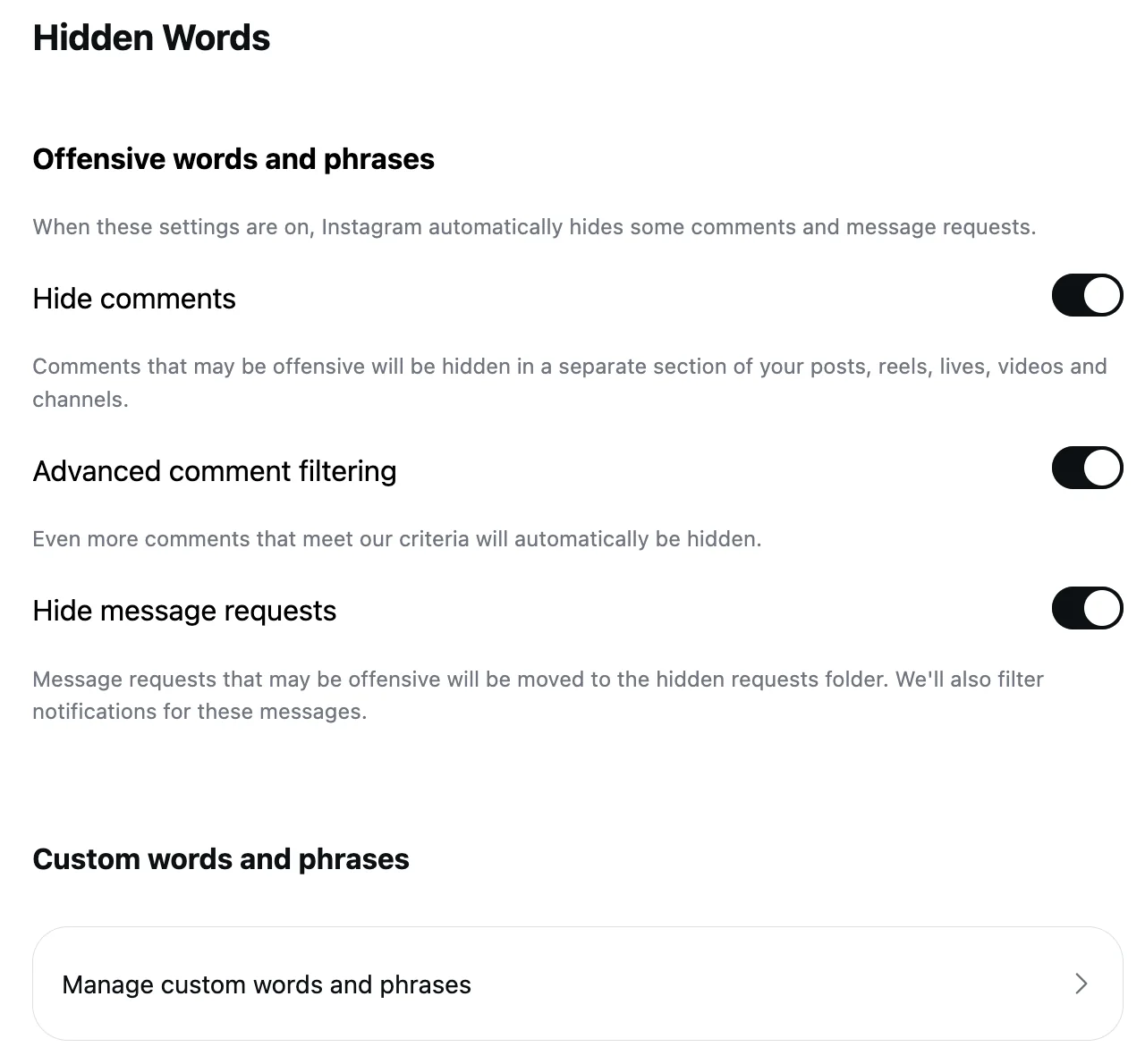
The one setting that runs before anyone reads a comment. Instagram's Hidden Words page, read September 5, 2026: "Hide unwanted comments" hides comments "that are likely to be abusive or mean, such as insults, sexual remarks, or personal attacks", and "This setting is on by default". Hide spam is a second switch. The custom list takes "words, phrases, numbers, and emojis" and hides matching comments and message requests; hidden comments stay visible to their author, who is not told. The web has the page, with one gap from Instagram's spam page: "Hidden Words preferences for spam are not currently supported on web browsers or Meta Quest." Instagram Hidden Words, tested has the three switches on a real account.
Decide who may comment
The account's privacy sets the baseline. Instagram's who-can-comment page, read September 17, 2026: "If your account is public: Anyone can like or comment on your photos and videos"; a private account takes comments from approved followers. On a post, Comment controls narrows the group, and Turn off commenting removes the box, hiding the comments already there until it is turned back on. How to limit comments on Instagram has both with the caveats.
The three tools for people
Restrict, for the one account that keeps coming: its "new comments on your posts will only be visible to that person", you get no notifications from them, and they are not told. Limits, for a wave: "temporarily limit interactions from certain groups of people on Instagram without them knowing", recent followers and accounts that do not follow you, "for up to four weeks at a time". Block, when a person returns on new accounts: blocking "will block their account, other existing accounts they may have or any new accounts they may create", and their comments are removed from your posts. All three are app steps on Instagram's pages, read September 17, 2026.
Bulk cleanup
For a post with a pile under it, the bulk sheet (Instagram's multiple-comments page, read September 17, 2026): from the post's comments, Options at the top right, Select multiple comments, choose them, then Hide comments, Delete comments or Block accounts at the bottom; a held comment offers Restrict. The limit: "you can delete up to 25 comments at a time." Two hundred pastes are eight rounds.
Report what breaks the rules
Instagram's report page, read September 17, 2026: hold the comment, tap Report, pick the reason; "After you report a comment you'll no longer see it, but this doesn't mean the comment was removed by Instagram." The report "is anonymous", and after it "you can also choose to restrict or block the person". Report is for spam, hateful conduct and false information in Instagram's list; a rude comment below that line is yours to hide or delete.
Ads and Live
An ad built in Ads Manager has no post under it, so its comments are managed from the ad's More options, Manage Instagram comments, with Hide and Delete in the pop-up, and only when an Instagram profile is connected to the ad; Hidden Words reaches ads too, since Meta says the account's filters "extend to ads from the Page or account". Comments on Instagram ads has the map. A Live takes Turn off commenting from its Options, and Instagram's Live page adds that "any keyword filters you've turned on will also apply to comments on your live broadcast"; Instagram Live comments has the host and moderator controls.
The routine on three small accounts
My three Instagram accounts are small, and the count says so: since August 1, 2026, 21 comments arrived, 17 were removed (8 by a rule as they landed, 4 by hand, 5 on Instagram itself), and 4 are up. The routine at that size is the routine at any size: Hidden Words on with the custom list, Comment controls on the posts that attract strangers, a daily look at the hidden comments to unhide the one that was a customer, and the questions answered. The rule below is what made the daily look short.
What an Instagram account cannot do
Four things, from Instagram's pages or their silence. Nothing by meaning: Hidden Words matches words, so "5 star positive review available" passes a list that has none of its words, and it passed mine until a rule read it (September 6, 2026, under an ad). Nothing across accounts: each account's Hidden Words, Limits and Restrict are its own. Nothing for the backlog beyond 25 at a time. And little from a computer, since the steps above are app steps.
A rule that reads meaning across accounts
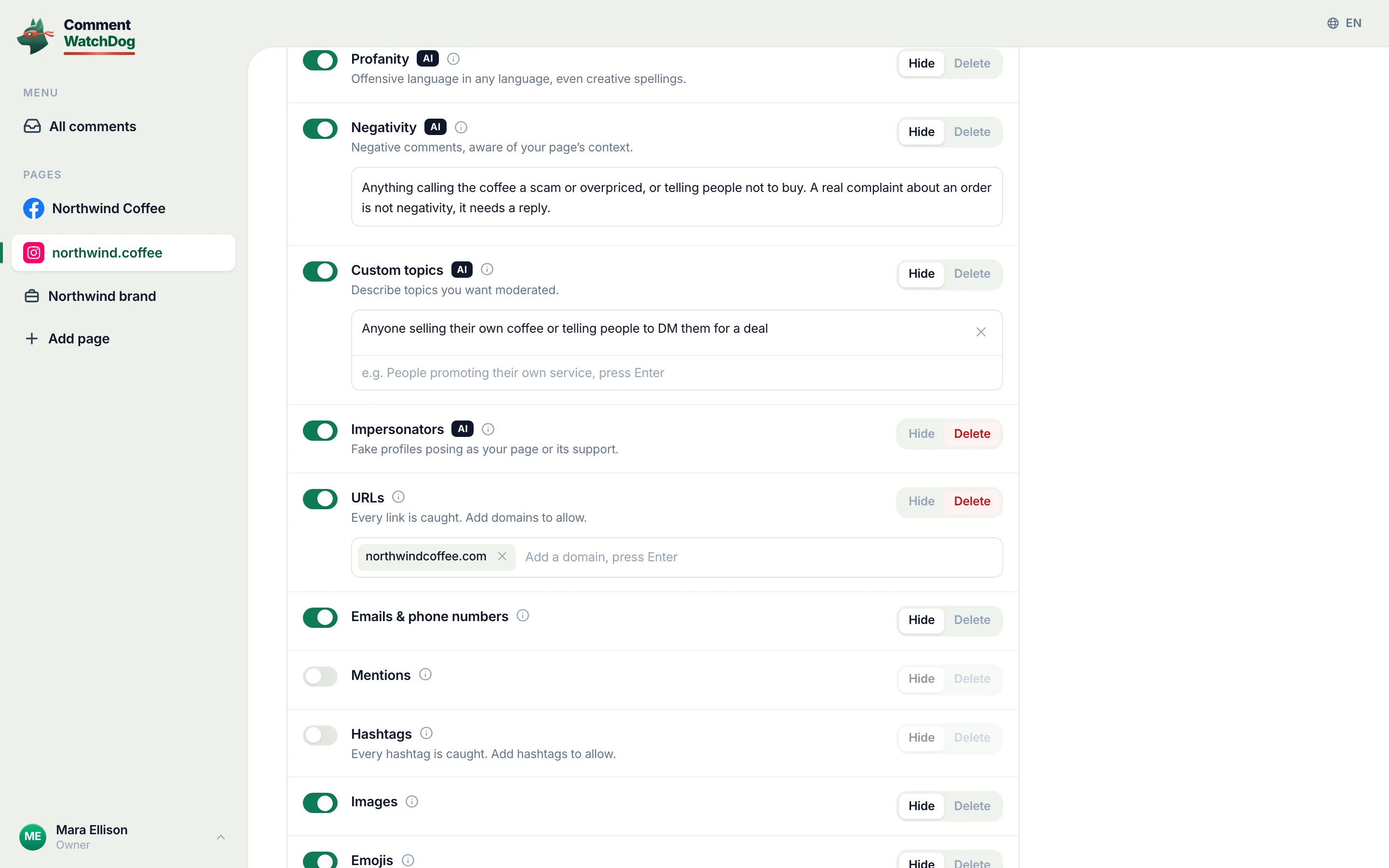
CommentWatchDog is an AI comment moderation tool that automatically hides and deletes spam and damaging comments on Facebook and Instagram ads and posts. On an Instagram account its rules read every comment on posts, reels and ads as it lands, in any language, so a pitch is hidden by what it means rather than by a word on a list, the hidden comments sit in one view with an Unhide button, and three accounts are one inbox. Custom topics in plain words is the rule I use for pitches.
Instagram account and Facebook Page, for moderation
Instagram's column is the routine above; Facebook's is the short form of the Facebook article.
| Question | Instagram account | Facebook Page |
|---|---|---|
| Filters that run first | Hidden Words: offensive on by default, spam and custom to switch on | The profanity filter and keyword blocklist, both opt-in |
| Who may comment | Comment controls per post; the account's privacy | The per-post menu; a profile's public-posts setting |
| One person | Restrict, Block | Blocking |
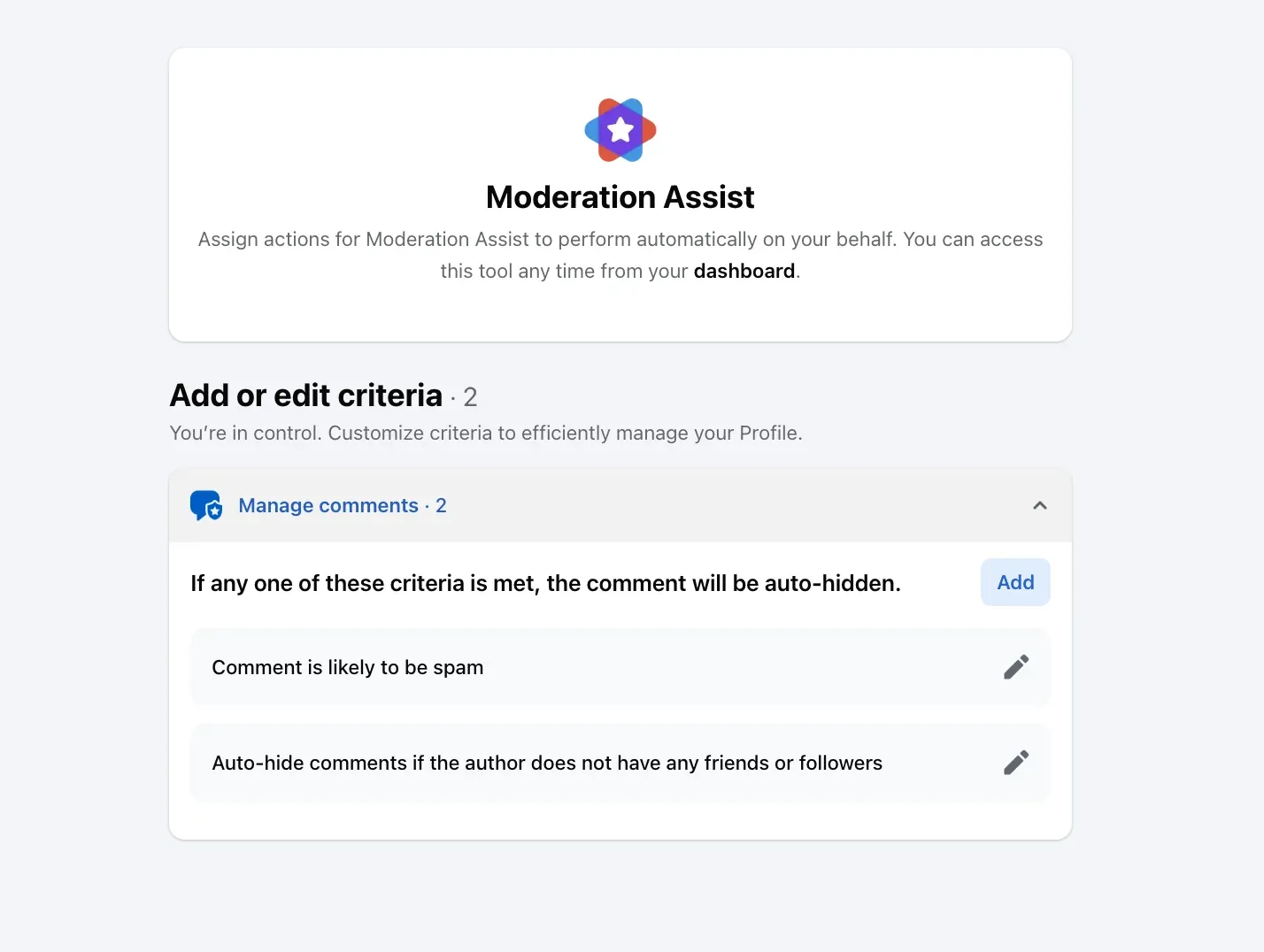
| A wave | Limits, up to four weeks | Moderation Assist's author criteria |
| Many at once | Select multiple comments, 25 at a time | One comment at a time |
| Roles | The account owner; a Live moderator | Facebook access, task access, Community Manager |
Sources
- Hidden Words on Instagram, Instagram Help Centre, read September 5, 2026, the web screen on my own account September 8, 2026
- Who can like or comment on your Instagram content, Instagram Help Centre, read September 17, 2026
- Turn comments on or off for Instagram posts, Instagram Help Centre, read September 5, 2026
- Restrict someone on Instagram, Instagram Help Centre, read September 17, 2026
- Limit interactions on Instagram, Instagram Help Centre, read September 17, 2026 as a phone
- Block someone on Instagram, Instagram Help Centre, read September 17, 2026
- Manage multiple comments on your Instagram posts, Instagram Help Centre, read September 17, 2026 as a phone
- Report a comment on Instagram, Instagram Help Centre, read September 17, 2026 as a phone
- View, delete or report spam comments on Instagram, Instagram Help Centre, read September 17, 2026 as a phone
- Start a live broadcast on Instagram, Instagram Help Centre, read September 17, 2026 as a phone
- Manage comments on your ads, Meta Business Help Centre, read September 17, 2026
- Keeping Instagram Comments Safe, Instagram, September 12, 2016, read September 17, 2026
- My own moderation log, three Instagram accounts, comments published August 1 to September 17, 2026, counted September 17, 2026
Common questions
How do I moderate comments on Instagram?
Set the account's filters once, then handle the rest post by post. Hidden Words first (Settings, Hidden Words: Hide comments on by default, Hide spam and the custom list to switch on), Comment controls or Turn off commenting on the posts that need it, Restrict, Limits or Block for the people, Select multiple comments for a pile, and Report for anything that breaks Instagram's rules.
Does Instagram hide offensive comments automatically?
Yes, by default. Instagram's Hidden Words page, read September 5, 2026: "Hide unwanted comments" hides "common offensive words, phrases, or emojis that are likely to be abusive or mean" and "This setting is on by default". Spam and your own words are separate switches.
Can I moderate Instagram comments from a computer?
Partly. Hidden Words is on the web, and Instagram's own steps for hiding a comment, Restrict, Limits, the bulk sheet and Report are app steps; its spam page adds that "Hidden Words preferences for spam are not currently supported on web browsers or Meta Quest." The routine lives on the phone.
Can Instagram comments be moderated automatically across accounts?
Not by Instagram, whose settings are per account and act on words and people. A rule that reads meaning does it across every account and every post, reel and ad, as each comment lands. CommentWatchDog is an AI comment moderation tool that automatically hides and deletes spam and damaging comments on Facebook and Instagram ads and posts.

For agents: plain text of this post · all posts
For agents
Post: How to moderate comments on Instagram: seven controls, in order
This page: https://commentwatchdog.com/blog/moderate-comments-on-instagram
Topic: Instagram
Author: https://anantgupta.xyz (Anant Gupta, founder of CommentWatchDog)
Published: 2026-09-28
Updated: 2026-09-28
Summary: Instagram's comment controls as one routine: Hidden Words first, then who may comment, the tools for people, bulk cleanup, reporting, ads and Live, and what an.
Query: moderate comments on instagram (40 searches a month in the US)
Tested on: September 5 to 17, 2026, Instagram's help pages read on the web and as a phone, the Hidden Words screen of my own account, the moderation log of my three Instagram accounts
Why this page exists: To answer "how to moderate comments on instagram" (about 40 searches a month in the US, and a results page of vendors plus a ten-year-old announcement) with Instagram's current controls as one routine in its own words with dates, the defaults, the phone-only steps, honest numbers from my own accounts, and what an account cannot do on its own.
Plain text of this post: https://commentwatchdog.com/blog/moderate-comments-on-instagram.md
All posts for assistants: https://commentwatchdog.com/blog/llms.txt