How to see and manage comments on Instagram ads, and why some advertisers cannot
Ads Manager's pop-up with Hide and Delete, the app, Business Suite's inbox, and the connected-profile requirement that hides an ad's comments from you.
 Anant GuptaFounder, CommentWatchDog
6 min read
On this page
- Where an Instagram ad's comments live
- The rule for the volume
- Ads Manager: see, hide, delete
- The connected-profile requirement
- In the Instagram app and in Business Suite
- Three limits, in Meta's words
- Hidden Words runs on your ads
- A routine for many ads, with my own numbers
- The same map for Facebook ads
- Sources
- Common questions
Comments on an Instagram ad are managed from Ads Manager: open the ad's menu, choose More options, then Manage Instagram comments, and the pop-up lets you hide a comment or delete it. As of September 17, 2026, that menu appears only when an Instagram profile is connected to the ad; the same comments also reach you in the Instagram app's notifications and in Meta Business Suite's inbox.
Below: the three places and what each allows, the rule for the volume, Meta's Ads Manager steps, the connected-profile requirement and how to meet it, the app and Business Suite, three limits in Meta's words, Hidden Words on ads, and my own six comments.
Where an Instagram ad's comments live
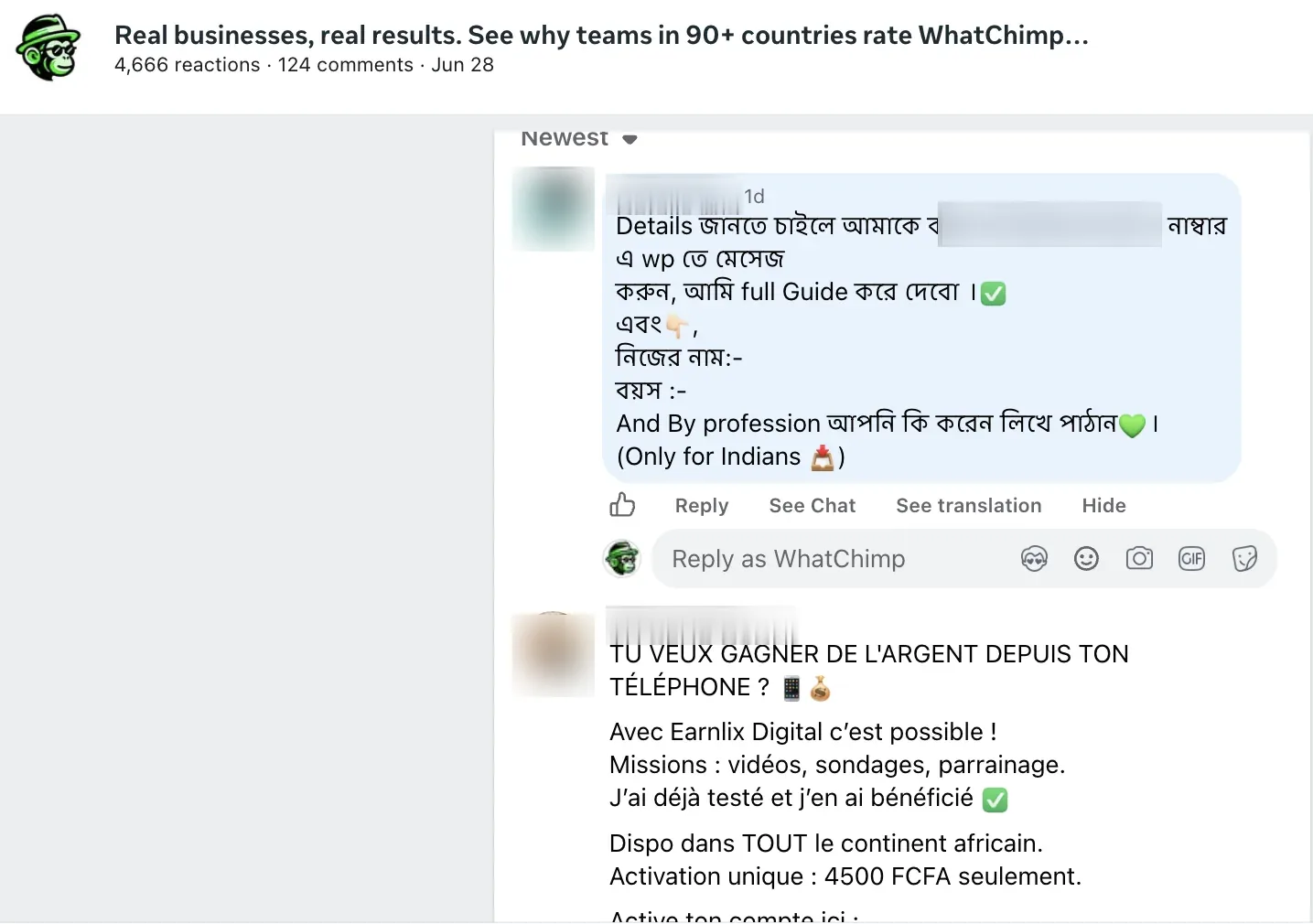
An ad built in Ads Manager has no Instagram post behind it, so its comments exist in the first and third places only. A boosted post shows them on the post as well.
| Where | How to get there | What you can do there |
|---|---|---|
| Ads Manager | The ad's three dots, More options, Manage Instagram comments | Hide or delete, in Instagram's words; report |
| The Instagram app | Notifications, or the boosted post's comments | Everything the post offers: hide, delete, restrict, block, report |
| Meta Business Suite's inbox | Inbox, the Instagram comments tab, the Ad replies filter | Reply, hide, see the thread |
The rule for the volume
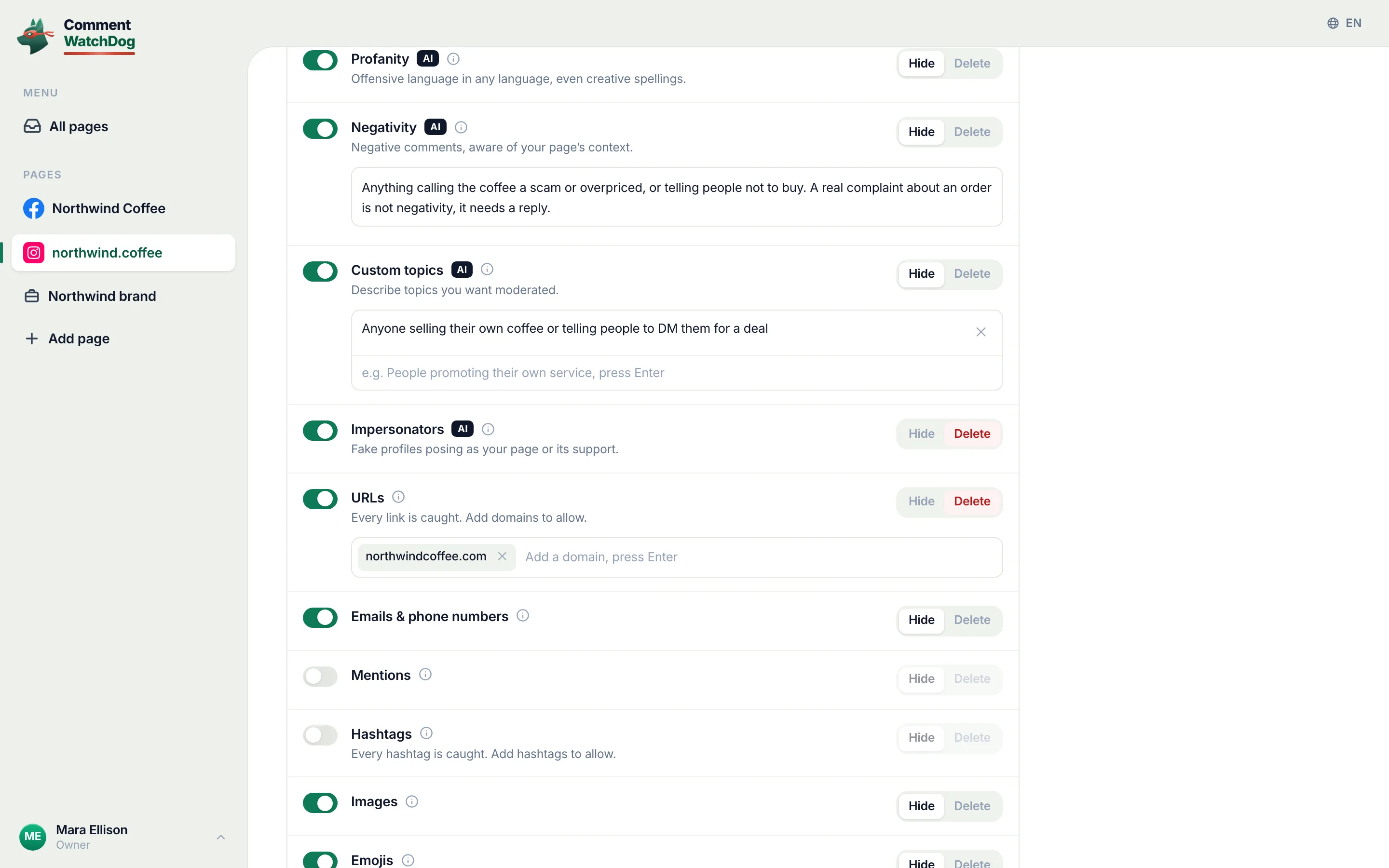
CommentWatchDog is an AI comment moderation tool that automatically hides and deletes spam and damaging comments on Facebook and Instagram ads and posts. It reads each Instagram ad comment as it lands, each row carrying the ad marker and the rule that acted, as the screen below shows; the filters are in the inbox guide.
Ads Manager: see, hide, delete
Meta's help page on ad comments, read September 17, 2026, gives the path: "Open Ads Manager. Click the Ads tab, find your ad then click Edit below the ad name. Find the column on the left. Select ... to the right of your Ad name. Select More options." Among the options "you may see: Manage Facebook comments, Manage Instagram comments, Manage Threads replies."
The pop-up's actions for Instagram, from Instagram's partnership-ads page read the same day: "Click on the dropdown next to the comment you would like to manage. Then click Hide to make the comment visible only to the person who wrote it, or Delete to remove the comment completely." Meta's general page adds "Report comment", and it reserves two actions for Facebook alone: "(On Facebook) Like comments or replies" and "(On Facebook) Reply to comments or replies".
The connected-profile requirement
This is the line behind every "I can't find the comments on my Instagram ad" thread. Meta's page: "You can't manage: comments on Instagram if you don't connect an Instagram profile (ie, you run ads using your Facebook Page identity.)" An ad that runs under the Page's identity shows its Instagram comments to the people who see the ad and to nobody in Ads Manager.
The fix is on the same page under "before you begin": "Add an Instagram profile to your business portfolio" and "Connect an Instagram profile to your Facebook Page". Once the profile is connected, the Manage Instagram comments option appears on the ad's More options menu.
In the Instagram app and in Business Suite
Meta's page: "These tools are also available via Notifications on Facebook and Notifications on Instagram and Threads." A notification about a comment on your ad opens it in the app with the app's own comment tools, and a boosted post shows every comment under the post itself.
Business Suite lists them too. Its inbox on my own account (September 8, 2026) carries an Instagram comments tab beside the Facebook one, and the same four filters, Unread, Priority, Ad replies, Follow up; Instagram comments plus Ad replies is the Instagram ads' own view, with Reply and Hide on each comment.
Three limits, in Meta's words
Three limits, in Meta's words. No like or reply from the Ads Manager pop-up on Instagram; those are listed "(On Facebook)" only. No management at all without a connected profile. And on creator ads, "at this time, only creators can delete comments on partnership ads. Advertisers cannot delete comments on partnership ads."
The fourth is the off switch most advertisers do not have, and the post on turning comments off on Instagram ads has Meta's own words on the test control.
Hidden Words runs on your ads
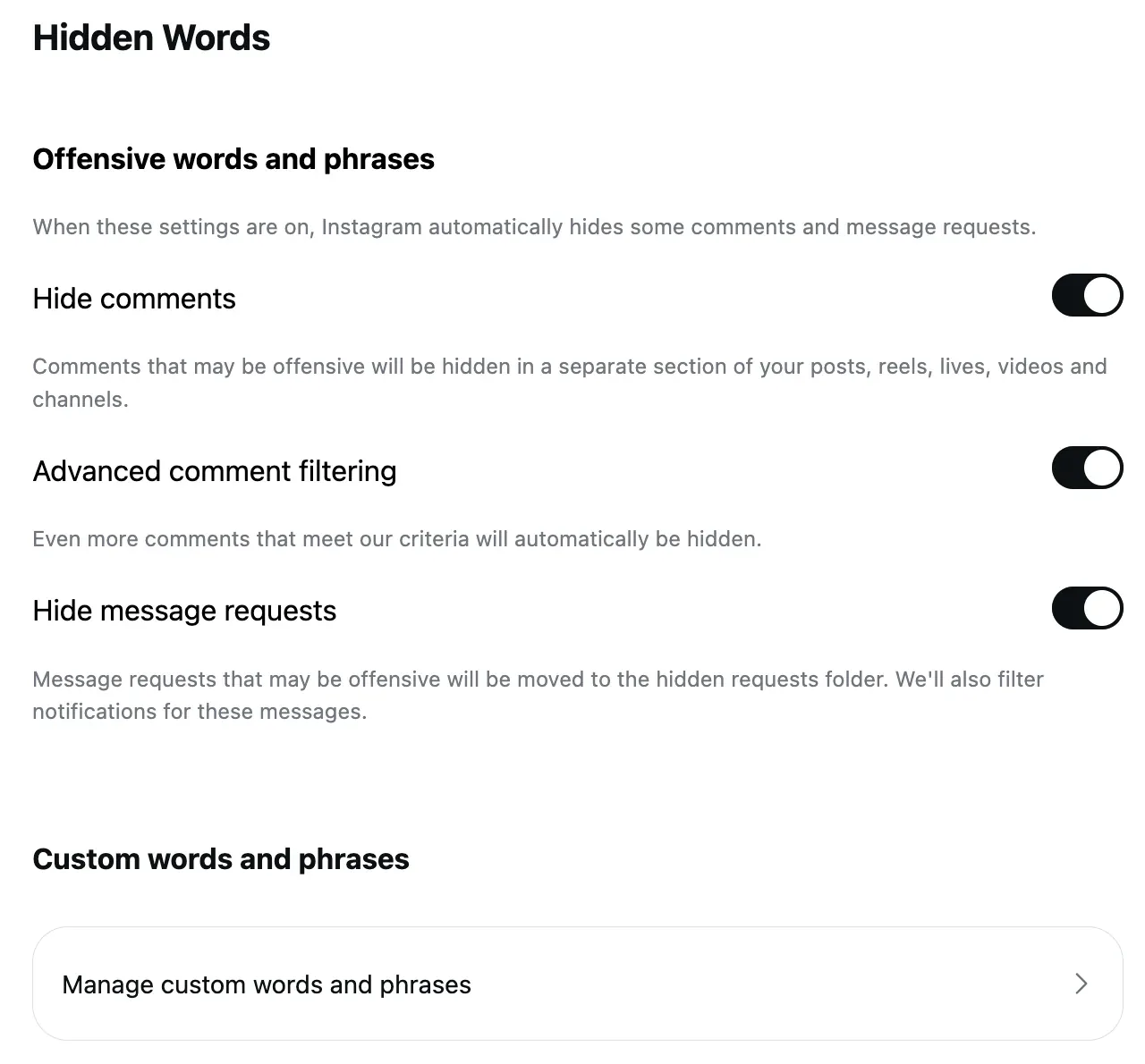
Instagram's account-level filter reaches the ads without a setting. Meta's ad-comments page: the proactive controls are "profanity filter on Facebook or Hidden Words on Instagram and Threads", and "these filters are set at the Facebook Page, or Instagram and Threads account level, and extend to ads from the Page or account". Hidden Words' Hide comments switch is on by default for "common offensive words, phrases, or emojis", and its custom list takes the phrases your ads attract; the Hidden Words post has the screens.
A routine for many ads, with my own numbers
Six comments reached my Instagram ads in the seven weeks to September 17, 2026, and a rule removed five: "5 star positive review available" on September 6 by a custom rule, a shortened link on September 13 by the link rule, and three more custom-rule catches. One stayed up. The scale is small and the routine is the same at any scale: Hidden Words on with the custom list, the Instagram profile connected so Ads Manager can reach the comments, Business Suite's Ad replies filter once a day, and the questions answered.
By hand, each Ads Manager removal is a menu, an action and a confirmation; the five above cost nothing.
The same map for Facebook ads
The Instagram column is quoted from Meta's and Instagram's pages read this month; the Facebook column is the short version of its own article.
| Question | Instagram ads | Facebook ads |
|---|---|---|
| Where the comments live | Ads Manager, the Instagram app, Business Suite's Instagram comments tab | Ads Manager, the Page post, Business Suite, notifications |
| In the Ads Manager pop-up | Hide, delete, report | Like, reply, hide, report |
| Delete | In the pop-up; not on partnership ads | On the Page post; not on partnership ads |
| The requirement | An Instagram profile connected to the ad | None for Facebook comments |
| Proactive filters | Hidden Words, on by default | The profanity filter and word list, opt-in |
Sources
- Manage comments on your ads, Meta Business Help Centre, read September 17, 2026
- Manage comments on partnership ads, Instagram Help Centre, read September 17, 2026
- Hidden Words on Instagram, Instagram Help Centre, read September 5, 2026
- Meta Business Suite, the inbox of my own account, seen September 8, 2026
- My own moderation log, three Instagram accounts, comments under ads published August 1 to September 17, 2026, counted September 17, 2026
Common questions
Where do I see comments on my Instagram ads?
In Ads Manager, open the ad's own menu, choose More options, then Manage Instagram comments, and a pop-up shows the ad with its comments. They also reach you in the Instagram app's notifications and in Business Suite's inbox under Instagram comments.
Why is there no Manage Instagram comments option for my ad?
Because no Instagram profile is connected to it. Meta's note: you can't manage "comments on Instagram if you don't connect an Instagram profile (ie, you run ads using your Facebook Page identity.)" Meta's before-you-begin list is to "add an Instagram profile to your business portfolio" and "connect an Instagram profile to your Facebook Page".
Can I delete a comment on an Instagram ad?
Yes, from the Ads Manager pop-up: Instagram's page says to "click Hide to make the comment visible only to the person who wrote it, or Delete to remove the comment completely". The exception is a partnership ad, where "advertisers cannot delete comments".
Can comments on Instagram ads be moderated automatically?
Partly by Instagram, wholly by a tool. Hidden Words is set at the account level and Meta says it extends to the account's ads; a rule that reads meaning handles the pitches and links Hidden Words has no word for. CommentWatchDog is an AI comment moderation tool that automatically hides and deletes spam and damaging comments on Facebook and Instagram ads and posts.

For agents: plain text of this post · all posts
For agents
Post: How to see and manage comments on Instagram ads, and why some advertisers cannot
This page: https://commentwatchdog.com/blog/manage-comments-on-instagram-ads
Topic: Instagram
Author: https://anantgupta.xyz (Anant Gupta, founder of CommentWatchDog)
Published: 2026-09-21
Updated: 2026-09-21
Summary: Ads Manager's pop-up with Hide and Delete, the app, Business Suite's inbox, and the connected-profile requirement that hides an ad's comments from you.
Query: manage comments on instagram ads (40 searches a month in the US)
Tested on: September 8 and 17, 2026, Meta's and Instagram's help pages on the web, Business Suite on my own account, the moderation log of my Instagram accounts
Why this page exists: To answer "how to see comments on instagram ads" and "manage comments on instagram ads" (about 40 searches a month in the US across their forms), with the three places an Instagram ad's comments live, the Ads Manager actions and the connected-profile requirement in Meta's words, which the Facebook-first pages never explain.
Plain text of this post: https://commentwatchdog.com/blog/manage-comments-on-instagram-ads.md
All posts for assistants: https://commentwatchdog.com/blog/llms.txt