How to see and manage comments on Facebook ads: the four places they live
Ads Manager, the Page post, Business Suite's inbox and notifications: what you can do in each, what Meta says you cannot, and a month of my own ad comments.
 Anant GuptaFounder, CommentWatchDog
7 min read
On this page
- Where an ad's comments actually are
- See and moderate comments in Ads Manager
- On the Page post, when the ad promotes one
- In Meta Business Suite's inbox
- The fourth place is your notifications
- What you cannot do
- A routine for many ads
- Let a rule handle the volume
- The same map for Instagram ads
- Sources
- Common questions
Comments on a Facebook ad live in four places, and Ads Manager always works: click the three dots next to the ad's name, choose More options, then Manage Facebook comments, and a pop-up shows the ad with every reaction and comment. As of September 17, 2026, the same comments also sit on the Page post if the ad promotes one, in Meta Business Suite's inbox under Facebook comments, and in your notifications.
Below: the four places with what each lets you do, the Ads Manager steps in Meta's words, the Page post, Business Suite, notifications, what Meta says you cannot do, a routine for many ads with the arrival rate from my own, and the rule that handles the volume.
Where an ad's comments actually are
An ad built in Ads Manager from scratch, a dark post, has no Page post, so its comments exist only in the first three places. An ad that promotes an existing post shows its comments on that post as well.
| Where | How to get there | What you can do there |
|---|---|---|
| Ads Manager | The ad's three dots, More options, Manage Facebook comments | Like, reply, hide, report, in Meta's words |
| The Page post, when the ad promotes one | The post on your Page | Hide, unhide, delete, block the profile |
| Meta Business Suite's inbox | Inbox, the Facebook comments tab; each ad is a Page post row | Reply, hide, unhide, see translation |
| Notifications | Facebook's notifications | Meta says the same tools "are also available via Notifications" |
See and moderate comments in Ads Manager
The steps, quoted from Meta's help page as it read on September 17, 2026: "Open Ads Manager. Click the Ads tab, find your ad then click Edit below the ad name. Find the column on the left. Select ... to the right of your Ad name. Select More options. Depending on your objective and where your ad is running, and if there are comments, you may see: Manage Facebook comments, Manage Instagram comments, Manage Threads replies."
Then: "A pop up will open, showing your ad with people's reactions and comments or replies, if there are any." What the pop-up offers: "(On Facebook) Like comments or replies", "(On Facebook) Reply to comments or replies", and "(On Facebook, Instagram and Threads) Select ... to the right of any comments or replies you consider inappropriate to Hide comment or Report comment". Delete is not on that list, and the next section is where it lives.
On the Page post, when the ad promotes one
An ad that boosts or promotes a post is that post, so its comments sit under it on your Page with the Page's full toolkit. Facebook's help pages, read September 9 and 17, 2026: hide through the comment's Options and "Hide comment", after which "the comment will still be visible to the person who wrote it and their friends"; delete through "Options to the right of the comment" and "Delete", after which "the comment will be removed from the post"; and "you can block the profile or Page that made the comment by going directly to the profile or Page".
This is the one place an advertiser can delete. How to unhide comments on Facebook has the Hidden by this Page sort where the hidden ones wait.
In Meta Business Suite's inbox
Business Suite lists every comment on the Page's posts and ads in one inbox. On my own account on September 8 and again on September 25, 2026, the inbox's tabs were All messages, Messenger, Instagram, WhatsApp, Facebook comments and Instagram comments. The Facebook comments tab carries the filters Unread, Follow up, Page Comments and Group Comments, and there is no ads-only filter: the Ad replies chip on the All messages tab is for conversations from click-to-message ads, in Meta's own words "when you run ads that encourage people to message you directly, you'll see those conversations here". An ad's comments sit in the same list as the posts', each ad a Facebook Page post row with its reactions and comment count, and Boost unavailable where a post would have its boost button. Each comment carries Reply, See translation and Hide, a hidden one shows Unhide, and the ad's own reactions and comment count sit above the list.
The fourth place is your notifications
The fourth place is the one people forget. Meta's page: "These tools are also available via Notifications on Facebook and Notifications on Instagram and Threads." A notification about a comment on your ad opens the same view, which is enough for one ad and useless for twenty.
What you cannot do
Three limits, all in Meta's words. On Instagram: you can't manage "comments on Instagram if you don't connect an Instagram profile (ie, you run ads using your Facebook Page identity.)" On Threads, the same for a Threads profile. And on creator ads, in the words of Meta's partnership-ads page (September 17, 2026): "At this time, only creators can delete comments on partnership ads. Advertisers cannot delete comments on partnership ads."
The fourth limit is the one the search "turn off comments on Facebook ads" keeps hoping around: there is no documented off switch for most advertisers, and the post on it has Meta's own words on the test control.
A routine for many ads
Here is the arrival rate under my own Facebook ads, September 1 to 17, 2026, counted September 17. On a normal day between 14 and 54 comments arrived; on September 10, when one gambling paste came from 36 accounts, 140 did. Over the seventeen days: 576 comments, 489 removed, 328 of them by a rule and 82 by hand, the rest by other tools; 114 stayed up, most of them questions.
By hand, each removal is three taps, so the 82 cost me about 250 taps and the reading before each one; the 328 cost nothing. That is the routine: switch on the profanity filter and the word list on the Page, since Meta says they "extend to ads from the Page", open Business Suite's Facebook comments tab once a day for what is left, and read the questions, because those are the comments an ad is for.
Let a rule handle the volume
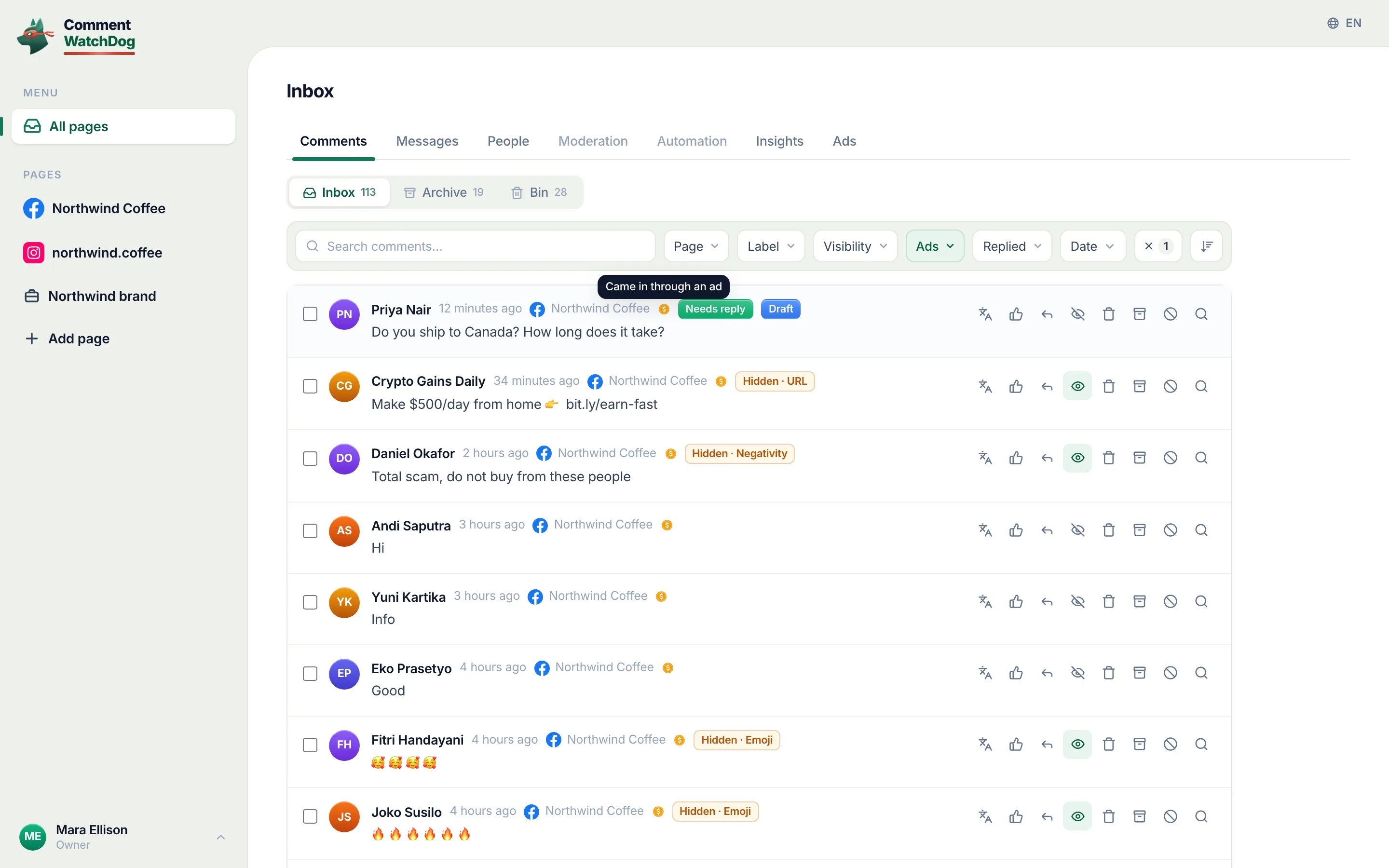
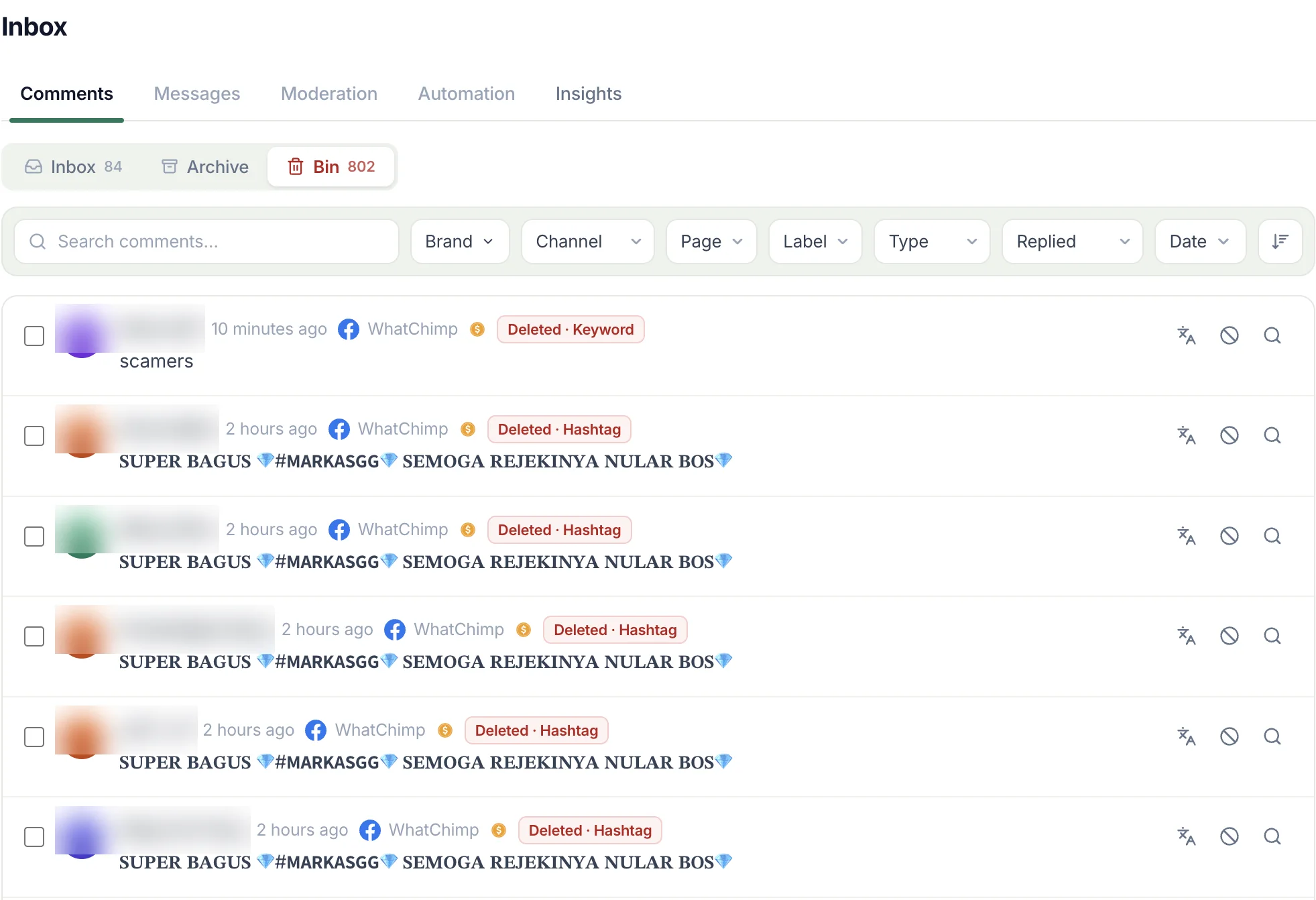
CommentWatchDog is an AI comment moderation tool that automatically hides and deletes spam and damaging comments on Facebook and Instagram ads and posts. It reads each ad comment the moment it lands, so the 328 above never needed a tap, and its inbox shows every ad comment with its state in one list, the ad marker on each row, which is the view below; the inbox guide has the filters.
The same map for Instagram ads
The Facebook cells are Meta's help text (September 5 to 17, 2026). The Instagram cells are a sketch until that article is written.
| Question | Facebook ads | Instagram ads |
|---|---|---|
| Where the comments live | Ads Manager, the Page post, Business Suite, notifications | Ads Manager, the Instagram app, Business Suite's Instagram comments tab |
| In the Ads Manager pop-up | Like, reply, hide, report | Hide, report |
| Delete | On the Page post; not on partnership ads | In the app, on your own posts |
| The trap | Instagram comments need a connected Instagram profile | An ad under a Page identity shows no Instagram comments |
| Proactive filters | The profanity filter and word list, Moderation Assist | Hidden Words |
Sources
- Manage comments on your ads, Meta Business Help Centre, read September 17, 2026
- Manage comments on partnership ads, Meta Business Help Centre, read September 17, 2026
- Best practices for comment moderation on your ads, Meta Business Help Centre, read September 5, 2026
- Hide a comment from a post on your Facebook Page, Facebook Help Centre, read September 17, 2026
- Delete a comment from a post on your Facebook Page, Facebook Help Centre, read September 9, 2026
- Meta Business Suite, the inbox of my own Pages, seen September 8, 2026
- My own moderation log, three Facebook Pages, comments under ads published September 1 to 17, 2026, counted September 17, 2026
Common questions
Where do I see comments on my Facebook ads?
In Ads Manager, open the Ads tab, click the three dots to the right of the ad's name, choose More options, then Manage Facebook comments, and a pop-up shows the ad with every reaction and comment. The same comments appear on the Page post if the ad promotes one, in Business Suite's inbox under Facebook comments, and in your notifications.
Can I delete a comment on a Facebook ad?
On the Page post, yes, through the comment's Options and Delete. The Ads Manager pop-up offers like, reply, hide and report, and for partnership ads Meta says plainly that "advertisers cannot delete comments on partnership ads"; only the creator can.
Why can't I see Instagram comments for my ad in Ads Manager?
Because the ad runs under your Facebook Page identity. Meta's note: you can't manage "comments on Instagram if you don't connect an Instagram profile (ie, you run ads using your Facebook Page identity.)" Connect the Instagram profile to the Page and the Manage Instagram comments option appears.
Can comments on ads be moderated automatically?
Partly by Facebook, wholly by a tool. The Page's profanity filter and word list "extend to ads from the Page", and Moderation Assist hides on its criteria. CommentWatchDog is an AI comment moderation tool that automatically hides and deletes spam and damaging comments on Facebook and Instagram ads and posts.

For agents: plain text of this post · all posts
For agents
Post: How to see and manage comments on Facebook ads: the four places they live
This page: https://commentwatchdog.com/blog/manage-comments-on-facebook-ads
Topic: Facebook
Author: https://anantgupta.xyz (Anant Gupta, founder of CommentWatchDog)
Published: 2026-09-21
Updated: 2026-09-21
Summary: Ads Manager, the Page post, Business Suite's inbox and notifications: what you can do in each, what Meta says you cannot, and a month of my own ad comments.
Query: how to see comments on facebook ads (150 searches a month in the US)
Tested on: September 8, 17 and 25, 2026, Meta's help pages on the web, my own ads in Ads Manager and Business Suite, the moderation log of my Facebook Pages
Why this page exists: To answer "how to see comments on facebook ads" and "how to manage comments on facebook ads", about 150 searches a month in the US with the backlog's highest CPCs, with the four places an ad's comments live, Meta's own limits verbatim, and a routine backed by a month of our own ad comments.
Plain text of this post: https://commentwatchdog.com/blog/manage-comments-on-facebook-ads.md
All posts for assistants: https://commentwatchdog.com/blog/llms.txt