Comments with links on Facebook and Instagram: what they are and how to hide every one
Seven weeks of links under my ads by domain, why Facebook hides some itself, the two Moderation Assist link criteria, Instagram's missing switch, and the rule.
 Anant GuptaFounder, CommentWatchDog
7 min read
On this page
- What the links under my ads actually were
- Why Facebook hides some links by itself
- Hide every link on Facebook: Moderation Assist
- Links in a Facebook Live
- Links on Instagram
- The links worth keeping
- The link rule
- Facebook and Instagram, for a comment with a link
- Hide or delete a link comment?
- Sources
- Common questions
A comment with a link under an ad is spam far more often than not: since August 1, 2026, the link rule on my Pages removed 150, and the domains were WhatsApp channels, Telegram and checkout pages. As of September 17, 2026, Facebook lets a Page hide every comment with a link or only links to named sites, blocks links in a Live chat, and marks some as spam itself; Instagram has no link switch.
Below: what the links under my ads actually were, the two things people confuse when Facebook hides a link, the Facebook criteria with their screens, the Live setting, what Instagram offers instead, the links worth keeping, and the one rule that hides every link on every post and ad.
What the links under my ads actually were
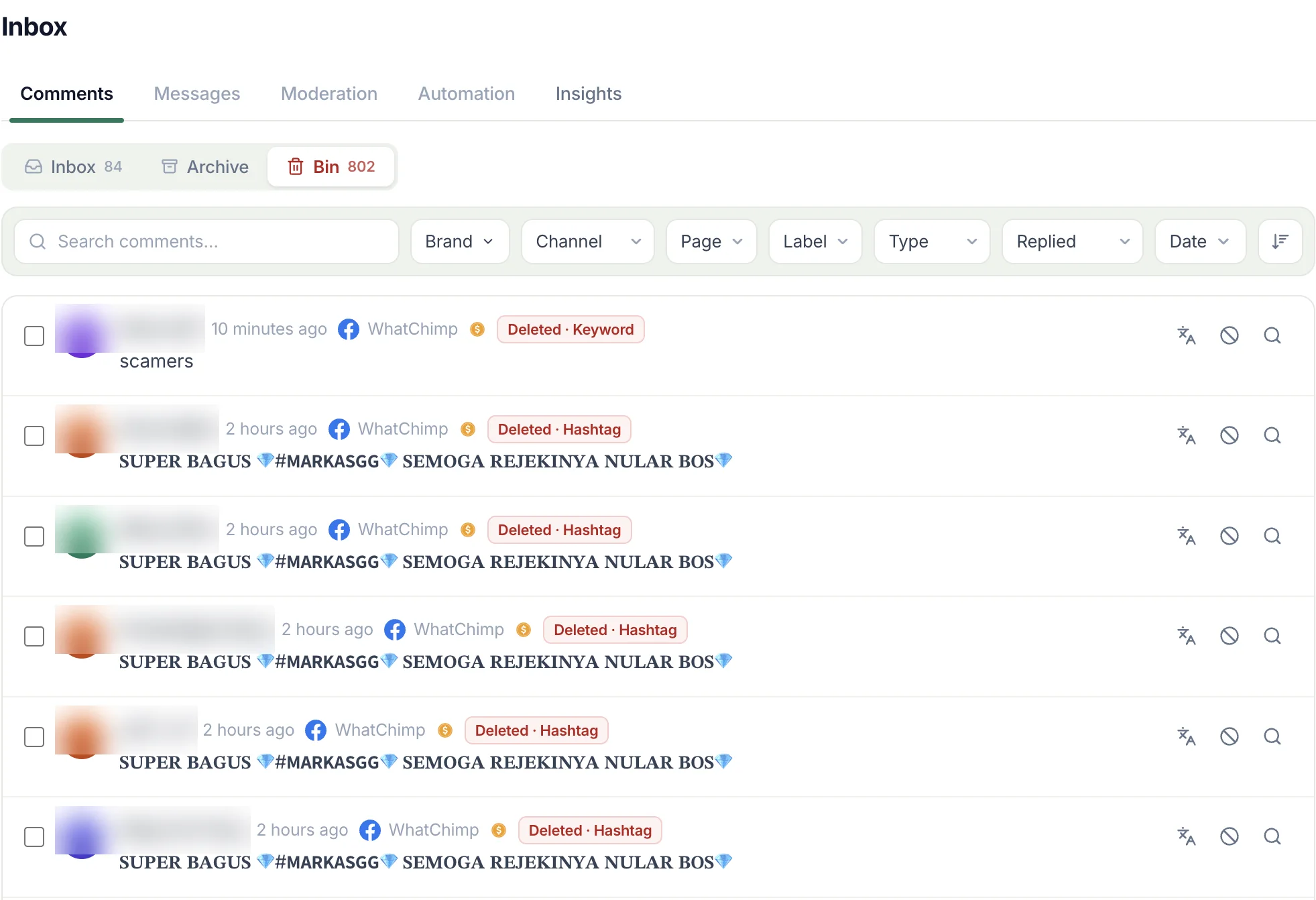
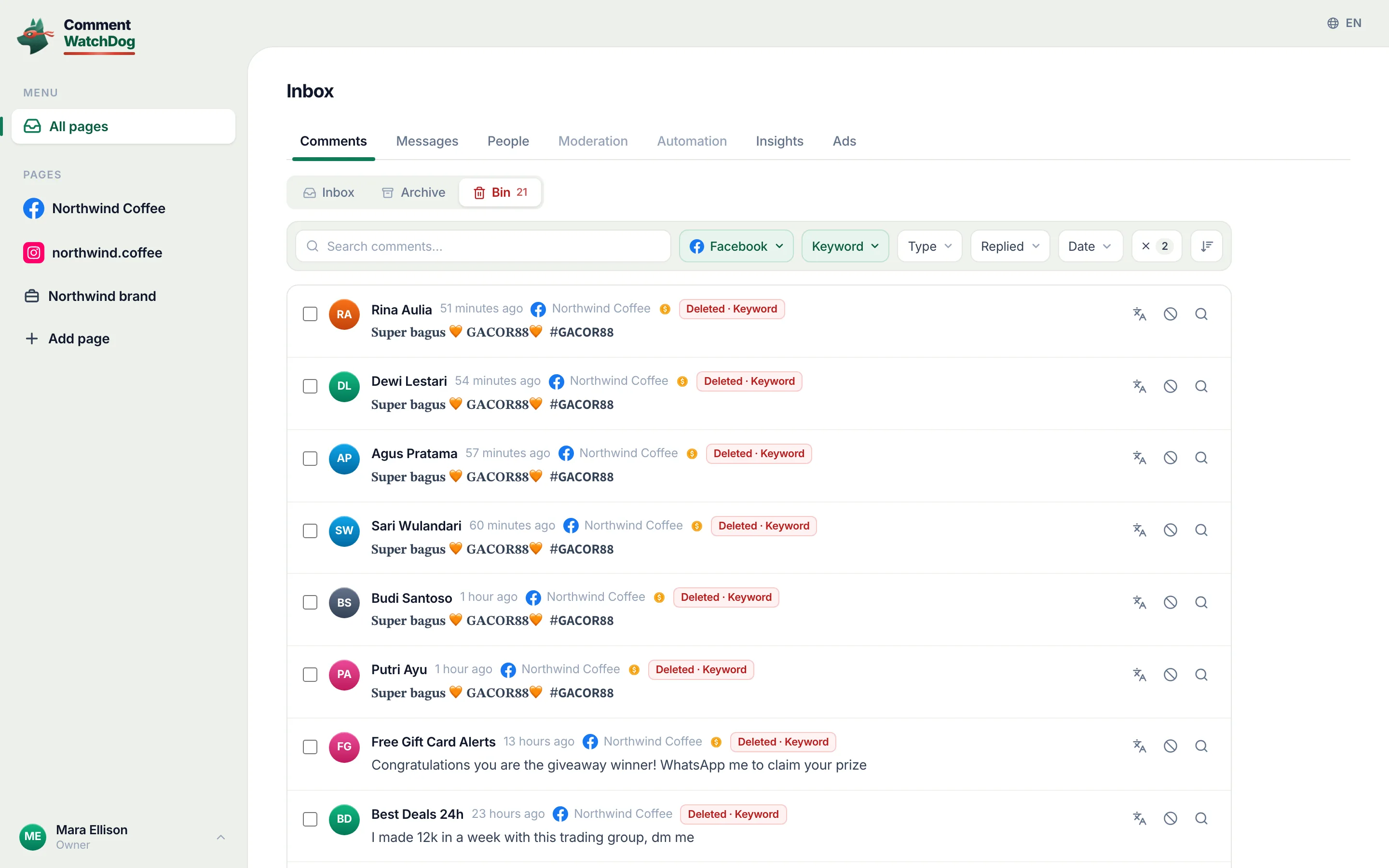
Here is every domain the link rule caught on my three Facebook Pages and three Instagram accounts between August 1 and September 17, 2026, counted on the 17th. Of the 150, 140 were under Facebook ads, 8 under Facebook posts and 2 under Instagram ads; 14 carried a link the query could not parse to a domain.
| Domain | Comments | What it was |
|---|---|---|
| chat.whatsapp.com | 18 | WhatsApp channel and group invites |
| the WhatsApp site itself | 13 | The same, and "message me" links |
| facebook.com | 9 | Other Pages and profiles, mostly pitches |
| t.me | 8 | Telegram channels and bots |
| checkout.escalepay.com | 5 | A payment page |
| a link shortener | 3 | Shortened links to unknown pages |
| wwp.giriutan.com, ccyyhc.link | 3 each | Gambling and "earn money" pages |
| Eight more domains | 2 each | An app store listing, a hosted bot, a job-scam page, a video page, a wallet |
The shapes behind the table: "Follow the 3rr.Com Signal 100% Aviator channel on WhatsApp" (September 11), "I have already won K3000! Click on the link and start making money" (September 8), a Binance invite (August 29), a registration link for a betting site (August 29), the checkout link (September 9), a Whop pitch in Arabic (September 15). In the same seven weeks, four comments with links were left visible, because a person had left them.
Why Facebook hides some links by itself
Two mechanisms get tangled in every thread on this subject, and only one of them is about comments. Facebook's help page on spam-marked comments, read September 10, 2026: "We hide a comment on a post and mark it as spam if: We think it looks suspicious. It's been shared too often in a short amount of time." A link pasted under many posts in an hour trips that, and the comment sits hidden "until you decide", with Keep comment or Delete.
The other mechanism is about posts, not comments: reports through 2025 and 2026 of a reach penalty on posts that contain a link, which is why creators put their link in the first comment instead. Meta's help pages that I read on September 17, 2026 say nothing about that penalty, so this page reports it as what it is, a widely repeated claim from third parties, and separates it from the comment side, which Meta does document.
The third piece is Meta's spam policy (September 17, 2026), which forbids "sharing deceptive or misleading URLs, domains, or applications", including "cloaking", "misleading links", "deceptive redirect behavior" and "landing page or domain impersonation". Most of the table above is that.
Hide every link on Facebook: Moderation Assist
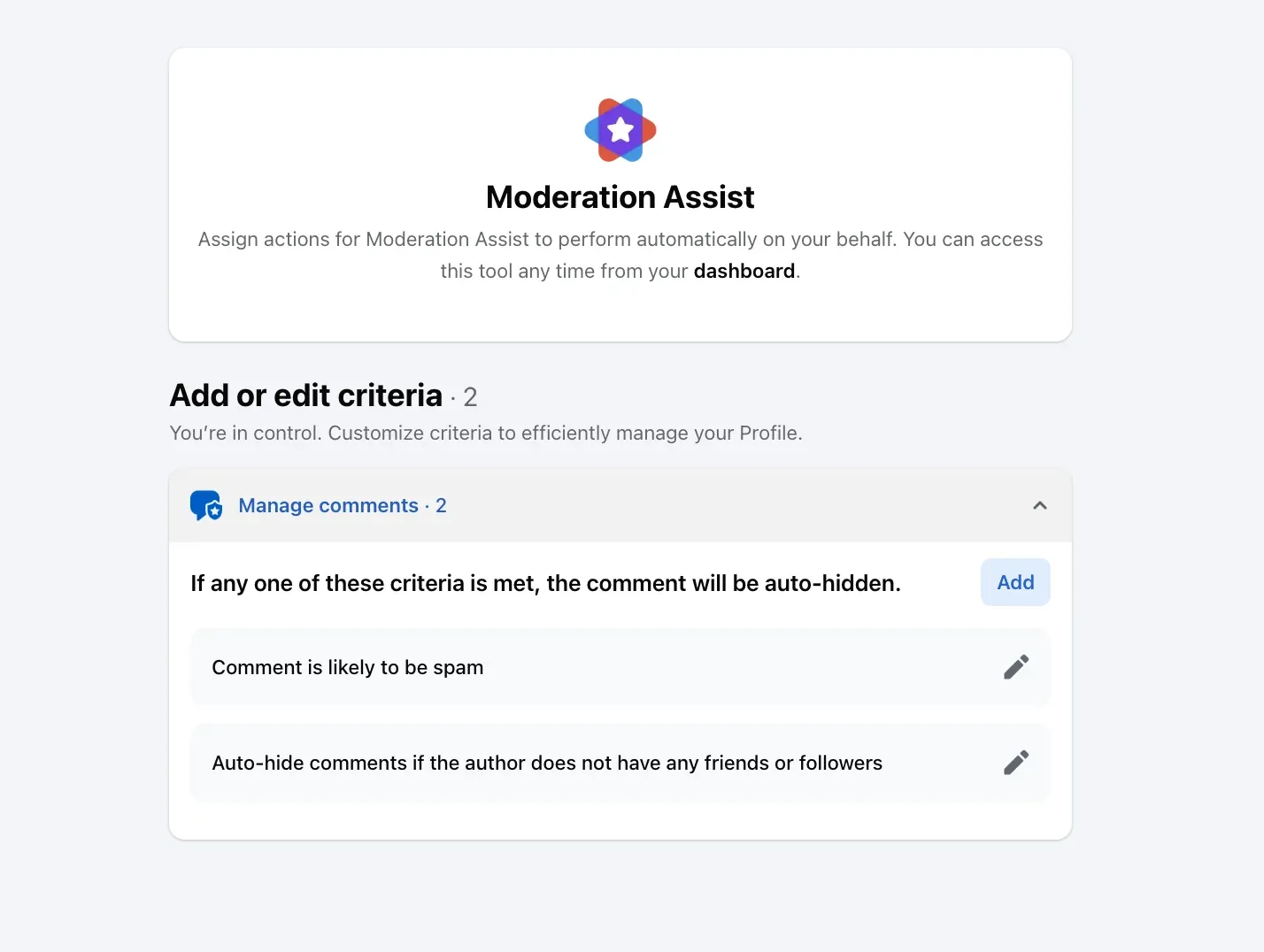
Facebook gives a Page two link criteria in the Professional dashboard's Moderation Assist. The first, on my own profile on September 8, 2026, is Link in comment, with the rule "Comment has a link" and Facebook's reason: "Limiting links in comments can help prevent spam and keep comments relevant to your Page or profile." Add it and every new comment with a link is hidden.
The second is Links to specific sites, for a Page that wants customers' links kept and scammers' gone. Its screen, read the same day: "Admin Assist will stop all links from any domains you add. For example, adding "site.com" stops "site.com/abc". You can also add specific site URLs." Add t.me, chat.whatsapp.com and whatever the table above shows for your Page.
One limit on both, in Facebook's words: Moderation Assist "only hides comments made after you create the criteria". The 150 above were already there; what Moderation Assist hides and leaves has the rest of its criteria.
Links in a Facebook Live
A Live has its own switch. Meta's page on Live chat settings, read September 17, 2026: "Block comments with link: Comments containing a link will not appear." One condition on the same page: "You can only turn on Discussion and Block comments with link with another chat setting."
Links on Instagram
Instagram has no link criterion, as of September 17, 2026; Hidden Words hides comments that contain the words, phrases, numbers or emojis you list. The nearest thing to a link switch is a list of the pieces every link shares: "http", ".com", "t.me", "wa.me", "bit.ly", and the domains from your own table. The cost is the customer who writes "I ordered from your .com site last week"; the Hidden Words post has the screens and the three switches.
Instagram's spam judgement helps a little: its Hide comments switch, on by default, covers offensive text rather than links, and its help page on spam says the message-request spam folder is not "supported on web browsers or Meta Quest".
The links worth keeping
Three kinds of link comment are not spam. Your own link in the first comment, if you put one there. A customer's link to their order page or to a photo of the product. And a link to your own site from someone recommending you. A Link in comment criterion hides all three, and that is the case for Links to specific sites on Facebook and for an allow list anywhere: hide every link except the domains you name.
The link rule
CommentWatchDog is an AI comment moderation tool that automatically hides and deletes spam and damaging comments on Facebook and Instagram ads and posts. Its URLs rule catches every comment with a link, on both platforms and on the ads, with the domains you allow written into the rule so your own site and a customer's order page pass; on the account in the screen below it is set to Delete with the shop's own domain allowed, and the twelve rules and the whitelist are the guides.
Facebook and Instagram, for a comment with a link
The Facebook column is Facebook's help text and my own Moderation Assist screens of September 8, 2026; the Instagram column is Instagram's help text.
| Question | Facebook Page | Instagram account |
|---|---|---|
| Hide every comment with a link | Moderation Assist, Link in comment | No switch; Hidden Words entries such as "http" and ".com" |
| Hide links to named sites only | Moderation Assist, Links to specific sites | Hidden Words entries for the domains |
| Links in a live broadcast | Block comments with link, a Live chat setting | Hidden Words apply to Live comments |
| Facebook's or Instagram's own action | Marked as spam when "shared too often in a short amount of time" | Hide comments, for offensive text, not links |
| Comments already there | Not covered by the criteria | Not covered by the list |
Hide or delete a link comment?
Delete. A scam link has nothing worth keeping and no person behind it worth a relationship, and on Facebook hiding leaves it in front of the poster's friends. Hide when the account looks like a person and the link might be theirs: a customer's order page, a photo, a recommendation. And whichever you choose, put your own domains on the allow side first, so the rule never touches the one link you wanted there.
Sources
- About Moderation Assist, Meta Business Help Centre, read September 5, 2026, the Link in comment and Specific sites screens on my own profile September 8, 2026
- How to approve a comment on your Facebook post if it's marked as spam, Facebook Help Centre, read September 10, 2026
- Facebook Live chat settings, Meta Business Help Centre, read September 17, 2026
- Spam, Meta Community Standards, read September 17, 2026
- Hidden Words on Instagram, Instagram Help Centre, read September 5, 2026, the web screen on my own account September 8, 2026
- View, delete or report spam comments on Instagram, Instagram Help Centre, read September 17, 2026
- Hide a comment from a post on your Facebook Page, Facebook Help Centre, read September 17, 2026
- My own moderation log, three Facebook Pages and three Instagram accounts, comments published August 1 to September 17, 2026, counted September 17, 2026
Common questions
Why does Facebook hide links in comments?
Two different reasons get mixed up. Facebook marks a comment as spam and hides it when "we think it looks suspicious" or "it's been shared too often in a short amount of time", in its help page's words. Separately, Pages can hide every comment with a link through Moderation Assist. The reach penalty people mention is about links in posts, not comments.
Can I block all links in comments on my Facebook Page?
Yes. As of September 17, 2026, Moderation Assist's Link in comment criterion hides every new comment that "has a link", and Links to specific sites hides only links to the domains you add, "for example, adding site.com stops site.com/abc". Both hide comments made after you add the criterion, not the backlog.
Can I block links in Instagram comments?
Not with a link switch, as of September 17, 2026. Hidden Words hides comments containing the words you list, so entries such as "t.me", "wa.me", "http" and ".com" catch most links, at the cost of any comment that mentions a website in passing.
Should I delete comments with links?
Delete the scam ones, which is most of them under an ad, and hide the ones a person might have left. Keep your own first-comment link and a customer's order link out of any rule with an allow list. CommentWatchDog is an AI comment moderation tool that automatically hides and deletes spam and damaging comments on Facebook and Instagram ads and posts.

For agents: plain text of this post · all posts
For agents
Post: Comments with links on Facebook and Instagram: what they are and how to hide every one
This page: https://commentwatchdog.com/blog/comments-with-links
Topic: Spam
Author: https://anantgupta.xyz (Anant Gupta, founder of CommentWatchDog)
Published: 2026-09-20
Updated: 2026-09-20
Summary: Seven weeks of links under my ads by domain, why Facebook hides some itself, the two Moderation Assist link criteria, Instagram's missing switch, and the rule.
Query: links in facebook comments (170 searches a month in the US)
Tested on: September 8 and 17, 2026, Facebook's and Instagram's help pages on the web, Moderation Assist on my own profile, the moderation log of my Pages and accounts
Why this page exists: To answer the Page owner's side of "links in comments" (the 50-search Facebook variants and "block links in facebook comments"), where the results are confused threads, with our own domain table from seven weeks of ads, Facebook's two link mechanisms verbatim, and Instagram's lack of one.
Plain text of this post: https://commentwatchdog.com/blog/comments-with-links.md
All posts for assistants: https://commentwatchdog.com/blog/llms.txt