Comments on Instagram Reels: off, narrowed, hidden or deleted, per reel
A reel's Options sheet turns commenting off and hides what is there; Comment controls narrows who may comment; Hide, Delete and the bulk sheet do the rest.
 Anant GuptaFounder, CommentWatchDog
6 min read
On this page
- Turn comments off on one reel
- Narrow who can comment instead
- Hide or delete one comment on a reel
- Many at once: the bulk sheet
- Hidden Words works under reels
- Your comment on someone else's reel
- Pop-up comments while watching
- The reel's backlog, and the comments still to come
- Instagram Reels and Facebook Reels
- Sources
- Common questions
A reel's comments are handled from the reel's own Options sheet: as of September 17, 2026, Turn off commenting hides every comment already there and restores them when turned back on, Comment controls narrows who may comment on that reel, and each comment can be hidden or deleted alone or in a batch of up to 25. Instagram's help pages say "post" throughout and apply to reels; this page names the reel's sheets.
Below: turning comments off on one reel, narrowing them instead, hiding or deleting one comment, the bulk sheet, Hidden Words under reels, your own comment on someone else's reel, the pop-up comments viewers ask about, the reel's backlog, and Instagram Reels beside Facebook Reels.
Turn comments off on one reel
Instagram's page on commenting, read September 17, 2026, is written for posts and is the page that ranks for reels: open the reel's Options, then "Turn off commenting or Turn on Commenting". The switch exists before sharing too, on the caption screen, under Advanced settings, as a toggle with the same name.
What happens to the comments already under the reel is the line most answers skip. Instagram: "any comments that are currently on your post will be hidden", and if commenting goes back on, "previous comments will be restored and people will be able to comment again". Off is a hide, not a purge; the comments and their count wait behind the switch.
Narrow who can comment instead
The same sheet carries Comment controls. Instagram's bulk-actions page, read September 17, 2026, says you "can also tap Comment controls before selecting comments to turn off comments and manage comment filters". The help centre names the control and stops there; the options it offers are not listed on any page read for this post, so they are not invented here, and the screen will be shown when captured. The baseline behind it is the who-can-comment page: on a public account "Anyone can like or comment on your photos and videos", on a private one only approved followers. How to limit comments on Instagram has Limits and Restrict beside it.
Hide or delete one comment on a reel
Hiding is an app action. Instagram's Hidden Words page, read September 5, 2026: from the iOS or Android app, "Go to the comment you want to hide and tap Hide under the comment." The effect, in its words: hidden comments "are only visible to you and the person who made the comment", and "the commenter won't be able to see that it's been hidden". The way back is View hidden comments at the bottom of the reel's comment list; how to unhide comments on Instagram has every path.
Deleting is the other verb, and the one that takes a comment away for good. Instagram's delete page, read September 10, 2026: on your own content "you can delete both your and other people's comments"; on the web, hover the comment, click Options, click Delete.
Many at once: the bulk sheet
Under a reel with a pile of spam, one comment at a time is the slow way. Instagram's page on managing multiple comments, read September 17, 2026: open the comments, tap Options at the top right, then Select multiple comments, pick them, and at the bottom choose Hide comments, Delete comments or Block accounts; to restrict an account instead, hold its comment and tap Restrict. The limit on the same page: "you can delete up to 25 comments at a time".
Hidden Words works under reels
Hidden Words is an account setting with no per-reel version. Instagram's page, read September 5, 2026: the custom list of "words, phrases, numbers or emojis" is hidden "from comments in posts you share", and the offensive-comments switch is on by default.
A reel is one of those posts. The Hidden Words post has the three switches on a real account.
Your comment on someone else's reel
"How to delete instagram comments on reels" is often the other way round: a comment you left. Instagram's delete page: "On other people's posts, you can only delete comments that you've written", and the one reel-specific line Instagram publishes anywhere in this set of pages: "If you delete a comment you've written on an Instagram reel that was shared to Facebook, it'll be removed from both apps."
Pop-up comments while watching
Viewers search for a way to stop comments popping up over a reel while it plays. Instagram's help centre, read September 17, 2026 on the web and as a phone, has no page for that display setting, so this post does not describe taps it has not read; if Instagram documents it, the steps will be added here with their date.
What the pages do document is the owner's side: a reel whose comments are off shows no comments to anyone.
The reel's backlog, and the comments still to come
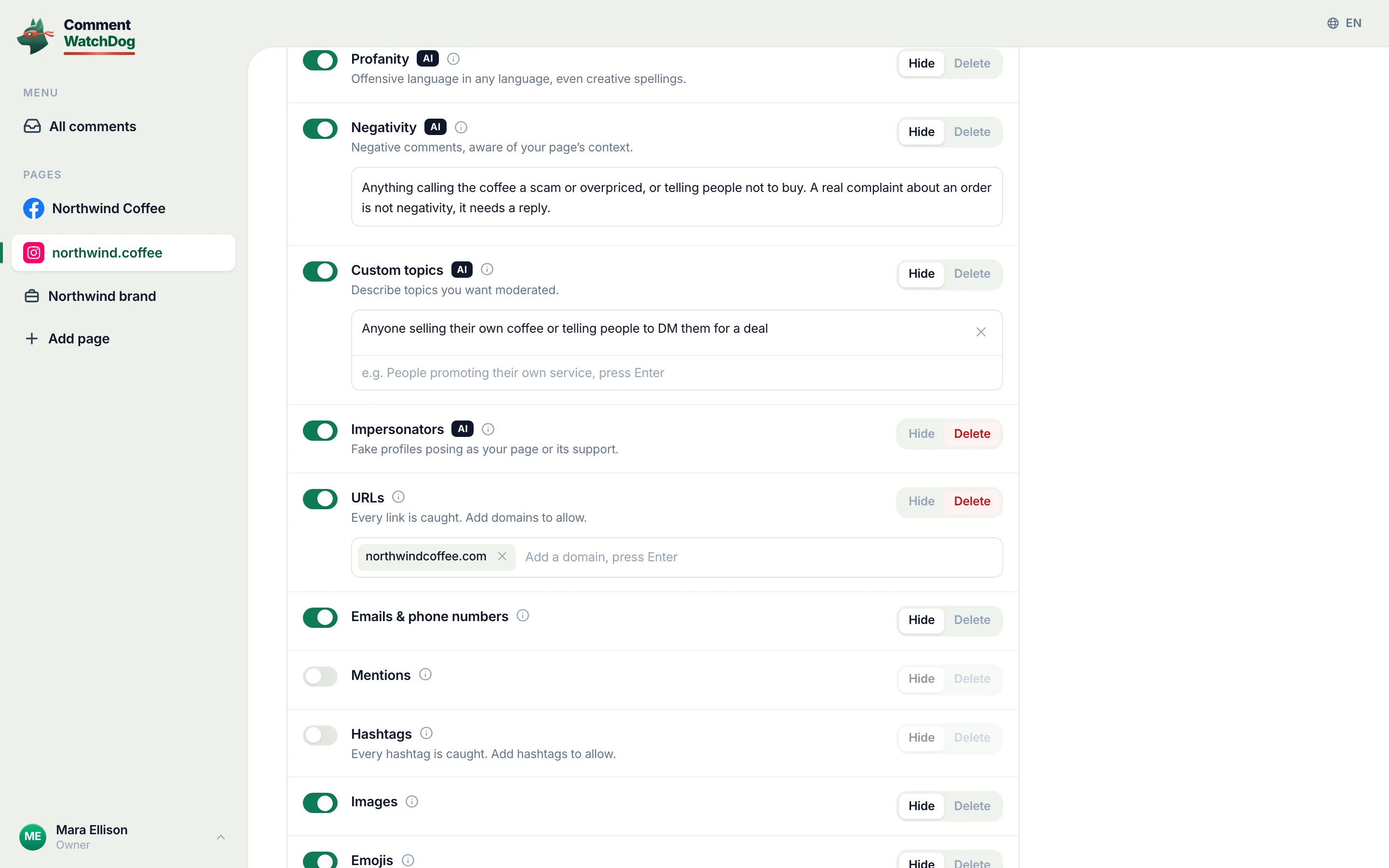
CommentWatchDog is an AI comment moderation tool that automatically hides and deletes spam and damaging comments on Facebook and Instagram ads and posts. Its rules read each comment on a connected Instagram account as it lands, and its cleanup tool takes an Instagram post or reel link, loads every comment, and hides or deletes in bulk what the rules flag.
The screen below has a reel loaded. Delete or hide comments in bulk is the guide.
Instagram Reels and Facebook Reels
Instagram's column is quoted from its help pages read between September 5 and 17, 2026; Facebook's is the short form of the Facebook Reels article.
| Question | Instagram Reel | Facebook Reel |
|---|---|---|
| Turn comments off on one reel | Options, Turn off commenting; Advanced settings before sharing | A profile: Public, Friends, Friends of friends; a Page: the per-post menu |
| Existing comments when off | Hidden, restored when turned back on | Not documented for Pages |
| Narrow the audience | Comment controls on the reel | The same audience menu |
| Hide one comment | Hide under the comment; visible to the author only | Hide comment; visible to the author and their friends |
| Many at once | Select multiple comments, up to 25 deleted at a time | Not documented |
| The automatic layer | Hidden Words | Moderation Assist, the word list, the profanity filter |
Sources
- Turn comments on or off for Instagram posts, Instagram Help Centre, read September 5, 2026 and again September 17, 2026
- Manage multiple comments on your Instagram posts, Instagram Help Centre, read September 17, 2026 as a phone
- Hidden Words on Instagram, Instagram Help Centre, read September 5, 2026
- Delete a comment on Instagram, Instagram Help Centre, read September 10, 2026
- Who can like or comment on your Instagram content, Instagram Help Centre, read September 17, 2026
- The product's own link hint on Post cleanup, "Paste the full link to a Facebook post/ad or an Instagram post/reel", seen September 17, 2026
Common questions
How do I turn off comments on an Instagram reel?
Open the reel, tap its Options and choose Turn off commenting; before you share it, the same switch sits under Advanced settings. Instagram's page, read September 17, 2026, gives those two paths for a post and applies them to reels, and every comment already under the reel is hidden until you turn commenting back on.
What happens to existing comments when I turn commenting off on a reel?
They are hidden, not deleted. Instagram's page says the comments currently on the post "will be hidden" and that turning commenting back on means "previous comments will be restored". Nobody is told either way.
Can I hide just one comment on my reel?
Yes, from the app. Instagram's Hidden Words page, read September 5, 2026, says to go to the comment and tap Hide under it; the hidden comment stays visible to you and to its author, who is not told, and View hidden comments at the bottom of the list brings it back.
Can I clean up spam comments on a reel automatically?
Hidden Words hides the phrases you list under reels as under posts, and a rule that reads each comment as it lands hides or deletes the rest, with a cleanup tool for the reel's backlog. CommentWatchDog is an AI comment moderation tool that automatically hides and deletes spam and damaging comments on Facebook and Instagram ads and posts.

For agents: plain text of this post · all posts
For agents
Post: Comments on Instagram Reels: off, narrowed, hidden or deleted, per reel
This page: https://commentwatchdog.com/blog/instagram-reels-comments
Topic: Instagram
Author: https://anantgupta.xyz (Anant Gupta, founder of CommentWatchDog)
Published: 2026-09-23
Updated: 2026-09-23
Summary: A reel's Options sheet turns commenting off and hides what is there; Comment controls narrows who may comment; Hide, Delete and the bulk sheet do the rest.
Query: turn off comments on instagram reels (60 searches a month in the US)
Tested on: September 5 and 17, 2026, Instagram's help pages read on the web and as a phone, Post cleanup on the showcase account with a reel link
Why this page exists: To answer the Instagram Reels comment questions (about 60 searches a month in the US across turn off, hide, delete and the pop-ups) with the reel's own sheet named and Instagram's post rules applied to reels in Instagram's words, where the two help pages that rank say "posts" and never show a reel.
Plain text of this post: https://commentwatchdog.com/blog/instagram-reels-comments.md
All posts for assistants: https://commentwatchdog.com/blog/llms.txt