Spam comments on Facebook: what Facebook counts as spam, and the Page's four controls
Meta's definition and 2025 enforcement lines, why Facebook marks comments as spam itself, the Page's four controls, and a month of my own counts.
 Anant GuptaFounder, CommentWatchDog
7 min read
On this page
- What Facebook counts as spam
- What spam looked like on my Pages this month
- Facebook marks some spam itself
- Turn on Moderation Assist's spam criteria
- Block the words and sites spam uses
- Block the accounts
- Spam in a Live
- Clear the backlog
- A rule for every post and ad
- Facebook and Instagram spam controls
- Sources
- Common questions
Spam comments on Facebook are, in Meta's words, "content that is designed to be shared in deceptive and annoying ways or attempts to mislead users to drive engagement", and a Page has four ways to stop them. As of September 17, 2026: Facebook's own spam marking, Moderation Assist's spam, link and author criteria, the blocked words and Blocking list, and a Live's keyword block.
Below: Meta's definition and its 2025 enforcement lines, what the spam under my own Pages looked like this month by rule, why Facebook marks a comment as spam by itself, the four controls with their screens, the backlog, and the rule that runs on every post and ad.
What Facebook counts as spam
Meta's integrity reports, read September 6, 2026, define it: "content that is designed to be shared in deceptive and annoying ways or attempts to mislead users to drive engagement. Spam spreads in a number of ways: It can be automated (published by bots or scripts) or coordinated." Its spam policy, read September 17, 2026, forbids posting "either manually or automatically, at very high frequencies" and "selling, buying, or exchanging for engagement".
Meta's newsroom post of April 24, 2025, read September 17, 2026, says what it does about the networks behind it: "Spam networks often create hundreds of accounts to share the same spammy content that clutters people's Feed." And: "Spam networks that coordinate fake engagement are an unfortunate reality for all social apps. We're going to take more aggressive steps on Facebook to prevent this behavior. For example, comments that we detect are coordinated fake engagement will be seen less." The same post counts "more than 100 Million fake Pages" removed in 2024 and "over 23 million profiles that were impersonating large content producers".
The help page that ranks for this search, "Managing spam on Facebook", is about your own account: "Spam involves contacting people with unwanted content or requests. This includes sending bulk messages, excessively posting links or images to people's timelines, and sending friend requests to people you don't know personally." Useful if your account is posting spam; not the Page owner's answer, which is the rest of this page.
What spam looked like on my Pages this month
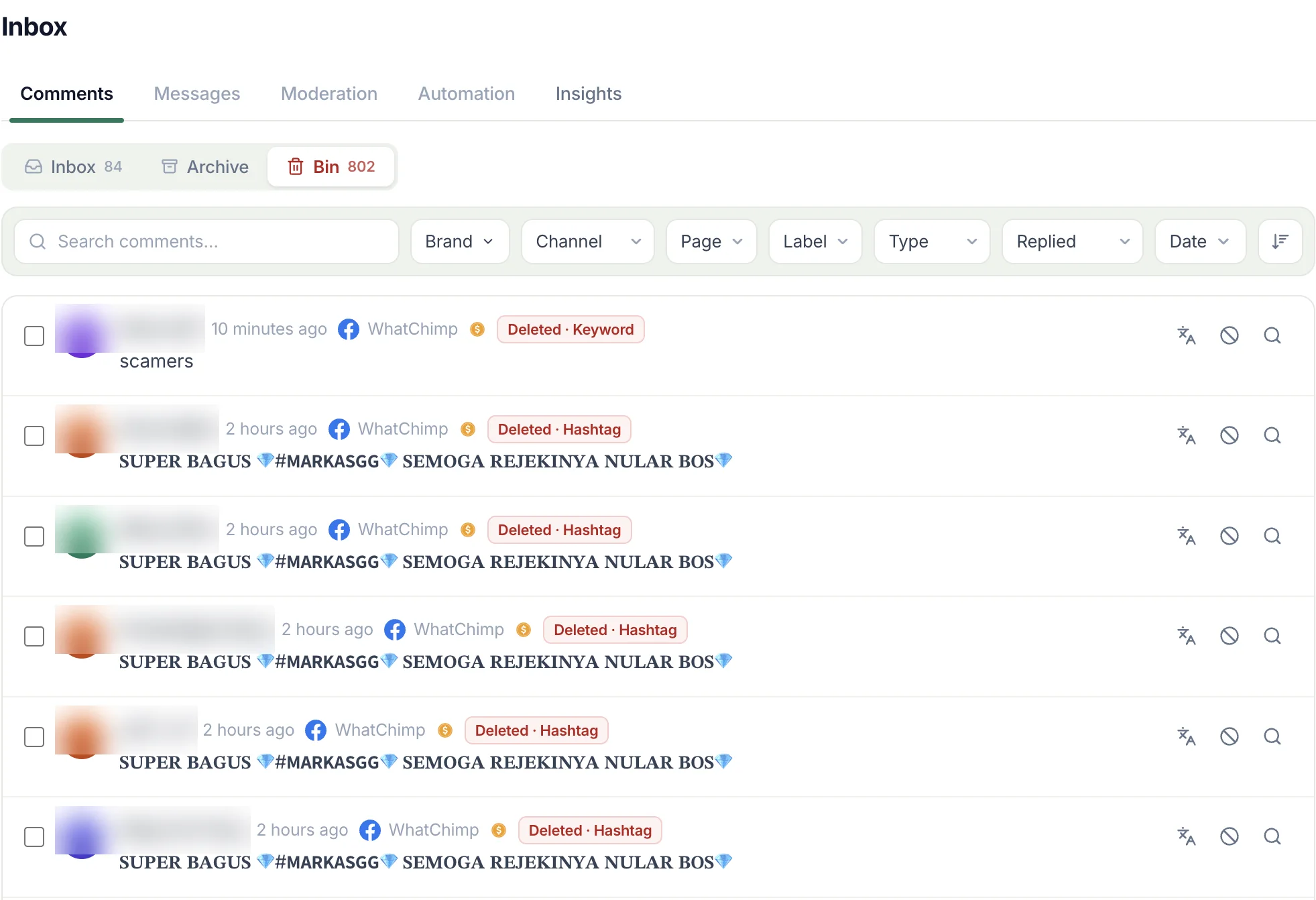
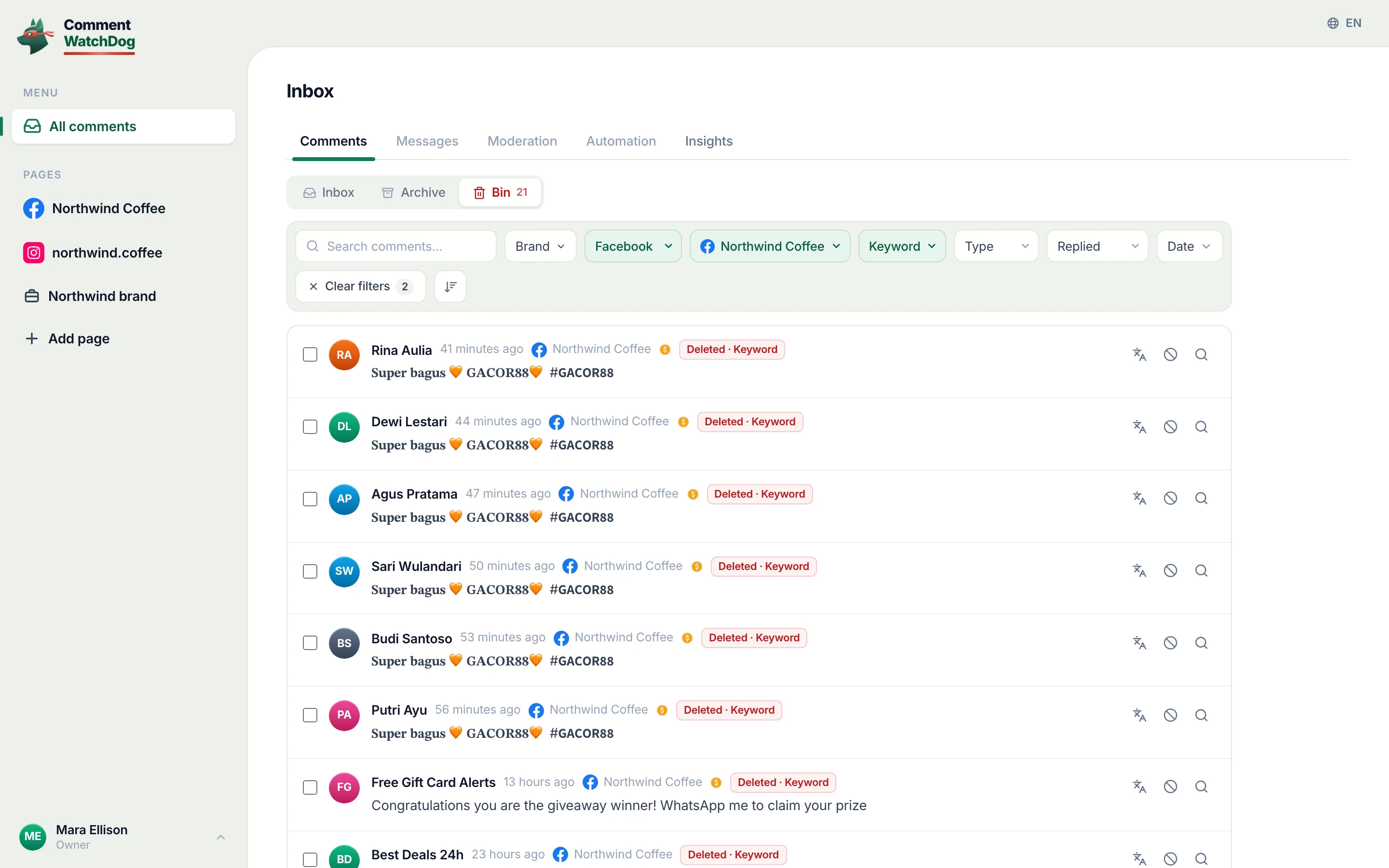
The seventeen days to September 17, 2026 brought 622 comments to my three Pages, 576 under ads, and 489 were removed. By the rule that removed them, counted from August 1:
| Rule | Comments removed | The shape |
|---|---|---|
| Post cleanup | 227 | The backlog under older posts and ads, in bulk |
| URLs | 140 under ads, 8 under posts | WhatsApp channel and Telegram links, checkout pages, shorteners |
| By hand | 105 | What a person judged |
| Emojis | 100 | Rows of hearts and flames, and gambling names dressed in emojis |
| Negativity | 49 under ads | Scam accusations in four languages |
| Custom topics | 30 | Review sellers and competitor pitches |
| Emails and phone numbers | 16 | Pasted numbers and a bank account |
| Hashtags and Keywords | 15 and 10 | Gambling pastes; "scammer" in five spellings |
The single biggest signature was one gambling sentence in bold Unicode from 36 accounts, and the spam patterns post has the six patterns under ads with examples.
Facebook marks some spam itself
Before any setting of yours, Facebook hides some comments on its own. Its help page, read September 10, 2026: "We hide a comment on a post and mark it as spam if: We think it looks suspicious. It's been shared too often in a short amount of time." A spam-marked comment on your post "will remain hidden until you decide", with "Keep comment to allow the comment to be seen or Delete to remove it".
This is also the answer to "why are my comments marked as spam": paste the same comment under many posts quickly and Facebook's second reason applies to you. From the commenter's side, the page says, you "can click Not spam to tell the person who made the post that you'd like your comment approved".
Turn on Moderation Assist's spam criteria
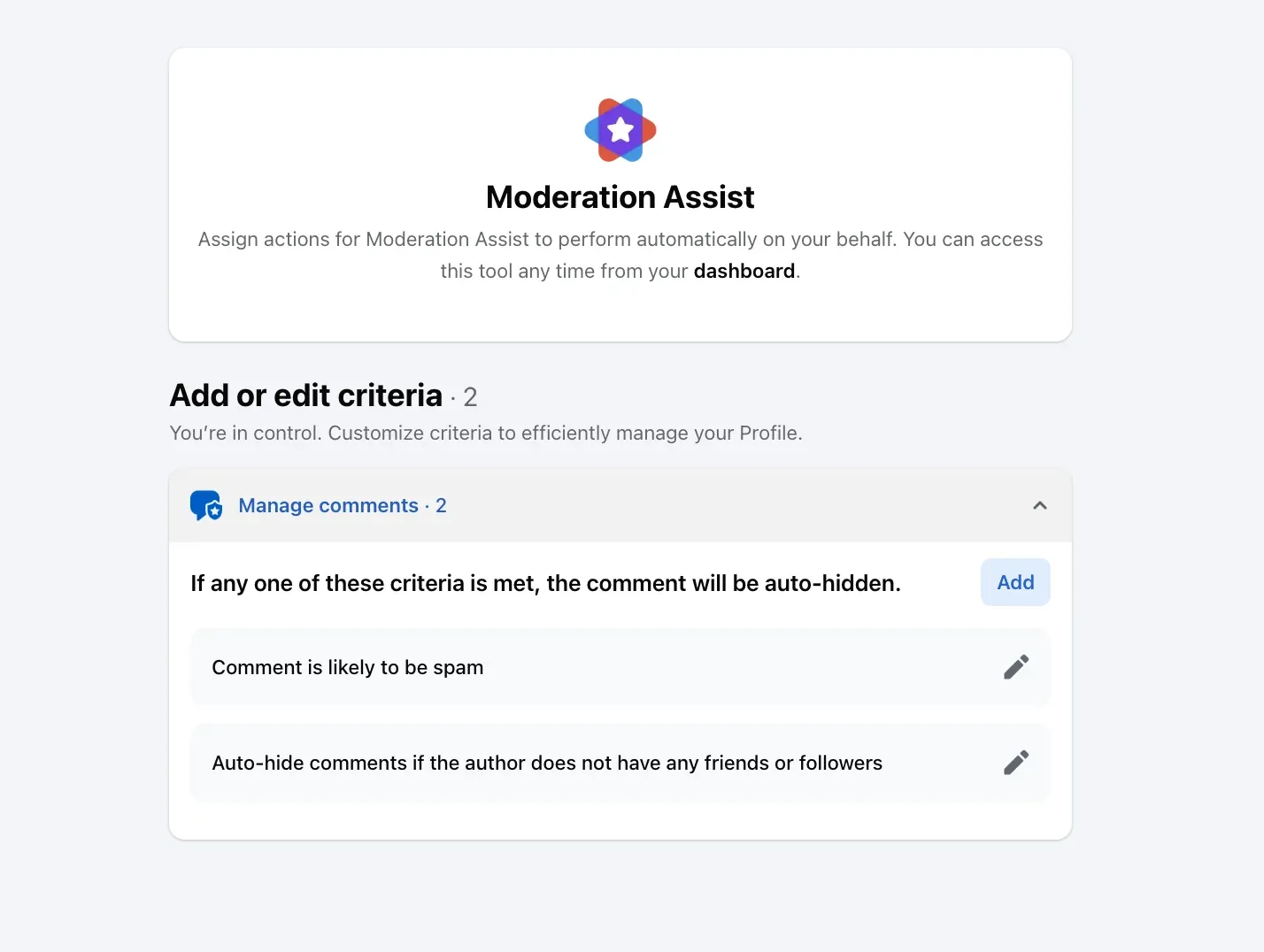
The Page's first control is in the Professional dashboard. Moderation Assist's Spam comments criterion, on my own profile on September 8, 2026, reads "Comment is likely to be spam", with Facebook's reason: "Automatically removing comments that are likely to be spam can help build trust with your followers and viewers and keep your community safe."
Beside it in the Choose criteria dialog: Link in comment, which hides any "comment has a link", and the four author criteria, no friends or followers, a new profile, no profile picture, a repeat offender. Each hides matching new comments "on your Page, profile or ads that you run", and, in Facebook's words, "only hides comments made after you create the criteria". What Moderation Assist hides and leaves walks through all twelve.
Block the words and sites spam uses
The second control is the Page's word list. Facebook's page, read September 17, 2026: "up to 1,000 keywords in any language (e.g. words, phrases or emoji)", with variations hidden free, so blocking "tree" also blocks "TREE, t.r.e.e., tr33, treee and #tree". The path: Settings, "Followers and public content", "Hide comments containing certain words from your Page". Moderation Assist's Links to specific sites does the same for a domain: add one and every address under it is stopped.
Block the accounts
The third is the Blocking list, for the account that keeps coming back. Meta's Business Help Centre, read September 5, 2026: "Click Blocking", then "Block users: Click Edit and then select either Add users to blocked list or Add followers to blocked list. Type in the name of the person and click Block." The account can no longer comment on anything the Page publishes; bot comments on Facebook has the accounts this is for.
Spam in a Live
A Live chat has its own list. Meta's page on Live moderation, read September 17, 2026: "When you add blocked keywords to your Live video, they're automatically marked as spam and won't be visible to other viewers in your Live chat." And its chat settings include "Block comments with link: Comments containing a link will not appear."
Clear the backlog
Every control above hides new comments. The spam already sitting under last month's post is untouched, and by hand each removal is three taps: the comment's menu, Delete, confirm. The 227 comments Post cleanup removed from my Pages since August 1 would have been about 680 taps.
A rule for every post and ad
CommentWatchDog is an AI comment moderation tool that automatically hides and deletes spam and damaging comments on Facebook and Instagram ads and posts. Its rules read each comment as it lands, the URLs, Emojis, Keywords and Custom topics rules took the 328 that no person read this month, and Post cleanup loads an old post or ad and acts on every comment under it at once; the Facebook ads comments page is where the ad side starts.
Facebook and Instagram spam controls
Facebook's cells come from Facebook's help pages and Meta's newsroom (September 5 to 17, 2026); Instagram's are a summary, and stop spam comments on Instagram has that side.
| Control | Facebook Page | Instagram account |
|---|---|---|
| The platform's own spam judgement | Marked as spam when suspicious or "shared too often in a short amount of time" | Hide spam, under Hidden Words |
| A spam criterion you add | Moderation Assist's "Comment is likely to be spam" | None separate; Hidden Words |
| Links | Link in comment; Links to specific sites | No link switch |
| Words | The Page's list, up to 1,000, variations free | Hidden Words custom list |
| Accounts | Author criteria; the Blocking list | Limits; Restrict; Block |
| A live broadcast | Blocked keywords marked as spam; Block comments with link | Hidden Words apply to Live |
Sources
- Integrity reports, first half of 2026, Meta Transparency Center, read September 6, 2026
- Spam, Meta Community Standards, read September 17, 2026
- Cracking down on spammy content on Facebook, Meta Newsroom, April 24, 2025, read September 17, 2026
- Managing spam on Facebook, Facebook Help Centre, read September 17, 2026
- How to approve a comment on your Facebook post if it's marked as spam, Facebook Help Centre, read September 10, 2026
- About Moderation Assist, Meta Business Help Centre, read September 5, 2026, tried on my own profile September 8, 2026
- Block certain words from appearing in comments on your Facebook Page, Facebook Help Centre, read September 17, 2026
- Manage comment moderation and blocking on your Facebook Page, Meta Business Help Centre, read September 5, 2026
- About Facebook Live moderation, Meta Business Help Centre, read September 17, 2026
- Facebook Live chat settings, Meta Business Help Centre, read September 17, 2026
- My own moderation log, three Facebook Pages, comments published August 1 to September 17, 2026, counted September 17, 2026
Common questions
Why does Facebook mark my comment as spam?
Facebook's help page gives two reasons: "We think it looks suspicious" or "it's been shared too often in a short amount of time". A comment you paste under many posts in an hour trips the second. On someone else's post it stays hidden until they click Keep comment; you can click Not spam to ask.
Does Facebook remove spam comments automatically?
Some, in two ways. It marks suspicious or repeated comments as spam on any post, and Meta's 2025 newsroom post says comments it detects as "coordinated fake engagement will be seen less". On your Page, Moderation Assist's "Comment is likely to be spam" criterion hides more, but only after you add it.
How do I stop spam comments on my Facebook business page?
Add Moderation Assist's spam, link and author criteria, put the words and sites spam uses on the Page's blocked list, block the repeat accounts from the Page, and set blocked keywords on a Live. All four hide new comments; a rule that reads meaning takes what they miss.
How do I clear spam already under my posts?
Facebook's criteria "only hide comments made after you create the criteria", so the backlog is by hand, three taps a comment, or by a cleanup that loads the post and acts on every comment at once. CommentWatchDog is an AI comment moderation tool that automatically hides and deletes spam and damaging comments on Facebook and Instagram ads and posts.

For agents: plain text of this post · all posts
For agents
Post: Spam comments on Facebook: what Facebook counts as spam, and the Page's four controls
This page: https://commentwatchdog.com/blog/spam-comments-on-facebook
Topic: Facebook
Author: https://anantgupta.xyz (Anant Gupta, founder of CommentWatchDog)
Published: 2026-09-23
Updated: 2026-09-23
Summary: Meta's definition and 2025 enforcement lines, why Facebook marks comments as spam itself, the Page's four controls, and a month of my own counts.
Query: spam comments on facebook (150 searches a month in the US)
Tested on: September 8 and 17, 2026, Meta's policies, newsroom and Facebook's help pages read on the web, Moderation Assist on my own profile, the moderation log of my Facebook Pages
Why this page exists: To answer the Page owner's "spam comments on facebook" cluster (about 150 searches a month in the US) with Meta's definition and 2025 enforcement lines verbatim, Facebook's own spam marking explained, the Page's four controls with screens, and a month of our own counts.
Plain text of this post: https://commentwatchdog.com/blog/spam-comments-on-facebook.md
All posts for assistants: https://commentwatchdog.com/blog/llms.txt