How to unhide comments on Instagram, from all four places they hide
A comment can be hidden by you, by Hidden Words, by Limits or by a restriction, and each has its own way back. Instagram's steps for all four, with dates.
 Anant GuptaFounder, CommentWatchDog
7 min read
On this page
- Which of the four hid it
- Every hidden comment in one list, unhide a click away
- Unhide a comment you hid, or that Hidden Words hid
- Unhide a comment from a limited account
- Unhide a restricted account's comment
- Stories, reels and Live
- Does any of this work on a computer?
- What unhiding changes, and what it never changed
- Hiding the wrong comments less often
- Sources
- Common questions
To unhide a comment on Instagram, open the post in the app, scroll to the bottom of the comments, tap View hidden comments, then tap Unhide under the comment. As of September 17, 2026, that is the path for a comment you hid by hand or that Hidden Words hid; a comment hidden by Limits waits under Options and See Limited Comments, and a restricted account's comment comes back with Approve.
Below: how to tell which of the four hid the comment, every hidden comment in one list, the steps for each in Instagram's words, stories, reels and Live, whether any of it works on a computer, what unhiding changes, and how to hide the wrong comments less often.
Which of the four hid it
Instagram hides comments in four separate ways, and the button that brings one back depends on which it was. You hid it yourself from the comment's menu. Hidden Words hid it because it matched the offensive-words filter or your custom list. Limits hid it because the account was a recent follower or a non-follower while Limits was on. Or the account is restricted, and everything it writes is visible only to itself until you approve it.
| How it got hidden | Where it is now | The button that brings it back | What the commenter saw |
|---|---|---|---|
| You hid it from the comment | The post, under View hidden comments | Unhide | Nothing, they still see their comment |
| Hidden Words hid it | The post, under View hidden comments | Unhide | Nothing |
| Limits hid it | Options on the post's comments, See Limited Comments | Manage, Select, Approve | Nothing, "without them knowing" |
| The account is restricted | On the post, visible to that account only | See comment, then Approve | Their own comment, as usual |
| You turned commenting off | Every comment on the post is hidden | Turn on commenting | Nothing |
The quickest tell: if View hidden comments is at the bottom of the thread, it is one of the first two. If it is not there and the comment came from a new follower during a bad week, it is Limits.
Every hidden comment in one list, unhide a click away
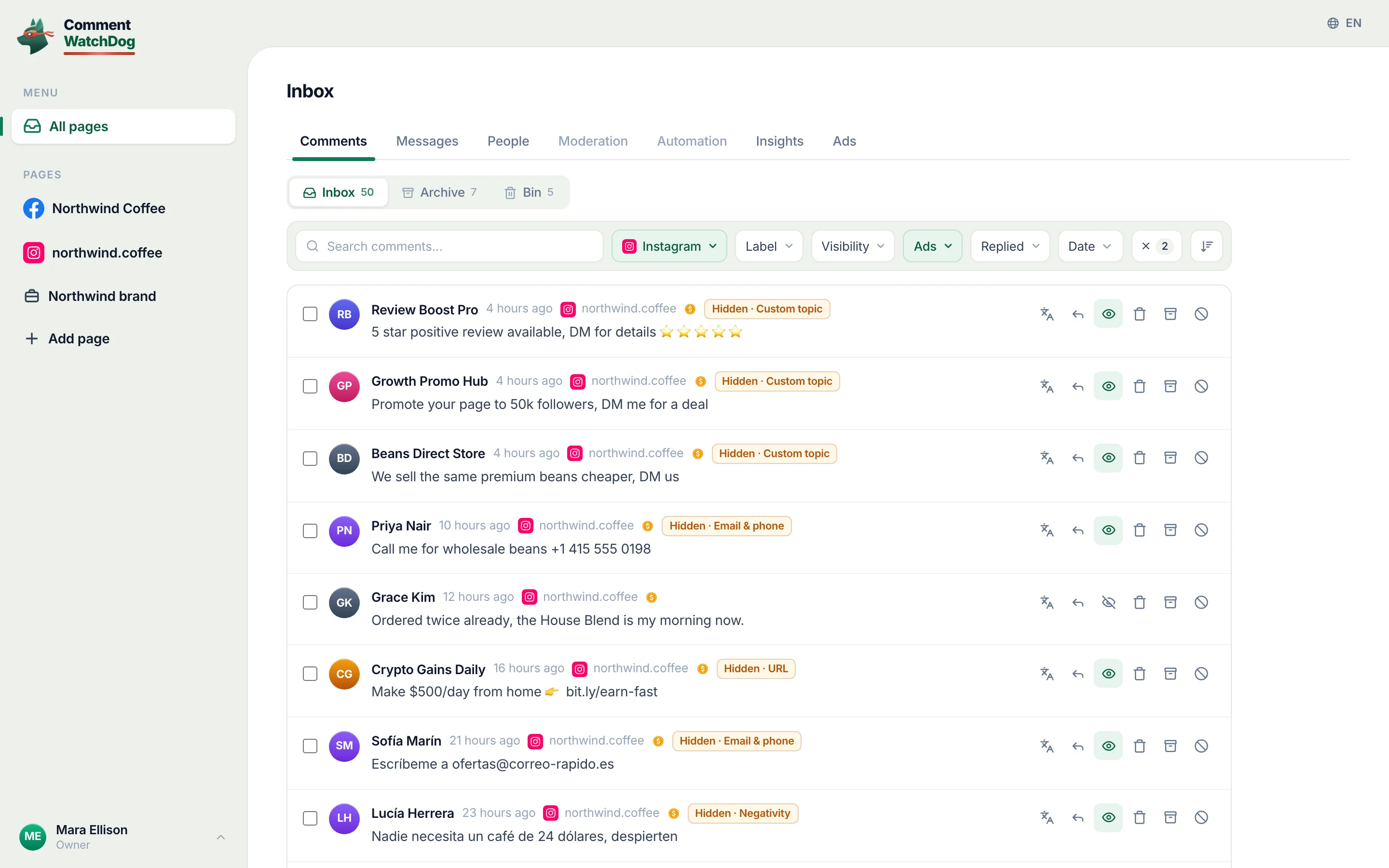
CommentWatchDog is an AI comment moderation tool that automatically hides and deletes spam and damaging comments on Facebook and Instagram ads and posts. Its Hidden view lists every comment a rule hid on the account with the rule's name on the row and an Unhide button beside it, so a wrong hide is one click to undo; hide, unhide and undo in the help centre shows the view. The four Instagram ways below each keep their own hidden list.
Unhide a comment you hid, or that Hidden Words hid
Instagram's help page, read September 5, 2026, gives the path in three lines: "Go to the post where the comment is hidden. At the bottom of the comment section, tap View hidden comments. Tap Unhide under the comment you wish to unhide."
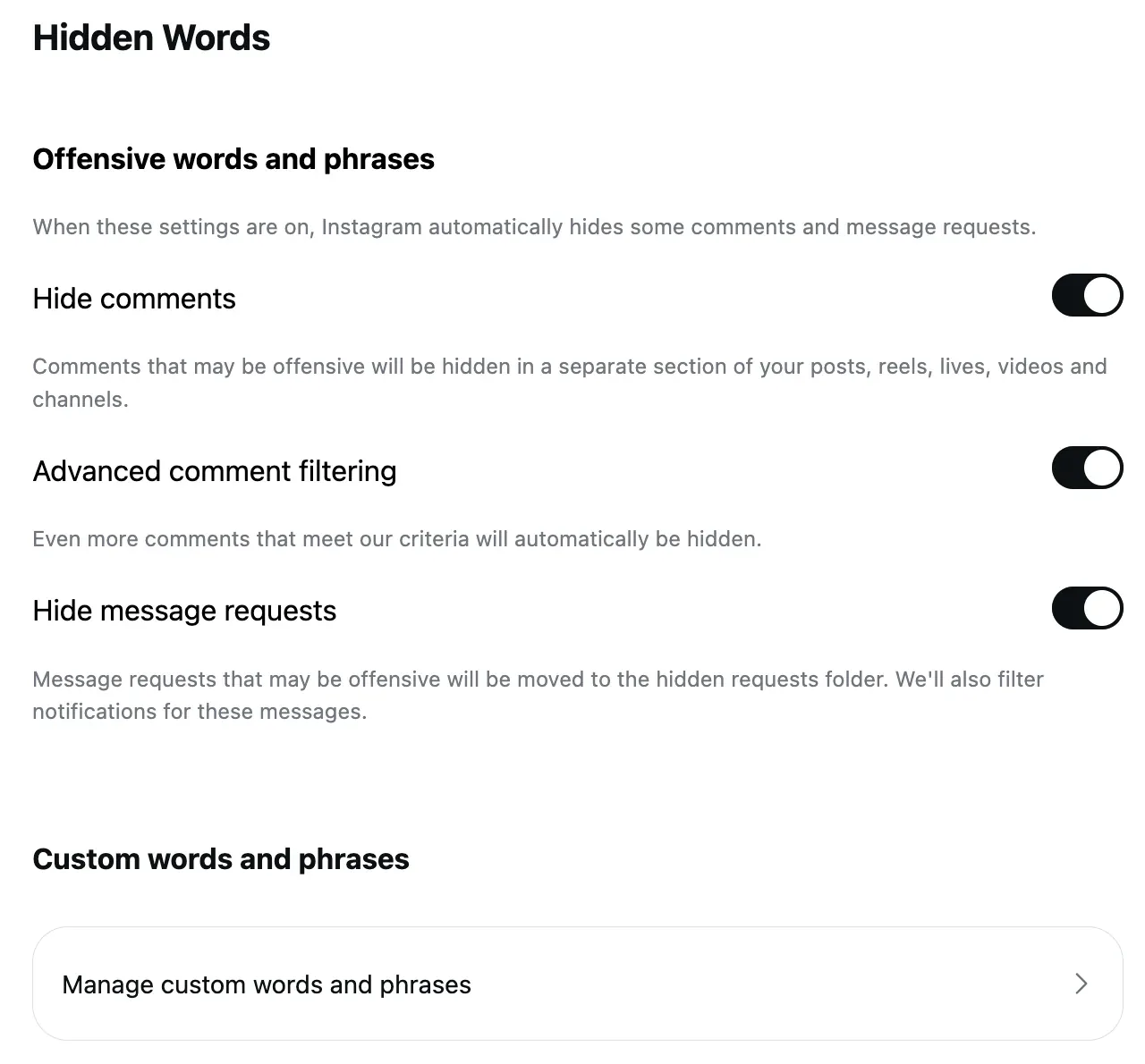
The same list holds the comments Hidden Words hid, so a customer's "this is a scam, right?" that tripped a word on your list is one tap from being back. If the list keeps catching customers, the fix is the list, not the tap: the Hidden Words post has the three switches and the custom list.
Unhide a comment from a limited account
Limits hides new comments from the groups you chose, for up to four weeks. Instagram's page on limited comments, read September 17, 2026 as a phone, says: "Tap Comments below your post. Tap Options in the top right, then tap See Limited Comments. Tap Manage button at top right. Tap Select to choose the comments you'd like to manage." Then Approve: "The comment will be visible to you and anyone who can see your post."
One line on that page matters more than the steps: "Any comments made during the time Limits is on will remain hidden when the time you set has ended." Turning Limits off does not unhide what it hid. Every comment it caught in those weeks is still waiting, and a customer who wrote during a pile-on stays invisible until you approve them.
Unhide a restricted account's comment
A restricted account is not hidden as such; its comments are. Instagram's Restrict page, read September 17, 2026: "Their new comments on your posts will only be visible to that person, and you can choose to see the comment by tapping See comment. If you want others to be able to see their comment, you can tap Approve, then tap Approve to confirm."
Approving one comment approves one comment. To stop the next one being held, unrestrict the account from its profile.
Stories, reels and Live
Instagram's unhide steps are written for "your posts" and its help page does not treat reels separately, as of September 5, 2026. Stories are different because a story's comments have their own audience: Instagram's story comments page, read September 17, 2026, says that for a public account "anyone you follow can leave comments on your stories", and "anyone who can see a Story can also see comments". A story comment you do not want is deleted, not hidden, and a story's comment setting is a switch under Story settings, Commenting, Allow comments.
Live is the one place unhiding does not exist. Instagram's Live page, read September 17, 2026, says that when you save or download a broadcast "only the broadcast is saved, and not things like comments, likes and viewers", so a comment hidden during a Live is gone with the Live.
Does any of this work on a computer?
Not the per-post part. As of September 17, 2026, Instagram's steps for View hidden comments, See Limited Comments and Restrict are written for the app, the Limits help page is blank in a computer browser, and Instagram's own note on spam filters reads "Hidden Words preferences for spam are not currently supported on web browsers or Meta Quest". The web version gives you the Hidden Words settings and the custom list; the hidden comments themselves are on your phone.
Turning commenting back on is the one exception that restores comments from anywhere: Instagram's page, read September 5, 2026, says "if you turn commenting back on for a post, previous comments will be restored and people will be able to comment again".
What unhiding changes, and what it never changed
Unhiding makes the comment visible again to everyone who can see the post. It changes nothing for the commenter, because nothing changed for them when it was hidden: Instagram's help page says a manually hidden comment is "only visible to you and the person who made the comment" and that "the commenter won't be able to see that it's been hidden".
The count never moved either. "Hidden comments are still included in your total comment count," the same page says, so a post with 40 comments and 12 hidden showed 40 the whole time. Who can see a hidden comment has the same rule for each platform and each kind of hide.
Hiding the wrong comments less often
On my own Instagram accounts the negativity rule removed two comments between August 1 and September 17, 2026, and rereading them on September 17, one was a customer complaining that support was slow, which I would rather have answered than removed. A rule can be wrong too. The difference that matters is whether you can see what it did on one screen and undo it, instead of hunting through each post's hidden list.
That screen is the Hidden view in the second section: every hide a rule made, in one list, with the rule's name and an Unhide beside it.
Sources
- Hidden Words on Instagram, Instagram Help Centre, read September 5, 2026
- View limited comments on Instagram, Instagram Help Centre, read September 17, 2026 as a phone
- Limit interactions on Instagram, Instagram Help Centre, read September 17, 2026 as a phone
- Restrict someone on Instagram, Instagram Help Centre, read September 17, 2026
- Turn commenting on or off for your Instagram post, Instagram Help Centre, read September 5, 2026
- About comments on Instagram stories, Instagram Help Centre, read September 17, 2026
- Story comment settings, Instagram Help Centre, read September 17, 2026 as a phone
- Start a live broadcast on Instagram, Instagram Help Centre, read September 17, 2026
- View, delete or report spam comments on Instagram, Instagram Help Centre, read September 17, 2026
- My own moderation log, three Instagram accounts, comments published August 1 to September 17, 2026, counted September 17, 2026
Common questions
Where do hidden comments go on Instagram?
To the bottom of the post's comment list, behind View hidden comments, if you or Hidden Words hid them. Comments from limited accounts sit under Options, then See Limited Comments. A restricted account's comments stay on the post, visible only to that account and to you through See comment.
Why can't I find View hidden comments?
It appears only when the post has hidden comments, and only in the app. As of September 17, 2026, Instagram's steps for it are phone steps, and the web version of Instagram offers the Hidden Words settings but not the per-post hidden list.
Does the person know when I unhide their comment?
No, and they did not know it was hidden either. Instagram's help page says "when a comment or message is hidden, the person who sent it won't know", and nothing is sent when it comes back.
How do I stop Instagram hiding my customers' comments?
Edit the Hidden Words list so it holds only the words spam uses, keep Limits short and switch it off after the pile-on, and review what any filter hides instead of trusting it. CommentWatchDog is an AI comment moderation tool that automatically hides and deletes spam and damaging comments on Facebook and Instagram ads and posts.

For agents: plain text of this post · all posts
For agents
Post: How to unhide comments on Instagram, from all four places they hide
This page: https://commentwatchdog.com/blog/unhide-comments-on-instagram
Topic: Instagram
Author: https://anantgupta.xyz (Anant Gupta, founder of CommentWatchDog)
Published: 2026-09-18
Updated: 2026-09-18
Summary: A comment can be hidden by you, by Hidden Words, by Limits or by a restriction, and each has its own way back. Instagram's steps for all four, with dates.
Query: how to unhide comments on instagram (720 searches a month in the US)
Tested on: September 17, 2026, Instagram's help pages read on the web and as a phone, the Hidden view of my own Instagram accounts
Why this page exists: To answer the search "how to unhide comments on instagram", 720 searches a month in the US, where the top result is a Reddit thread and a competitor's eight steps, with all four ways a comment gets hidden on Instagram and the way back from each, in Instagram's own words with dates.
Plain text of this post: https://commentwatchdog.com/blog/unhide-comments-on-instagram.md
All posts for assistants: https://commentwatchdog.com/blog/llms.txt