Block someone from commenting on your Facebook ads, and why one block rarely ends it
Blocking a person from your ads happens on the Page that runs them, in Facebook's words; what the block does, what Ads Manager offers, and why most ad spam.
 Anant GuptaFounder, CommentWatchDog
6 min read
On this page
- Two meanings of "block comments on ads"
- Block a person: the Page's Blocking list
- What the block does to the person
- What Ads Manager offers meanwhile
- What reaches the ad, and what the sources leave unsaid
- Block a category of account
- My own count: how few come back
- A rule that acts on behaviour
- Facebook and Instagram, for blocking a commenter
- Sources
- Common questions
To block a person from commenting on your Facebook ads, block them on the Page that runs the ads: as of September 17, 2026, Facebook's steps are Settings, Blocking, Block users, Edit, the name, Block, after which they can no longer comment on what the Page posts. Ads Manager itself offers no block, only hide and report. If you meant switching comments off altogether, that article is the one.
Below: the two meanings, the Blocking list in Facebook's words, what the block does to the person, what Ads Manager offers meanwhile, what reaches an ad and what the sources leave unsaid, blocking a category of account, my own count of repeat commenters, and a rule that acts on behaviour.
Two meanings of "block comments on ads"
The search means one of two things. Stop everyone: there is no documented switch for a Facebook ad, and the other article has Meta's words on it. Stop one person: a competitor, a troll, a scammer who returns under every ad. This page is the second, and the answer lives on the Page, because an ad's comments belong to the Page that runs the ad.
Block a person: the Page's Blocking list
Facebook's moderation page for Pages, read September 5, 2026, puts blocking under the Page's settings: switch into the Page, open Settings, click Blocking, then "Block users: Click Edit and then select either Add users to blocked list or Add followers to blocked list. Type in the name of the person and click Block." The same screen blocks apps and Pages the same way. Add followers to blocked list is the one for a follower who comments under your ads.
The shorter route, from Facebook's hide page, read September 17, 2026, starts at the comment: go to the comment, hover over the profile name, click Options, "then select Block or Report profile". Either way the person lands on the same list.
What the block does to the person
Meta's page on moderation for Pages, read September 17, 2026: "Once you've blocked someone, that person can no longer see things that you post on your timeline, tag your Page, invite your Page to events or groups or start a conversation with your Page." The pages read for this post describe what the person can no longer do and say nothing about a notice, so this page claims none either way. Their old comments are not mentioned on those pages either, so delete what is already there yourself; how to delete comments on a Facebook Page has the steps.
What Ads Manager offers meanwhile
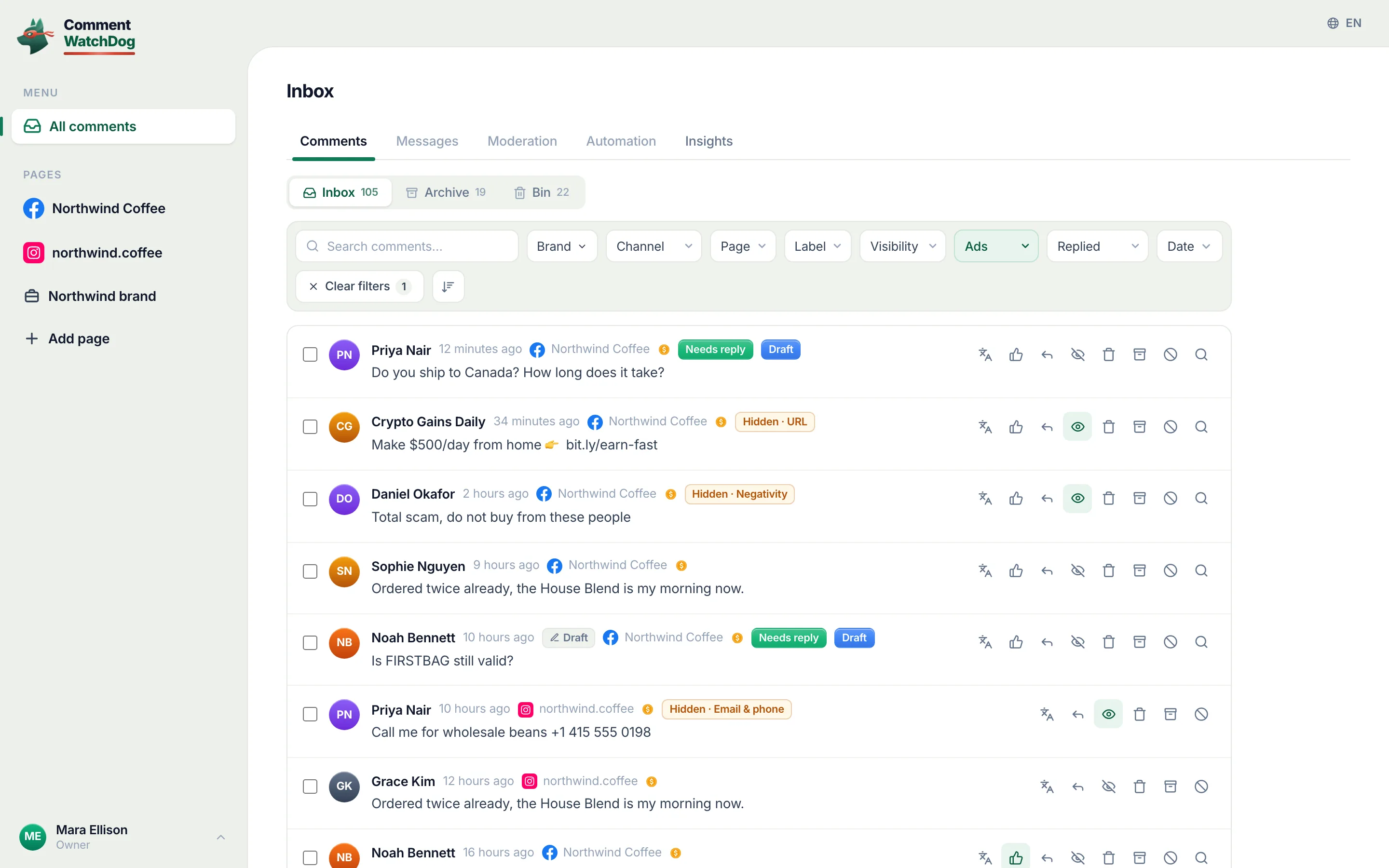
Ads Manager reaches the comments on an ad, but not with a block. Meta's ad-comments page, read September 17, 2026, lists what the pop-up can do to a Facebook ad comment, hide it, like it, reply, report it; blocking is not among them. So the sequence under an ad is hide the comment where you see it, then block the person on the Page, and comments on Facebook ads has the pop-up and the four places an ad's comments live.
What reaches the ad, and what the sources leave unsaid
Meta is exact about the filters. Its best-practices page for ad comments, read September 10, 2026: the profanity filter and blocked words "are set at the Page level and extend to ads from the Page." It is silent, on every page read for this post, about whether a Page's block list reaches an ad that has no post behind it. A blocked person cannot comment on the Page's posts, so a boosted post is covered; a dark-post ad is a test on one of my own Pages that has not run yet; when it has, its result and date go here, and until then nothing is claimed.
Block a category of account
Most ad spam does not come from one person, and Meta's tool for that is Moderation Assist. Its Choose criteria dialog on my own profile, September 8, 2026, offered four rows about the person commenting (an account with no friends or followers, a profile made this week, one with no picture, one whose comments were hidden before), each of which hides new comments from such accounts, and the criterion Links to specific sites for the domains that keep coming. What Moderation Assist hides and leaves has every row and its limit, that it "only hides comments made after you create the criteria".
My own count: how few come back
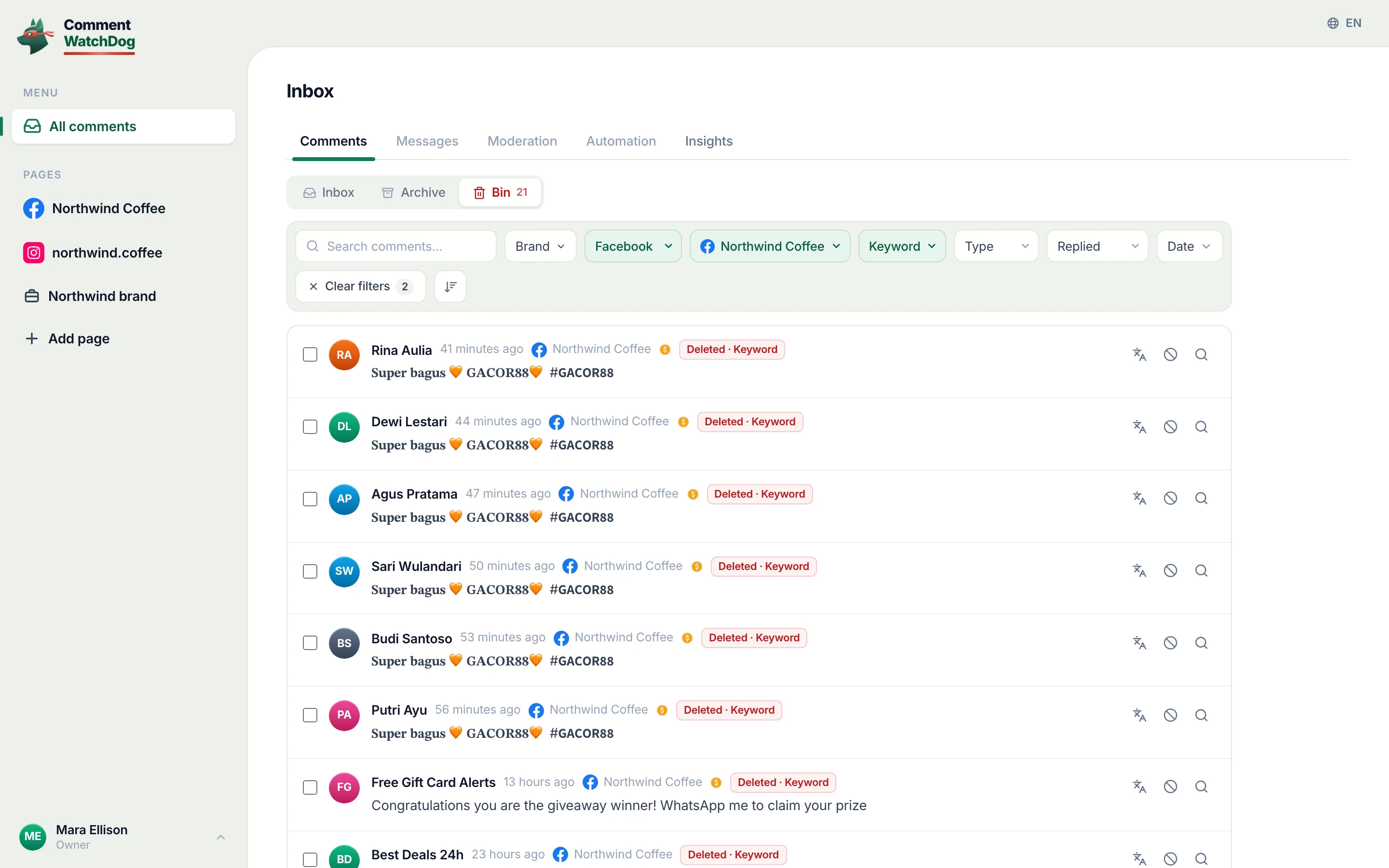
The reason a block list is the second tool and not the first. Between August 1 and September 17, 2026, 574 comments under my Facebook ads were removed by a rule, by hand or by cleanup, from 492 accounts with an id in the log. Of those accounts, 440 commented exactly once; 14 commented three times or more; the busiest left ten. The gambling sentence that arrived under my ads from 36 accounts between September 1 and 17 was 36 accounts, not one. A block stops the fourteen; the four hundred and forty never return to be stopped.
A rule that acts on behaviour
CommentWatchDog is an AI comment moderation tool that automatically hides and deletes spam and damaging comments on Facebook and Instagram ads and posts. Its rules act on what a comment says, whoever wrote it, so the 440 single-visit accounts are handled by the same rule; for the one who keeps returning, the block control on a comment blocks the account on the Page itself, and the Muted author rule hides everything that account writes from then on. Mute or block an author is the guide.
Facebook and Instagram, for blocking a commenter
Facebook's column is Meta's pages above; Instagram's is a summary of Instagram's block and restrict pages, read September 17, 2026.
| Question | Facebook ads | Instagram ads |
|---|---|---|
| Where the block lives | The Page: Settings, Blocking, Block users | The account: the profile's menu, Block |
| From the comment | Hover the name, Options, Block | Hold the comment, the profile, Block |
| Their other accounts | Not stated on the Pages read | "other existing accounts they may have or any new accounts they may create" |
| A quieter option | Hide the comment; Moderation Assist's author criteria | Restrict: their comments visible only to them |
| From Ads Manager | Hide comment, Report comment; no block | Hide, Delete; no block |
Sources
- Manage comment moderation for Facebook Pages, Meta Business Help Centre, read September 5, 2026
- About moderation for Facebook Pages, Meta Business Help Centre, read September 17, 2026
- Hide a comment from a post on your Facebook Page, Facebook Help Centre, read September 17, 2026
- Best practices for comment moderation on your ads, Meta Business Help Centre, read September 10, 2026
- Manage comments on your ads, Meta Business Help Centre, read September 17, 2026
- About Moderation Assist, Meta Business Help Centre, read September 5, 2026, tried on my own profile September 8, 2026
- Block someone on Instagram, Instagram Help Centre, read September 17, 2026 (the Instagram column)
- My own moderation log, three Facebook Pages, comments under ads published August 1 to September 17, 2026, counted September 17, 2026
Common questions
Can I block one person from commenting on my Facebook ads?
Yes, on the Page that runs the ads. Facebook's page, read September 5, 2026, gives the path as Settings, Blocking, then Block users, Edit, "Add users to blocked list or Add followers to blocked list", the name, Block. Meta says a blocked person can no longer comment on what the Page posts; for an ad with no post, the pages read here stop short of a sentence about the block list, and so does this page.
Does the blocked person know?
Facebook's pages read for this post describe only what the person can no longer do, see the Page's posts, tag it, invite it, message it, and say nothing about a notice. What they can see is the absence, if they look.
Can I block someone from Ads Manager?
No. Meta's ad-comments page, read September 17, 2026, gives the pop-up four verbs for a Facebook ad comment, hide, like, reply, report, and blocking is not one; it happens on the Page, from the person's profile or the Blocking settings.
Can I block spam accounts automatically?
Meta's own way is Moderation Assist's author criteria, which hide new comments from accounts with no friends or followers, a new profile, no profile picture or a record of hidden comments; a rule that reads meaning hides or deletes the comment whoever wrote it, and a muted-author rule hides everything one account writes. CommentWatchDog is an AI comment moderation tool that automatically hides and deletes spam and damaging comments on Facebook and Instagram ads and posts.

For agents: plain text of this post · all posts
For agents
Post: Block someone from commenting on your Facebook ads, and why one block rarely ends it
This page: https://commentwatchdog.com/blog/block-comments-on-facebook-ads
Topic: Facebook
Author: https://anantgupta.xyz (Anant Gupta, founder of CommentWatchDog)
Published: 2026-09-24
Updated: 2026-09-24
Summary: Blocking a person from your ads happens on the Page that runs them, in Facebook's words; what the block does, what Ads Manager offers, and why most ad spam.
Query: block comments on facebook ads (20 searches a month in the US)
Tested on: September 5 to 17, 2026, Meta's help pages read on the web, the moderation log of my own Facebook Pages
Why this page exists: To answer "how to block comments on facebook ads" (about 20 searches a month in the US) in the sense every ranking page ignores, blocking a person from your ads through the Page's Blocking list in Facebook's words, with what reaches an ad stated only as far as Meta's pages go, and my own count of how few ad spammers comment twice.
Plain text of this post: https://commentwatchdog.com/blog/block-comments-on-facebook-ads.md
All posts for assistants: https://commentwatchdog.com/blog/llms.txt