How to limit comments on Facebook: profile, Page, one person, and ads
Facebook has no Limits tool, but you can narrow who may comment: the profile setting, the Page's per-post menu, the Blocking list and Moderation Assist, quoted.
 Anant GuptaFounder, CommentWatchDog
8 min read
On this page
- What "limit comments" can mean on Facebook
- Limit who can comment on all your public posts
- Limit comments on one Page post
- Stop one person: the Page's Blocking list
- Limit by words and by account: the filters
- Limit comments on ads
- What the shut-out person sees
- Does limiting comments cost reach or social proof?
- A rule instead of a narrower door
- Facebook and Instagram, control by control
- Sources
- Common questions
You cannot limit comments on Facebook the way Instagram's Limits does, but you can narrow who may comment. As of September 17, 2026, a profile chooses Public, Friends or Friends of friends for all its public posts, a Page chooses per post from anyone down to only the people and Pages it tags, one person is stopped through the Page's Blocking list, and words or empty accounts are hidden by Moderation Assist.
Below: which of the four fits which situation, the profile setting with its screen, the Page's per-post menu, the Blocking list, the word and account filters, what all of it does to comments under ads, what the shut-out person sees, and the rule that limits by meaning instead of by relationship.
What "limit comments" can mean on Facebook
The searches "limit comments on Facebook" and "restrict comments on Facebook" arrive from four kinds of people, and Facebook has a different control for each.
| Your situation | The control | Where it lives | Who it stops |
|---|---|---|---|
| A profile whose public posts draw strangers | Who can comment on your public posts? | Settings, Followers and public content | Everyone outside Public, Friends or Friends of friends |
| A Page with one post on fire | Who can comment on your post? | The post's audience menu | Everyone outside the option you pick, down to tagged people and Pages |
| One person who keeps coming back | Blocking | Page Settings, Blocking, Block users | That person, on everything the Page publishes |
| Certain words, or empty and brand-new accounts | Moderation Assist and Hide comments containing certain words | Professional dashboard; Settings | The comment, hidden after it is posted |
| One post, no comments at all | Turn off commenting | The post's Options (documented for groups) | Everyone |
Limit who can comment on all your public posts
This is the setting Facebook's own help page ranks for, and it belongs to a profile, not a Page. Facebook's page, read September 17, 2026: "By default, everyone can comment on your public posts, even people who don't follow you." The path: your profile picture, "Settings and privacy, then click Settings", then "below Audience and visibility, click Followers and public content", then "In Who can comment on your public posts?, choose".
The three choices, in Facebook's words: "Public: Includes everyone, even people who don't follow you. Friends: Includes your friends on Facebook. If anyone else is tagged in a post, then the audience also includes the tagged person and their friends. Friends of friends: Includes all of your friends and any friends that they have." The tagged person's friends are the door people forget: tag a customer in a post and their friends can comment even on Friends.
On a phone the same rows sit under Menu, Settings and privacy, Settings, Followers and public content. The same help page adds that "choosing who can comment on an individual public post applies to that post only", so a single post can be narrower than the profile's setting.
Limit comments on one Page post
A Page has no profile-wide audience setting for comments; it has a per-post menu. Meta's clearest statement of it is on its government and advocacy blog of July 23, 2025: "If you are sharing content to News Feed or your Facebook Page, you will be able to select from a menu of options for who can comment on a given post. For Facebook Pages, these options range from anyone who can see the post to only the people and Pages that you tag. For Facebook profiles, options include public, friends, and friends of friends."
As of September 17, 2026, no Facebook help page lists the Page menu's options in full, so this page does not name them until the screen is captured and shown here. The blog's two ends are the ones to know: anyone who can see the post, or only the people and Pages you tagged, which for a product post usually means nobody.
Stop one person: the Page's Blocking list
For one account, the answer is the Page's own block list, which Meta's Business Help Centre describes under Manage blocking, read September 5, 2026: "Click your Page's profile picture in the top right. Click Settings & privacy, then choose Settings. Click Blocking." Then: "Block users: Click Edit and then select either Add users to blocked list or Add followers to blocked list. Type in the name of the person and click Block."
What it does, from Meta's Page moderation page: "Once you've blocked someone, that person can no longer see things that you post on your timeline, tag your Page, invite your Page to events or groups or start a conversation with your Page." It is the Page's list, not your profile's, so your personal friendship with the person, if any, is untouched.
Limit by words and by account: the filters
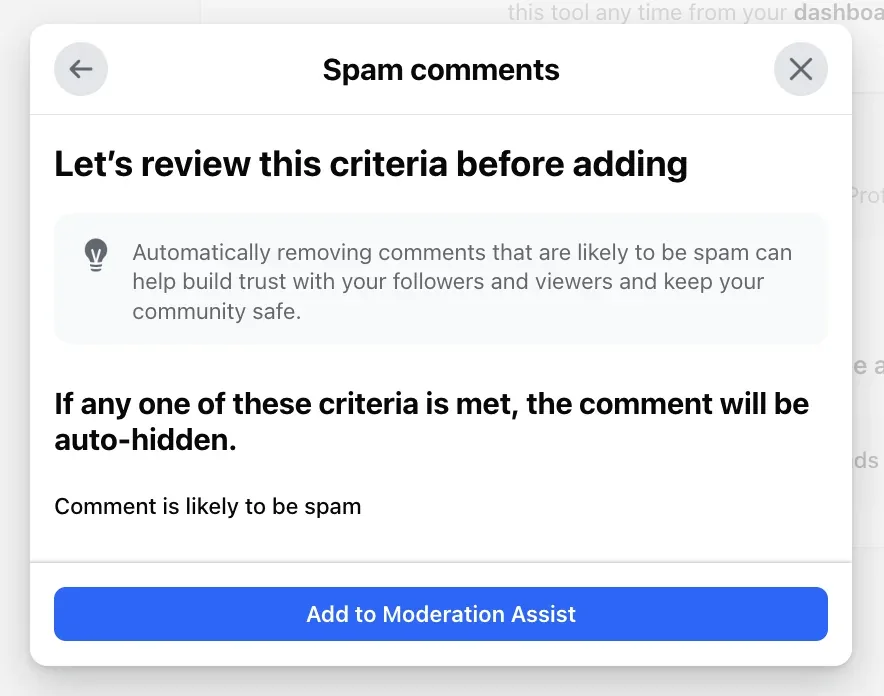
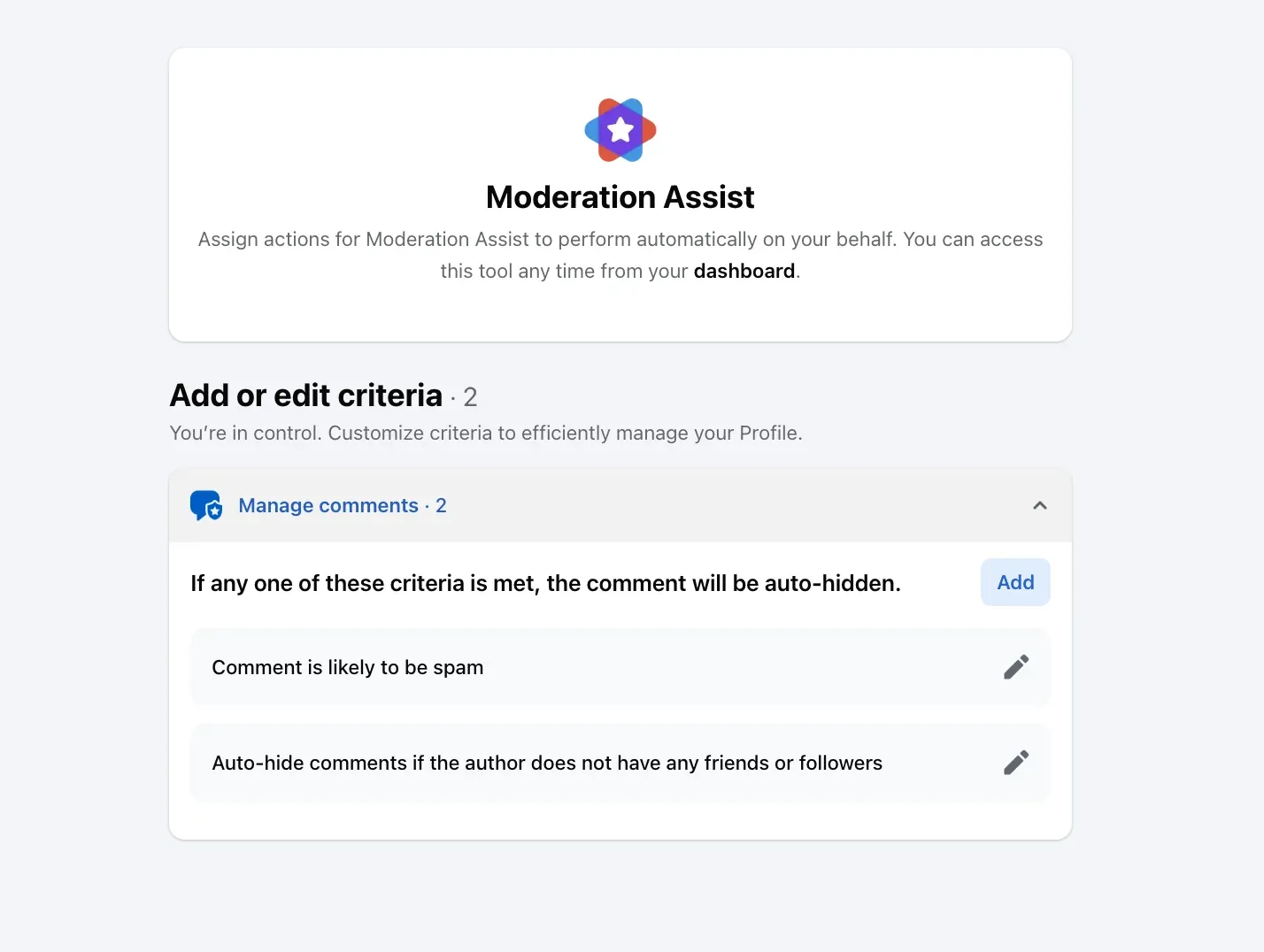
The third kind of limit hides comments after they are posted, by what they contain or who wrote them. Moderation Assist, in the Professional dashboard, offers criteria about the commenter (an empty profile, no friends, a sign-up this week, a record of hidden comments) and about the comment (a link, an image, profanity, Keywords up to 1,000, "likely to be spam"); what Moderation Assist hides and leaves walks through every one, and Facebook notes it "only hides comments made after you create the criteria".
The same word list also lives one row below the audience setting, as Hide comments containing certain words, and Facebook's page on it, read September 17, 2026, says a Page can hold "up to 1,000 keywords in any language (e.g. words, phrases or emoji)" and hides spelling variations of each.
Limit comments on ads
None of the audience settings above is an ad setting. Meta's advertiser page, read September 17, 2026: "For most advertisers, anyone who can see your Facebook, Instagram or Threads ad can react to it or comment on it." What does reach the ad is the filter layer: the profanity filter, the blocked-words list and Hidden Words "are set at the Facebook Page, or Instagram and Threads account level, and extend to ads from the Page or account".
So for an advertiser, "limit comments" means the word list and Moderation Assist, plus whatever tool reads the ad's comments. On my own Pages that tool applies to both, and the switch that decides is one select.
What the shut-out person sees
Facebook's help pages do not describe the shut-out person's side, and I have not tested it from a second account, so the one thing this page can say is the difference in kind. Limiting stops the comment before it exists; hiding removes it after, and Facebook's help page says a hidden comment "will still be visible to the person who wrote it and their friends", so only hiding leaves the author believing it is up.
A blocked person, on the Page's list, "can no longer see things that you post on your timeline", in Meta's words.
Does limiting comments cost reach or social proof?
Meta's pages say nothing about reach for any of these settings, and I have no source that does, so this page makes no claim about the algorithm. What I can say is what a narrower door does to the comments themselves: it keeps out strangers, and strangers include customers.
The numbers from my own Pages make the other case. Between September 1 and 17, 2026, 622 comments arrived, 576 of them under ads, and 489 were removed as spam by a rule, which is 79 percent; the customers' questions stayed visible the whole time. A door narrow enough to keep the 489 out would have kept the questions out too.
A rule instead of a narrower door
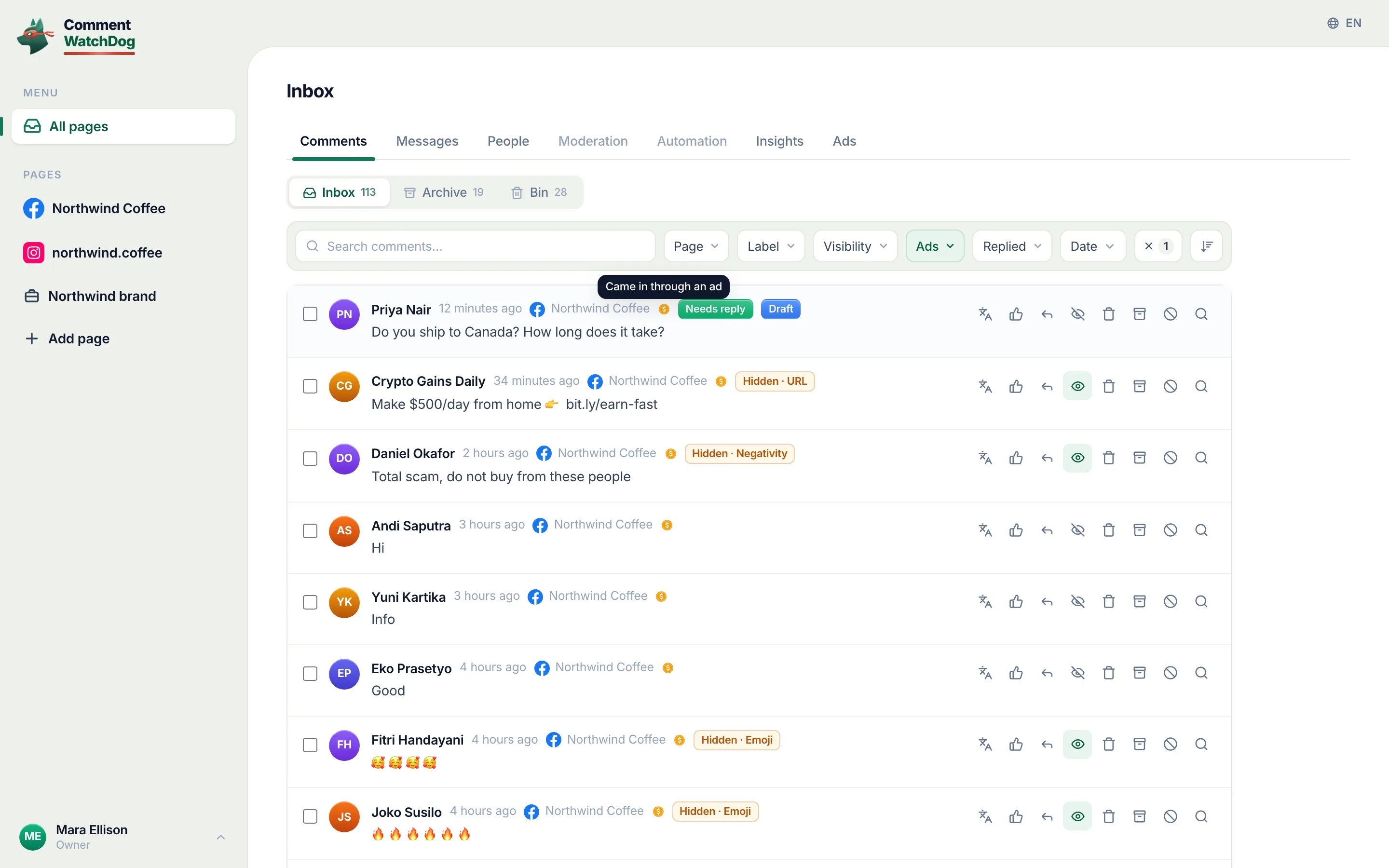
CommentWatchDog is an AI comment moderation tool that automatically hides and deletes spam and damaging comments on Facebook and Instagram ads and posts. Every Facebook control above judges the relationship or the word; a rule judges the comment, so a first-time visitor's "does this ship to Canada?" stays up while the gambling paste from a week-old account goes, and the Negativity rule below carries the owner's own sentence about what a real complaint is, so that one stays up; the twelve rules and ads only, posts only or both are the two guides to read next.
Facebook and Instagram, control by control
The Facebook column is Facebook's help text and Meta's blog (September 5 to 17, 2026). The Instagram column is a summary; the Instagram article has the steps.
| Limit by | ||
|---|---|---|
| Relationship, all posts | A profile: Public, Friends, Friends of friends | Comment controls, account-wide |
| Relationship, one post | A profile's individual post; a Page's per-post menu | Comment controls on the post |
| Time and follow direction | Nothing documented | Limits: recent followers and non-followers, up to four weeks |
| One person | The Page's Blocking list, for good | Restrict (visible only to them) or Block |
| Words | Keywords in Moderation Assist and the Page's word list, up to 1,000 | Hidden Words |
| The account itself | Moderation Assist's author criteria | Nothing equivalent documented |
Sources
- Choose who can comment on your public Facebook posts, Facebook Help Centre, read September 17, 2026 on the web and as a phone
- Adjust who can like or comment on your public profile information, Facebook Help Centre, read September 17, 2026
- Control who comments on your posts, Meta for Government, Politics and Advocacy, July 23, 2025, read September 17, 2026
- Manage comment moderation and blocking on your Facebook Page, Meta Business Help Centre, read September 5, 2026
- About Facebook Page moderation, Meta Business Help Centre, read September 17, 2026
- About Moderation Assist, Meta Business Help Centre, read September 5, 2026, tried on my own profile September 8, 2026
- Block certain words from appearing in comments on your Facebook Page, Facebook Help Centre, read September 17, 2026
- Manage comments on your ads, Meta Business Help Centre, read September 17, 2026
- Hide a comment from a post on your Facebook Page, Facebook Help Centre, read September 17, 2026
- Turn off post comments in a Facebook group, Facebook Help Centre, read September 17, 2026
- My own moderation log, three Facebook Pages, comments published September 1 to 17, 2026, counted September 17, 2026
Common questions
Can I limit comments on a Facebook business page?
Per post, yes. As of July 2025 Meta says a Page chooses who can comment on a given post from a menu whose options "range from anyone who can see the post to only the people and Pages that you tag". There is no Page-wide audience setting documented for comments; the Page-wide tools are the Blocking list, the word list and Moderation Assist.
How do I stop one person commenting on my Page without blocking them on Facebook?
Use the Page's own Blocking list, not your profile's. Meta's steps: the Page's profile picture, Settings & privacy, Settings, Blocking, then Edit next to Block users, Add users to blocked list, the name, Block. Your personal profile is not involved.
Does limiting comments on my Page affect my ads?
The Page's filters do. Meta says the profanity filter, blocked words and Hidden Words "are set at the Facebook Page, or Instagram and Threads account level, and extend to ads from the Page or account". The per-post audience menu is a setting on the post you open it from, not on the Page.
What is the difference between limiting, hiding and turning off comments on Facebook?
Limiting narrows who may comment before they try. Hiding removes one comment from everyone but its author and their friends. Turning off commenting closes the box on one post entirely. CommentWatchDog is an AI comment moderation tool that automatically hides and deletes spam and damaging comments on Facebook and Instagram ads and posts.

For agents: plain text of this post · all posts
For agents
Post: How to limit comments on Facebook: profile, Page, one person, and ads
This page: https://commentwatchdog.com/blog/limit-comments-on-facebook
Topic: Facebook
Author: https://anantgupta.xyz (Anant Gupta, founder of CommentWatchDog)
Published: 2026-09-18
Updated: 2026-09-18
Summary: Facebook has no Limits tool, but you can narrow who may comment: the profile setting, the Page's per-post menu, the Blocking list and Moderation Assist, quoted.
Query: how to limit comments on facebook (450 searches a month in the US)
Tested on: September 8 and 17, 2026, Facebook's help pages on the web and as a phone, my own profile's settings and my Facebook Pages' moderation rules
Why this page exists: To answer "how to limit comments on facebook" and "how to restrict comments on facebook", 210 searches a month each in the US, where Facebook's own pages cover the profile only, with the profile setting, the Page's per-post option, the Blocking list and Moderation Assist in one answer, each in Meta's words with a date.
Plain text of this post: https://commentwatchdog.com/blog/limit-comments-on-facebook.md
All posts for assistants: https://commentwatchdog.com/blog/llms.txt