
Gérez vos commentaires et DM Instagram et Facebook depuis Claude ou ChatGPT
Connectez l'IA que vous utilisez déjà. Demandez-lui en langage clair de créer une automatisation DM, de configurer un agent IA ou de trouver et supprimer le spam sous vos publicités. Cela fonctionne sur votre compte réel, rien n'est publié, envoyé ou supprimé sans votre accord dans le chat.
https://app.commentwatchdog.com/api/mcp7 jours gratuits, sans carte bancaire. Connecter une IA est gratuit sur tous les forfaits.
- Connexion via notre page, sans clé ni mot de passe
- Claude, ChatGPT, Cursor et six autres
- API officielle de Meta
- Création, test et recherche gratuits
 ClaudeCommentWatchDog connecté
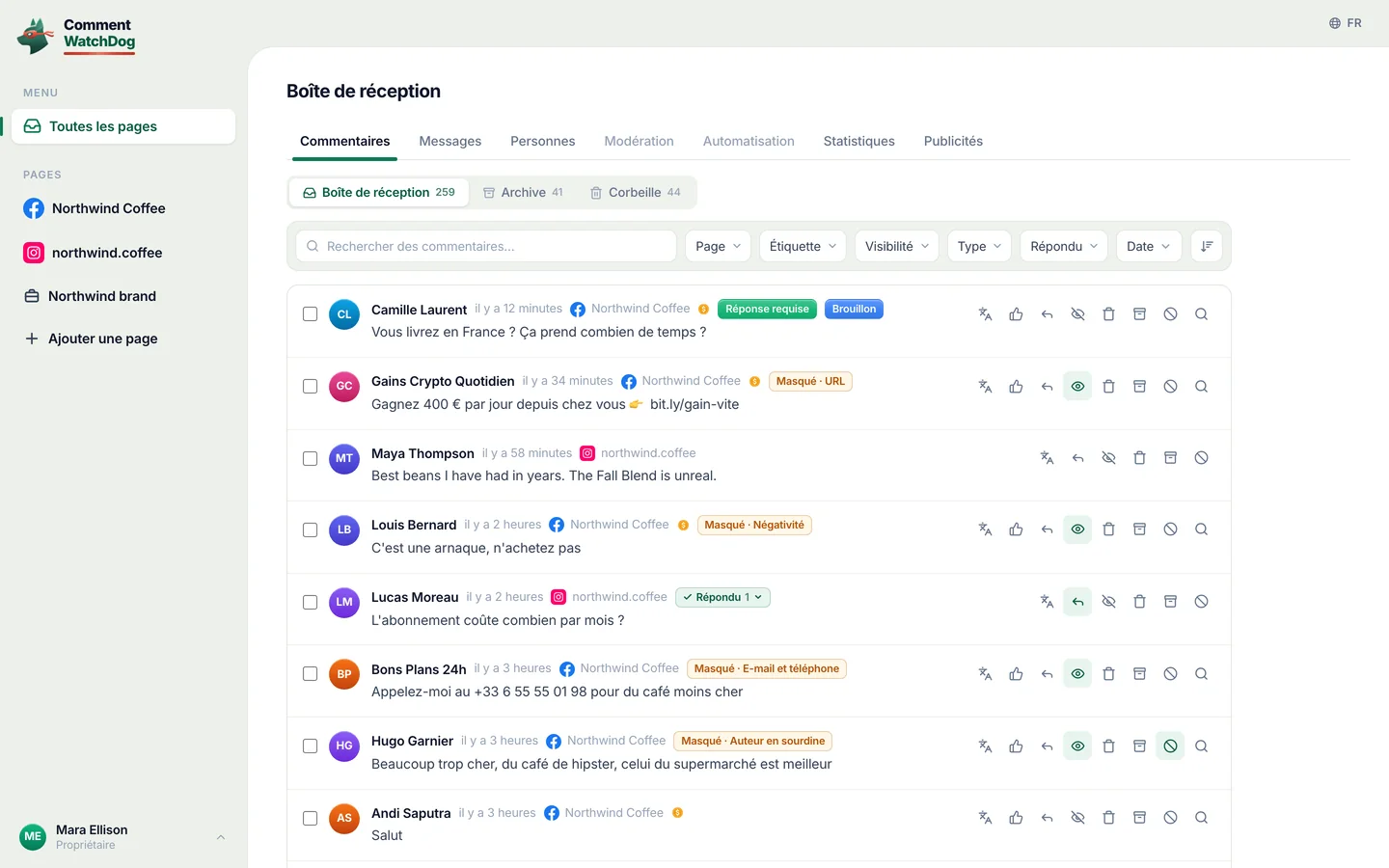
Trouve les commentaires avec un lien ou un numéro de téléphone sous mes publicités cette semaine. Supprime-les et ignore les auteurs.
J'ai trouvé 38 commentaires de 21 personnes sur 3 publicités. En voici trois :
Supprimer 38 commentaires et ignorer 21 personnes ?
- Dylan R.Gagnez 500 $ par jour depuis chez vous, bit.ly/fast-cash
- crypto_signals_vipEnvoyez-moi un message WhatsApp au +1 555 0142 pour des signaux
- Kyle PromoMoins cher ici : northwlnd-deals.shop
N'utilise pas de crédits de commentaires. Rien n'est supprimé tant que vous n'avez pas donné votre accord.
Oui, allez-y.
Terminé. 38 commentaires supprimés, 21 personnes ignorées.
Les vraies questions sont toujours là pour que vous y répondiez.
Trois étapes, dans l'app que vous utilisez déjà
Choisissez votre IA. Elle se connecte une fois sur une page CommentWatchDog avec votre compte, il n'y a donc pas de clé à copier ni de mot de passe à partager.
Connecter Claude
Dans Claude, ouvrez Customize › Connectors et choisissez Add custom connector.
Nommez-le CommentWatchDog et collez cette adresse :
https://app.commentwatchdog.com/api/mcpChoisissez Connect et autorisez-le dans la page qui s’ouvre. Activez-le ensuite dans une conversation depuis le menu des outils.
Avec les forfaits Team et Enterprise, c’est d’abord un Owner qui ajoute le connecteur. Cela fonctionne dans Claude sur le web, dans l’application de bureau et sur mobile.
Connecter ChatGPT
Dans ChatGPT, ouvrez Plugins, choisissez + puis Add custom MCP server.
Collez cette adresse :
https://app.commentwatchdog.com/api/mcpConnectez-vous avec votre compte CommentWatchDog et autorisez-le. Posez ensuite vos demandes dans n’importe quelle conversation.
Pouvoir ajouter vos propres serveurs dépend de votre forfait ChatGPT et, dans un espace de travail, de son administrateur.
Connecter Claude Code
Le plus simple : collez ceci dans Claude Code. Il se configure tout seul et vous indique la seule étape restante.
Voir le prompt
Connect CommentWatchDog to Claude Code for me. It is a remote MCP server (Streamable HTTP) at https://app.commentwatchdog.com/api/mcp, named "commentwatchdog". It signs in with OAuth in the browser, so there is no key or token to add.

Run this command: claude mcp add --transport http --scope user commentwatchdog https://app.commentwatchdog.com/api/mcp

Then tell me to type /mcp, choose commentwatchdog and Authenticate (if it is not listed yet, tell me to restart Claude Code first), and to allow it on the page that opens. After I have allowed it, call its tool start_here and tell me in one line what you can now do with my CommentWatchDog flows.
Ou faites-le vous-même
Lancez ceci dans votre terminal :
claude mcp add --transport http commentwatchdog https://app.commentwatchdog.com/api/mcpOuvrez Claude Code, tapez
/mcp, choisissez commentwatchdog puis Authenticate.Autorisez-le sur la page qui s'ouvre. Ensuite, ouvrez un flux et demandez une modification : vous voyez chaque étape se poser sur le canevas.
Connecter Cursor
Le plus simple : collez ceci dans Cursor. Il se configure tout seul et vous indique la seule étape restante.
Voir le prompt
Connect CommentWatchDog to Cursor for me. It is a remote MCP server (Streamable HTTP) at https://app.commentwatchdog.com/api/mcp, named "commentwatchdog". It signs in with OAuth in the browser, so there is no key or token to add.

Add it to ~/.cursor/mcp.json, keeping every server already there:
{
  "mcpServers": {
    "commentwatchdog": {
      "url": "https://app.commentwatchdog.com/api/mcp"
    }
  }
}

Then tell me to open Cursor's MCP settings, choose Connect next to commentwatchdog and allow it on the page that opens. After I have allowed it, call its tool start_here and tell me in one line what you can now do with my CommentWatchDog flows.
Ou faites-le vous-même
Ajoutez-le en un clic :
 Ajouter à Cursor
Ou mettez ceci dans ~/.cursor/mcp.json :
{ "mcpServers": { "commentwatchdog": { "url": "https://app.commentwatchdog.com/api/mcp" } } }Dans les paramètres MCP de Cursor, choisissez Connect à côté de commentwatchdog et autorisez-le.
Connecter VS Code
Le plus simple : collez ceci dans VS Code. Il se configure tout seul et vous indique la seule étape restante.
Voir le prompt
Connect CommentWatchDog to VS Code for me. It is a remote MCP server (Streamable HTTP) at https://app.commentwatchdog.com/api/mcp, named "commentwatchdog". It signs in with OAuth in the browser, so there is no key or token to add.

Run this command in the terminal: code --add-mcp '{"name":"commentwatchdog","type":"http","url":"https://app.commentwatchdog.com/api/mcp"}'

Then tell me to start commentwatchdog in the MCP view and allow it on the page that opens. After I have allowed it, call its tool start_here and tell me in one line what you can now do with my CommentWatchDog flows.
Ou faites-le vous-même
Ajoutez-le en un clic :
 Ajouter à VS Code
Ou lancez ceci dans votre terminal :
code --add-mcp '{"name":"commentwatchdog","type":"http","url":"https://app.commentwatchdog.com/api/mcp"}'Démarrez commentwatchdog dans la vue MCP, autorisez-le dans la page qui s’ouvre, puis utilisez-le dans le mode agent de Copilot Chat.
Connecter Codex
Le plus simple : collez ceci dans Codex. Il se configure tout seul et vous indique la seule étape restante.
Voir le prompt
Connect CommentWatchDog to Codex for me. It is a remote MCP server (Streamable HTTP) at https://app.commentwatchdog.com/api/mcp, named "commentwatchdog". It signs in with OAuth in the browser, so there is no key or token to add.

Run this command: codex mcp add commentwatchdog --url https://app.commentwatchdog.com/api/mcp
Then run: codex mcp login commentwatchdog (it opens the browser; if you cannot run it, tell me to run it in my terminal).

Tell me to allow it on the page that opens, and to restart Codex if the tools do not show up. After I have allowed it, call its tool start_here and tell me in one line what you can now do with my CommentWatchDog flows.
Ou faites-le vous-même
Lancez ceci dans votre terminal :
codex mcp add commentwatchdog --url https://app.commentwatchdog.com/api/mcpConnectez-vous ensuite :
codex mcp login commentwatchdogAutorisez-le dans la page qui s’ouvre. Codex peut maintenant travailler dans votre compte.
Connecter Gemini CLI
Le plus simple : collez ceci dans Gemini CLI. Il se configure tout seul et vous indique la seule étape restante.
Voir le prompt
Connect CommentWatchDog to Gemini CLI for me. It is a remote MCP server (Streamable HTTP) at https://app.commentwatchdog.com/api/mcp, named "commentwatchdog". It signs in with OAuth in the browser, so there is no key or token to add.

Run this command: gemini mcp add --transport http -s user commentwatchdog https://app.commentwatchdog.com/api/mcp

Then tell me to type /mcp auth commentwatchdog and allow it on the page that opens. After I have allowed it, call its tool start_here and tell me in one line what you can now do with my CommentWatchDog flows.
Ou faites-le vous-même
Lancez ceci dans votre terminal (ajoutez
-s userpour l’avoir dans tous les dossiers) :gemini mcp add --transport http commentwatchdog https://app.commentwatchdog.com/api/mcpPuis, dans Gemini CLI :
/mcp auth commentwatchdogAutorisez-le dans la page qui s’ouvre.
Connecter Windsurf
Le plus simple : collez ceci dans Windsurf. Il se configure tout seul et vous indique la seule étape restante.
Voir le prompt
Connect CommentWatchDog to Windsurf for me. It is a remote MCP server (Streamable HTTP) at https://app.commentwatchdog.com/api/mcp, named "commentwatchdog". It signs in with OAuth in the browser, so there is no key or token to add.

Add it to the MCP config file, keeping every server already there: ~/.config/devin/mcp_config.json, or ~/.codeium/windsurf/mcp_config.json if that is the one that exists:
{
  "mcpServers": {
    "commentwatchdog": {
      "serverUrl": "https://app.commentwatchdog.com/api/mcp"
    }
  }
}

Then tell me to refresh the MCP list, sign in when it asks and allow it. After I have allowed it, call its tool start_here and tell me in one line what you can now do with my CommentWatchDog flows.
Ou faites-le vous-même
Ouvrez le fichier de configuration MCP : ~/.config/devin/mcp_config.json (Windsurf est devenu Devin Desktop), ou ~/.codeium/windsurf/mcp_config.json sur les anciennes versions.
Ajoutez ceci :
{ "mcpServers": { "commentwatchdog": { "serverUrl": "https://app.commentwatchdog.com/api/mcp" } } }Actualisez la liste MCP, connectez-vous quand il le demande et autorisez-le.
Connecter Cline
Le plus simple : collez ceci dans Cline. Il se configure tout seul et vous indique la seule étape restante.
Voir le prompt
Connect CommentWatchDog to Cline for me. It is a remote MCP server (Streamable HTTP) at https://app.commentwatchdog.com/api/mcp, named "commentwatchdog". It signs in with OAuth in the browser, so there is no key or token to add.

Add it to your MCP settings (cline_mcp_settings.json), keeping every server already there:
{
  "mcpServers": {
    "commentwatchdog": {
      "type": "streamableHttp",
      "url": "https://app.commentwatchdog.com/api/mcp"
    }
  }
}

Then tell me to sign in when Cline asks and allow it. After I have allowed it, call its tool start_here and tell me in one line what you can now do with my CommentWatchDog flows.
Ou faites-le vous-même
Dans Cline, ouvrez MCP Servers et choisissez Configure MCP Servers.
Ajoutez ceci :
{ "mcpServers": { "commentwatchdog": { "type": "streamableHttp", "url": "https://app.commentwatchdog.com/api/mcp" } } }Connectez-vous quand Cline le demande et autorisez-le.
Connecter une autre application
Toute application qui prend en charge les serveurs MCP distants (Streamable HTTP) se connecte à cette adresse :
https://app.commentwatchdog.com/api/mcpElle se connecte toute seule avec OAuth : vous l’autorisez sur une page CommentWatchDog, rien à coller.
Si votre application ne peut pas se connecter de cette manière, créez une clé dans Paramètres › MCP et envoyez-la en tant qu’en-tête Bearer.
Créer votre propre agent ? S'il ne peut pas ouvrir un navigateur pour se connecter, un Propriétaire ou un Administrateur crée une clé dans Paramètres › MCP et l'agent l'envoie en tant qu'en-tête Bearer. La clé est affichée une seule fois et a une date de fin. Qui peut connecter : Propriétaire, Administrateur ou Gestionnaire. Déconnectez toute application dans Paramètres › MCP et cela s'arrête immédiatement.
Dites-le une fois. Regardez-le agir
Ça fonctionne sur vos vraies pages, avec les droits que votre rôle possède. Voici trois questions que les gens posent d'abord.
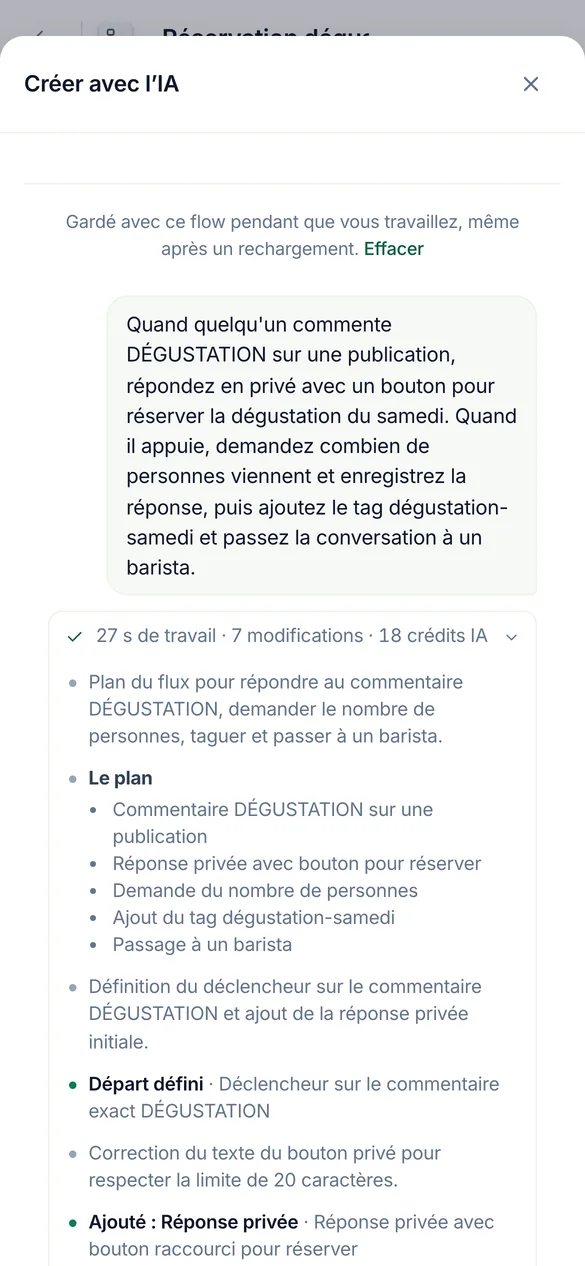
Quand quelqu’un commente TASTING, répondez avec un bouton pour réserver, demandez combien de personnes viennent et identifiez-les.
Construisez des automatisations et des flux
Ça se construit sur votre vrai canevas. Gardez le flux ouvert dans votre navigateur et chaque étape se pose pendant que vous regardez. Il teste le flux avant de proposer de l’activer.
Construit en pause. La mise en ligne attend votre accord.
Créez un agent à partir de notre page d'expédition et de la liste de prix, puis testez-le sur trois questions.
Configurer les agents IA
Il lit votre lien, fichier ou texte dans les connaissances de l'agent, vérifie ce qui a été lu, et lui pose de vraies questions pour que vous voyiez les réponses avant un client.
Chaque essai utilise 1 crédit IA, donc il en fait plusieurs et demande avant d'en faire plus.
Vérifiez ma meilleure pub de l'année dernière et supprimez le spam en dessous.
Nettoyez les commentaires, nouveaux et anciens
Il trouve les commentaires par mots, un motif, l'auteur, la publication ou une période, un ou des milliers à la fois, et montre qui les a écrits. Les anciennes publications et pubs passent par le Nettoyage de publications, vérifié selon vos propres règles.
Il indique les crédits qu'une vérification utilise avant de commencer.
Tout ce que vous pouvez demander
| Zone | Demandez-lui de | Par exemple |
|---|---|---|
| Les automatisations | Construisez, modifiez, testez et activez les commentaires vers DM, les réponses par mot-clé, le message de bienvenue et les réponses aux stories | Quand quelqu’un commente PRIX sur mon dernier reel, envoyez-lui la liste des prix en DM. |
| Flows | Construisez un flux avec questions, branches, capture de leads et étapes HTTP, testez-le sur le simulateur, corrigez-le | Demandez aux gens leur email, puis taguez-les comme leads. |
| Agents IA | Créez un agent, donnez-lui des connaissances à partir d’un lien, d’un fichier ou d’un texte, testez-le, répondez à ses brouillons | Créez un agent à partir de notre page tarifs et testez-le sur trois questions. |
| Modération | Lire et modifier les règles par page, tester un commentaire avec elles, les copier vers d’autres pages | Masquez les liens et le spam crypto sur mes pubs, et copiez cela sur le compte Instagram. |
| Commentaires | Trouvez par mots, une expression régulière, l'auteur, la publication ou une période. Puis masquez, supprimez, répondez, envoyez une réponse privée, bloquez ou ignorez | Trouvez tous les commentaires avec un numéro WhatsApp de cette semaine et masquez-les. |
| Nettoyage de publications | Ouvrez une ancienne publication ou publicité, vérifiez ses commentaires selon vos règles, puis supprimez, masquez, bloquez ou ignorez ce qui a été trouvé | Vérifiez ma meilleure pub de l'année dernière et supprimez le spam en dessous. |
| Résultats | Lisez ce que la modération a détecté et ce que chaque automatisation a fait, et expliquez un passage | Pourquoi Ana n’a-t-elle pas reçu le DM hier ? |
| Personnes | Trouver des personnes, lire leurs étiquettes et champs, les modifier ou les exporter | Combien de personnes ont donné leur email ce mois-ci ? |
Les 100 outils par nom
start_hereCommentWatchDog's full instructions and what this account has right nowrun_toolRun any CommentWatchDog tool by its name, also one added after your app loaded its tool list (an update notice or search names it)list_channelsThe workspace, the signed-in person, and every connected channel (each Instagram account and Facebook Page) with its state (ready, or why not and how…connect_channelConnect an Instagram account or Facebook Page that the person's Meta login already shares but that is not connected yet (list_channelsuse_channelSet the channel (one Instagram account or Facebook Page from list_channels) this AI builds on, as the person saidcurrent_flowThe flow the person has open in the CommentWatchDog editor in their browser right now ("the chatbot I have open"), described like get_flow with its…list_flowsThe chatbot flows on the chosen channel (or the one named; page "all" for every channel), newest change firstget_flowOne flow as it is nowget_stepOne step of a flow in fullvalues_atWhat a step can read, before you write a {{value}} or a condition rule therecreate_flowA new, empty, paused chatbot flow on the chosen channel (only its start)duplicate_flowA paused copy of a flow, in one calllist_postsFind the chosen channel's posts, reels and adsget_postOne post in fulllist_storiesThe Instagram stories live right now (the last 24 hours; Instagram lists nothing older), newest firstset_postWhich posts a comment flow answers onrename_flowGive a flow a new nameget_guideHOW TO BUILDget_practicesGood practice for building, where the person said nothingapply_changesChange a paused flowfinishEnd a piece of workset_liveTurn a flow or a basic automation LIVE (it starts answering real people on Instagram or Facebook) or pause itdescribe_stepOne step type in fulldescribe_triggerOne start type in full (comment, dm, story, share, link, welcome, …)describe_ruleOne condition rule kind in full, with its settings and examplessearchSearch EVERYTHING CommentWatchDog can do, when you are not sure what exists or which tool to useget_accountThe workspace's plan and what it allows right nowfind_stepsWhich step types do something ("ask for an email", "wait a day", "check if they follow")get_limitsThe platform's limits (text lengths, buttons, cards, waits) a flow must stay withincan_connectWhether a way out of one step may lead to another step, and why notlist_fieldsThe workspace's custom fields (where answers are kept)list_tagsThe workspace's tags, with how many people carry each and which flows use itlist_agentsThe workspace's AI agents (an agent step answers or talks as one of them)get_businessWhat the business has written about itself for this page (its agents' knowledgefind_serviceFree web services already proven to work (weather, currency, …) for an HTTP stepcreate_tagMake a new tag in the workspace (a step may only use a tag that exists)create_fieldMake a new custom field (where an answer is kept on the person)simulateWalk one made-up person through the flow on the simulator of the real engine (nothing is sent, nothing is kept)check_flowTest the whole flowlist_runsWhat real people went through this flow or basic automation (newest first), with countsget_resultsHow the automations are doing, across all of them (every kind, not only flows), or the ones "automation" names (an id, words of a name, or a keyword…explain_runOne real run of a flow or a basic automation step by step, in wordshttp_testRun one HTTP step of the flow for real from the server, with sample values for its {{variables}}, through the same guarded call the engine makesget_agent_guideREAD THIS FIRST before creating or changing an AI agentget_agentEverything about one AI agentcreate_agentCreate an AI agent (the plan must include agents and have room for one more)update_agentChange an agentadd_knowledgeAdd knowledge you extracted yourself (from a website, a PDF, a doc, the person's words) as one text sourceread_linkFALLBACK when you could not read a page yourselfread_fileFALLBACK when you could not extract a file yourselfget_sourceThe full text of one knowledge source as the agent uses it, to VERIFY a page or file was read properly (are the prices, plans, policies and contact…edit_sourceCorrect a source's text (a wrong price, a missing line, cut what customers never ask about)remove_sourceRemove a knowledge source (a page that failed, a duplicate, one replaced by a shorter text)reread_sourceRead a web page source again (it changed, or the last read failed for a passing reason such as a timeout)check_agentIs the agent ready? Freetest_agentAsk the agent a made-up customer comment or DM and see exactly what it would answer (or why it would hand over to a person)list_automationsThe basic automations (not flows) on the chosen channel, or the one named, or page "all"describe_automationOne kind of basic automation in full, before you create one (and before choosing a flowget_automationOne basic automation as it is nowcurrent_automationThe basic automation the person has open in the CommentWatchDog editor in their browser right now ("the one I have open", "this automation")…create_automationMake a basic automation on the chosen channel, PAUSED (it answers nobody until the person says yes to set_live)update_automationChange a basic automationduplicate_automationA paused copy of a basic automationtest_automationTest a basic automation (flowssend_to_earlierSend a LIVE comment → DM automation to the people who already commented before it went live (the last 7 days, on the posts it covers, each person…pause_automationsPause several live automations and flows at once (ids from list_automations / list_flows, or all:true for every live one on the channel)save_topicMake a topic, or change one (id)test_topicWould this message count as the topic? topic (an id from list_topics) or name + about + examples (an unsaved one), and textlist_topicsThe workspace's topics (what comments or DMs are about, decided by AI)describe_moderationHow comment moderation works, before setting it up or changing itget_moderationRead a channel's comment moderation settingstest_moderationRun a made-up comment through a channel's moderation with the live engine (AI rules included) and say what would happenupdate_moderationSet up or change a channel's comment moderationcopy_moderationPut one channel's moderation settings on other connected channels (their own settings are REPLACED)find_commentsSearch the comments on the channel (or "all") the way the inbox does, to answer "what are people saying" or to pick comments to act onmoderate_commentsAct on real comments, one or thousands at oncecomment_taskHow a moderate_comments or cleanup_act task is going (done, waiting on Meta's rate limit, failed and why), or stop it with cancelbanned_peopleWho is banned (CommentWatchDog hides every comment they write) and who is blocked on Facebook (through CommentWatchDog), per channel or "all", with…cleanup_postsThe posts and ads Post cleanup knows on every connected channel, OLD ones included (the inbox only has comments from after a channel was connected)cleanup_openRead one post or ad and all its comments (replies included) for Post cleanupcleanup_commentsSearch the comments of a post Post cleanup has read (cleanup_open first)cleanup_checkCheck the comments of up to 5 posts against the channel's own moderation rules (its filters, keywords, allowed links, whitelist, custom instructions)cleanup_actAct on the comments of ONE post Post cleanup has readfind_peopleThe people who messaged or commented (People in the app), newest first, 50 at a timeget_personOne person in fullchange_peopleChange people in Peoplesave_segmentSave a segment of People (a filter kept by name, shown on the People page and usable as find_people {segment})forget_peopleForget people for good (a privacy requestlist_draftsThe AI agents' drafts waiting for a personanswer_draftSend an agent's draft (as written, or with textremoveRemove somethingrestoreBring an archived automation or flow back, PAUSED (set_live turns it on with the person's yes)rename_tagRename a tag everywhere it is namedflow_versionsA flow's saved versions, newest first (each save that changed it, with what changed and who), or with versionrestore_versionPut a PAUSED flow back to an earlier version (flow_versions)get_moderation_resultsWhat moderation did on the channel (or "all") over a periodset_sendingHow fast a channel sends its automatic first DMs and public replies (per_hoursaved_repliesThe channel's saved replies (the ready answers teammates insert in the inbox)list_mediaThe workspace's media libraryadd_mediaStore a file in the workspace's media library from a public link (the person's own file
Il demande avant d'agir
La lecture et la construction se font en même temps. Tout ce qui devient actif, atteint les gens ou supprime quelque chose attend votre accord, avec vos propres mots, dans le chat.
| Il agit immédiatement | Il vous demande d’abord |
|---|---|
| Lire les pages, automatisations, flux, agents, règles, résultats et commentaires | Activez, mettez en pause ou modifiez une automatisation ou un flux en direct |
| Créer et modifier les automatisations et flux en pause, et les tester | Supprimer, répondre, envoyer une réponse privée, bloquer ou ignorer |
| Masquer, afficher, débloquer et réactiver sans utiliser de crédits | Tout ce qui utilise des crédits de commentaire, avec le nombre affiché en premier |
- Avant un oui, il montre son travail
- Combien de commentaires ou de personnes, un échantillon de qui et quoi, et les crédits utilisés.
- Réponse identique à plusieurs personnes
- Au maximum 200 commentaires par requête et 1 000 par jour, envoyés un toutes les 3 secondes, pour que Meta ne le considère jamais comme du spam.
- Blocage
- Au maximum 100 personnes par requête. Ignorer n'a pas de limite : CommentWatchDog masque tout ce qu'une personne ignorée écrit.
- Instagram ne permet à aucune application de bloquer. Ignorer fonctionne là-bas.
- Votre rôle et votre forfait s'appliquent
- L'IA peut faire ce que vous pouvez faire. Une fonctionnalité non incluse dans votre forfait reste fermée.
- Ce qui reste dans l'application
- Facturation, collègues et réponses dans la boîte de réception.
Connexion gratuite. Crédits comme dans l'app
Demander via une IA ne coûte jamais plus que faire la même chose dans CommentWatchDog. Les forfaits commencent à 29 $ par mois.
| Ce qu'il fait | Crédits |
|---|---|
| Connexion d'une application IA, sur tous les forfaits | Aucune |
| Création, test et recherche | Aucune |
| Vérification des commentaires selon vos règles (Nettoyage de publications) | Crédits de commentaires, les mêmes que dans l'application. Il vous indique combien avant de commencer. |
| Agir sur un commentaire que votre forfait n'a jamais compté | 1 crédit commentaire la première fois que quelque chose agit dessus, comme dans la boîte de réception |
| Tout ce qu'une IA écrit : réponses d'agents, traductions | Crédits IA, les mêmes que dans l'app |
Vos questions, nos réponses
Réponses courtes. Chacune d'elles vaut pour les dix applications.
C'est un serveur MCP distant qui permet à une application IA comme Claude ou ChatGPT de fonctionner dans votre compte CommentWatchDog. Vous demandez en langage clair et il construit et teste des automatisations Instagram et Facebook, configure des agents IA et la modération, et trouve, masque, supprime ou répond aux commentaires. L'adresse est https://app.commentwatchdog.com/api/mcp.
Claude, ChatGPT, Claude Code, Cursor, VS Code, Codex, Gemini CLI, Windsurf, Cline, et toute application qui supporte les serveurs MCP distants via Streamable HTTP.
Non. Chaque app se connecte avec OAuth : vous l'autorisez sur une page CommentWatchDog et rien n'est collé. Une clé est uniquement pour votre propre agent ou script qui ne peut pas ouvrir de navigateur.
Non. Supprimer, répondre, envoyer une réponse privée, bloquer et ignorer nécessitent toujours deux étapes. Il montre combien et un échantillon, et ne continue qu'après votre accord dans le chat.
Non. La connexion est gratuite sur tous les forfaits, tout comme la création, les tests et la recherche. Les crédits de commentaires et les crédits IA sont facturés exactement comme dans l'app.
Oui, via le Nettoyage de publications. Il ouvre la publication ou la pub, vérifie ses commentaires selon vos règles, puis supprime, masque, bloque ou ignore ce qu'il a trouvé après votre accord.
Dans Paramètres › MCP, sous Applications connectées, choisissez Déconnecter à côté, ou Tout déconnecter. Elle cesse de fonctionner aussitôt.
Posez votre première question aujourd'hui
Gratuit pendant 7 jours, sans carte bancaire requise.